Inspiring
December 27, 2019
Answered

Acrobat - how to clear the default value in a form field? It's been keyed in in Preview mode.

  • December 27, 2019
  • 1 reply
  • 1216 views

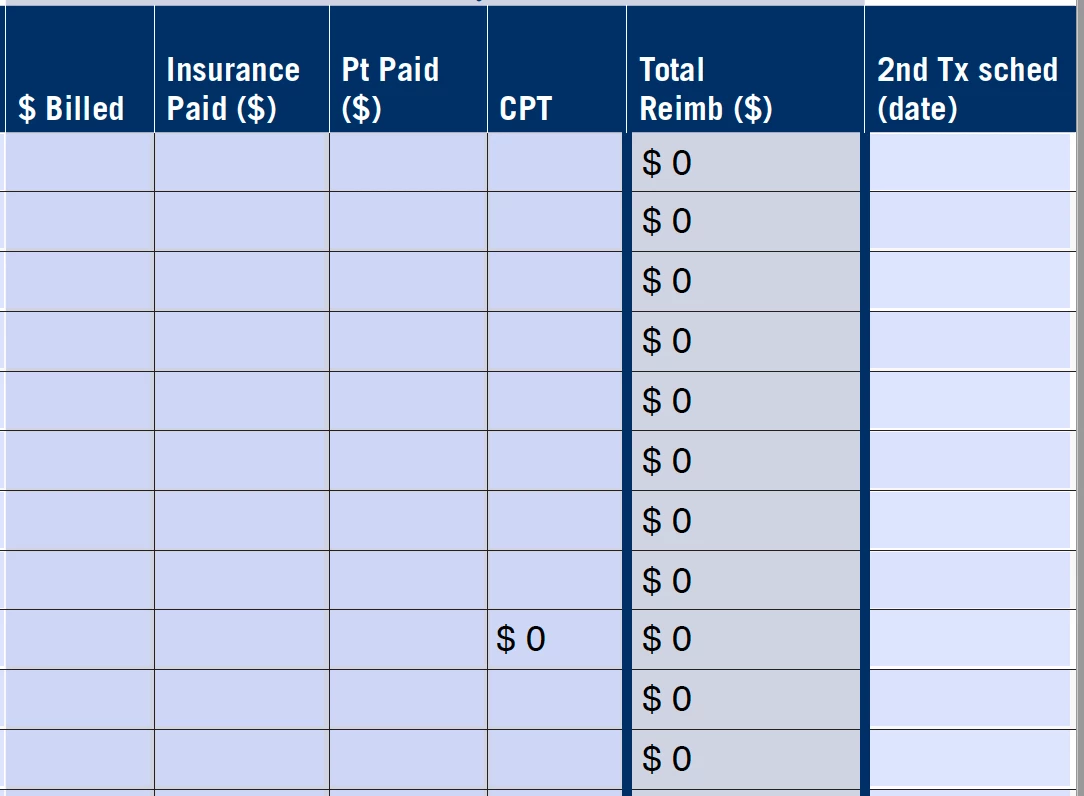
So, I have a nice clean form that somehow has a stray keystroke "0" in one of the forms in the CPT column. I can't get rid of it, and it doesn't seem to appear under Properties to be anything that I can change.

I can't just hit "delete" in Preview mode. It just refills a "0".

How do I get rid of it?
This topic has been closed for replies.
Correct answer coopjack

Nevermind – operator error.


I had set the field to Calculate a Value accidentally so there was a "0" in the default form.


1 reply

coopjackAuthorCorrect answer
Inspiring
December 27, 2019

Nevermind – operator error.


I had set the field to Calculate a Value accidentally so there was a "0" in the default form.