
Acrobat Install Issue
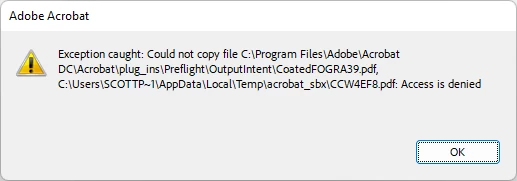
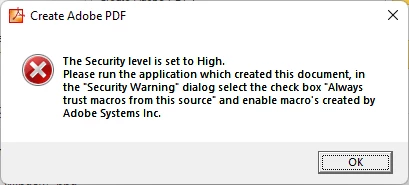
I got update for Adobe Acrobat Pro and the program didn't install properly. I didn't get a warning or any prompts on the install/update. When I booted the program I just got the blank screen shown in the first image below. I looked for what to do online and found to unstall and run a cleaner and then upon reinstall acrobat will work. I used the cloud installer initiailly and I got the same result a blank screen. I got the standalone installer and turned off my anti-virus and did the install again; I have the same blank screen. I attempted to convert some files with adobe through the OS context pane but I and error which is the last image. The second image shows an exception that happen one time as with the cloud installer, which I did try with anti-virus disabled. I did try the installer with Adobe Creative Cloud, Adobe Genuine Service uninstalled and I got the same blank screen. The web version works okay but I can't get the desktop version to install successfully.
 AdChoices