Sure, here are some jpegs that will not convert for me. Now keep in mind issue is for all jpegs over the span of a year, from different customers and downloads
HI Steven,
OK, you may not like this but I downloaded three of the documents from different days (Nov. 29, Nov 30, & Dec. 2). Once the file was downloaded, I dragged the file onto my Acrobat icon in my Doc. The files were immediately opened in Acrobat. I also did an OCR recognition, and all were done (except the one with Asian characters, as my copy is set for the English language, so it did not have the information to do that OCR).
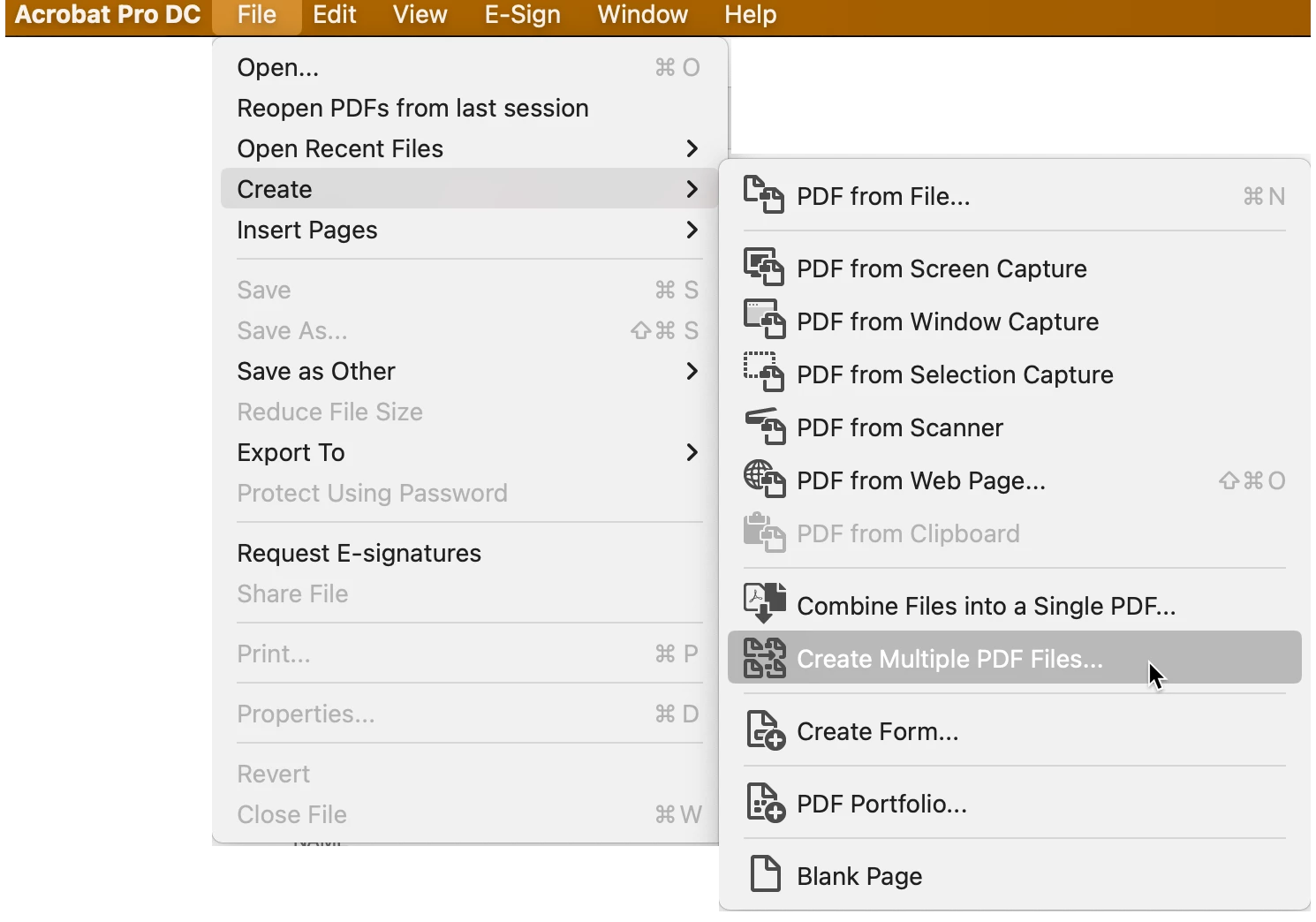
I then moved the three original JPGs into a new folder, and from Acrobat's File menu, selected Create -> Create multiple PDF files. I selected the folder I just created, selected the three files I placed there, and ran them. All three created the PDFs immiedately. (No OCR was done becuase with JPGs you need do that as a separate step. If the files were TIF format the OCR would have been done automatically.)
Here is the path showing how I did the 2nd approach:
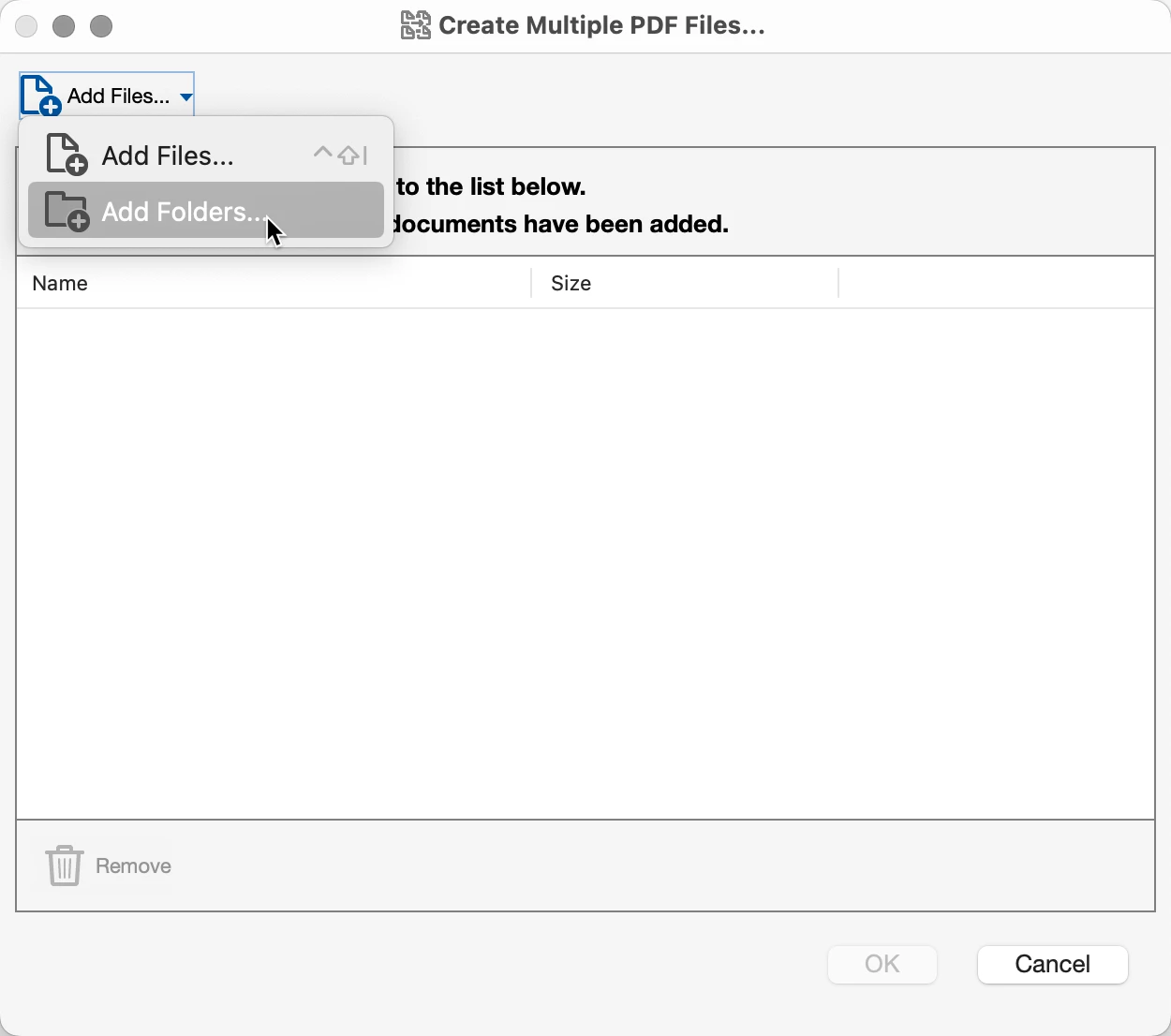
Then I selected "Folderes." (Either is fine but in both cases you need to select the range of files.)
There were no issues, none.
For the record, I'm using a Mac Studio Pro. OS 13.0.1. The version of Acrobat I'm using is:

The one thing I can think of is if the JPG file is being taken before it has fully downloaded from the internet. I did have an issue several months ago where I sent a medium sized PDF out to a group of people and one person complained that they could not open the file. In this case, their internet was not fast AND the 3 MB file had not fully downloaded. While we were on the phone, he tried again and the file opened up just fine. However, the files you sent me are relatively very small and unless you're using a dial up modem, they should have downloaded in a second (unless you were sent hundreds at a time).
Otherwise, I'm not sure what to tell you. I'm sure the files you sent me are the same as the ones that are not working on your system. If this is so, than the fault is not the JPGs and the problem is something within your system. Since I'm a Mac user, I do not have a clue as to where to start on something as focused as this issue. Have you tried again on these files that failed the first time (see above paragraph)?
All I can do at this point is say that it's not the file's fault, they work fine. Perhaps if you try the approach that I used as opposed to the approach that you've been doing for a long time.
Let us know,



 AdChoices