
Participant
October 10, 2024
Question

Acrobat not selecting text while editing

  • October 10, 2024
  • 2 replies
  • 220 views

I have not been able to select individual text  when editing in Adobe Acrobat PDFs recently. They are web pages saved as Acrobat PDF files.


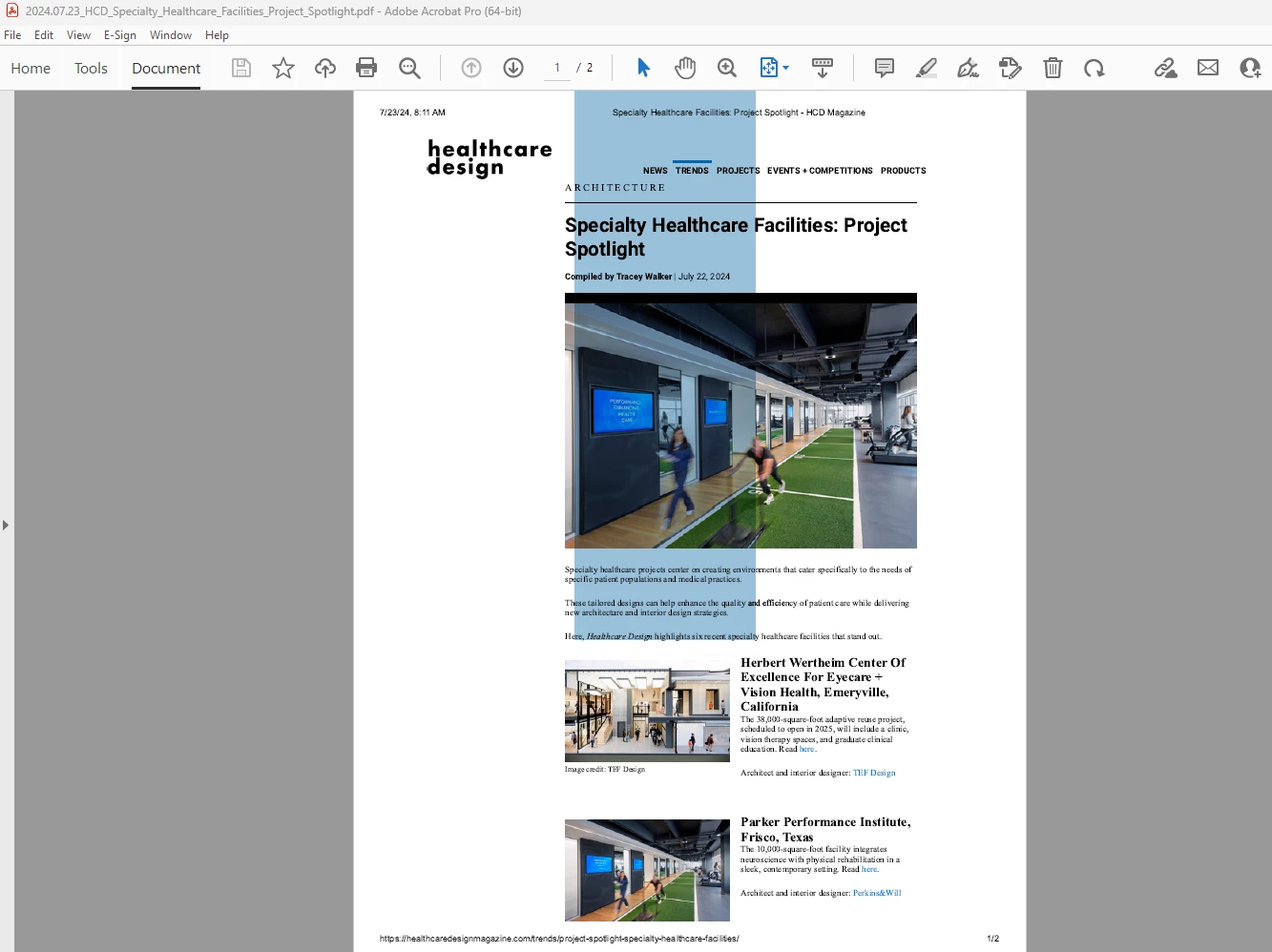
When I try I get a large selection that covers most of the PDF in a blue box like below.
However, on other documents, I am able to select text as I have in the past so it doesn’t act universally across all PDFs.


This topic has been closed for replies.

2 replies

try67
Community Expert
Community Expert
October 10, 2024

This generally means that what you're seeing is an image, not real text. Try searching for some words from it, and you'll probably see it doesn't find anything, because there's nothing to find. You can run Text Recognition on the file, and if the results are successful then you should be able to select, search, extract it, etc.

PDF Automation Station
Community Expert
Community Expert
October 10, 2024

Did you try running OCR (recognize text)?