
Acrobat not selecting whole words for tagging
Hello everyone,
I have a document that a colleague created in Microsoft Word 365. I am in the process of fixing accessibility errors, but have run into an issue when trying to select text.
When I use my cursor, the selected text looks like this:
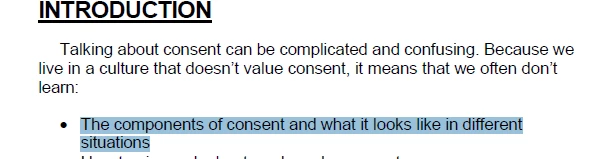
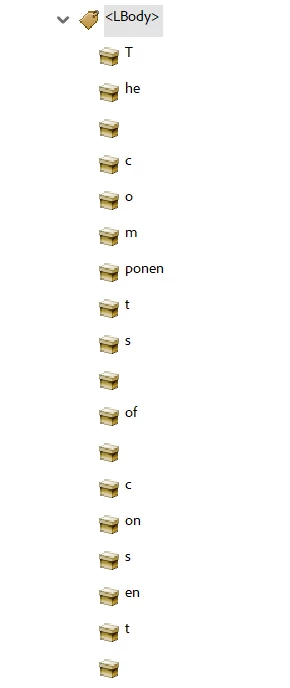
Then I right click on the tag I want to add, select Create Tag from Selection, and then this is what shows up in the Tags panel:
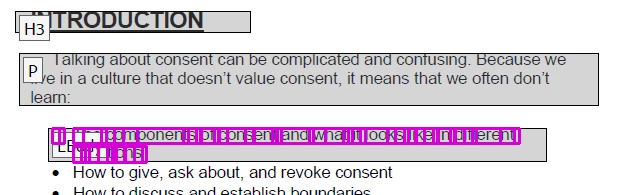
When I check the selected text again using the Reading Order panel (to see if that will give me a better text selection), this is what I see:
Does anyone know why this is happening and what I can do to fix this issue?
I've exported the document using "Save As" pdf and exported the document using the Adobe PDF Maker integration, but continue to have this issue.
Any help is appreciated.
Thank you,
Norio
 AdChoices