
Participant
March 18, 2024
Question

Acrobat PDF Portfolio Not Able to Edit

  • March 18, 2024
  • 2 replies
  • 1292 views

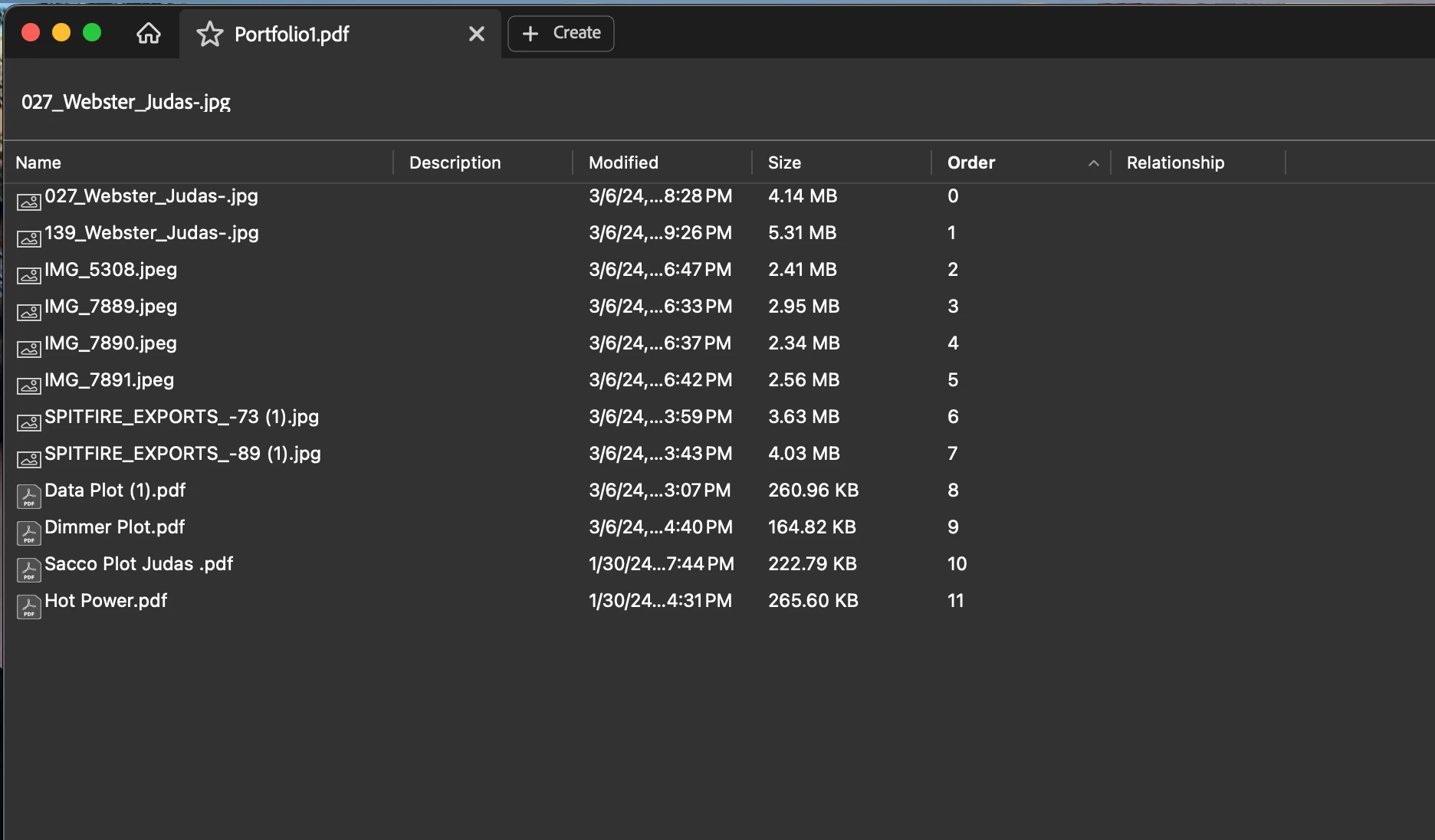
Hello I am trying to create a PDF portfolio. I watched several video tutorials, and from what I gather, once you upload your files and press create, the files populate as thumbnails on the left-hand side, and then in the main part of the screen, you can view and edit as needed. When I upload all of my files, it just creates a list of files that I cannot view or edit. When I press open file it opens on a new tab. What am I doing wrong?
This topic has been closed for replies.

2 replies

Bernd Alheit
Community Expert
Community Expert
March 27, 2024

Try this:

Disable the new UI of Acrobat.

Thom Parker
Community Expert
Community Expert
March 27, 2024

Good Catch Bernd!!    I assumed that since the "regular" menus were showing that the new UI had already been disabled. But the option is on the view menu.  How sinister 😞 


Thom Parker - Software Developer at PDFScriptingUse the Acrobat JavaScript Reference early and often
Thom Parker
Community Expert
Community Expert
March 19, 2024

Find your view menu. There will be a "Portfolio" submenu with aome viewing options. Right now it looks like it's set to details, withour the preview window. 


Thom Parker - Software Developer at PDFScriptingUse the Acrobat JavaScript Reference early and often
Participant
March 20, 2024

Is there another submenu it could be under? I've looked through everything in the view menu and everything is greyed out and non-clickable. I don't see a portfolio sub menu at all. Picture attached!


Thom Parker
Community Expert
Community Expert
March 20, 2024

Are you on a mobile device? What version and variation of Acrobat?


Thom Parker - Software Developer at PDFScriptingUse the Acrobat JavaScript Reference early and often