Participating Frequently
November 16, 2025
Answered

Acrobat Pro 2024 (Classic) licensing questions

  • November 16, 2025
  • 1 reply
  • 115 views

when you buy Adobe Acrobat Pro 2024 (Classic) for macOS, how many activations are you allowed?
Is it still limited to two activations?
Is it actually tied to you needing to login now?

If you reinstall macOS do you need to deactivate first the product?

If you forget to deactivate because you need to reinstall the OS do you lose one activation?
can someone please clarify what someone gets for the money?


Thank You

Correct answer Randy Hagan

1) It is still limited to two activations

2) You need to be signed into your Adobe Account on your system to use the software

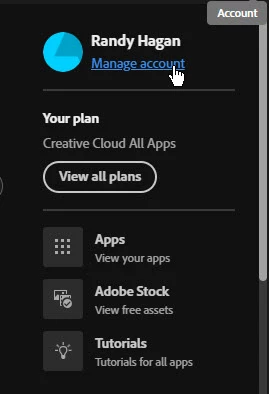
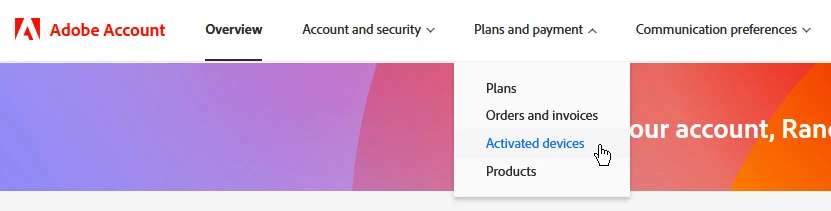
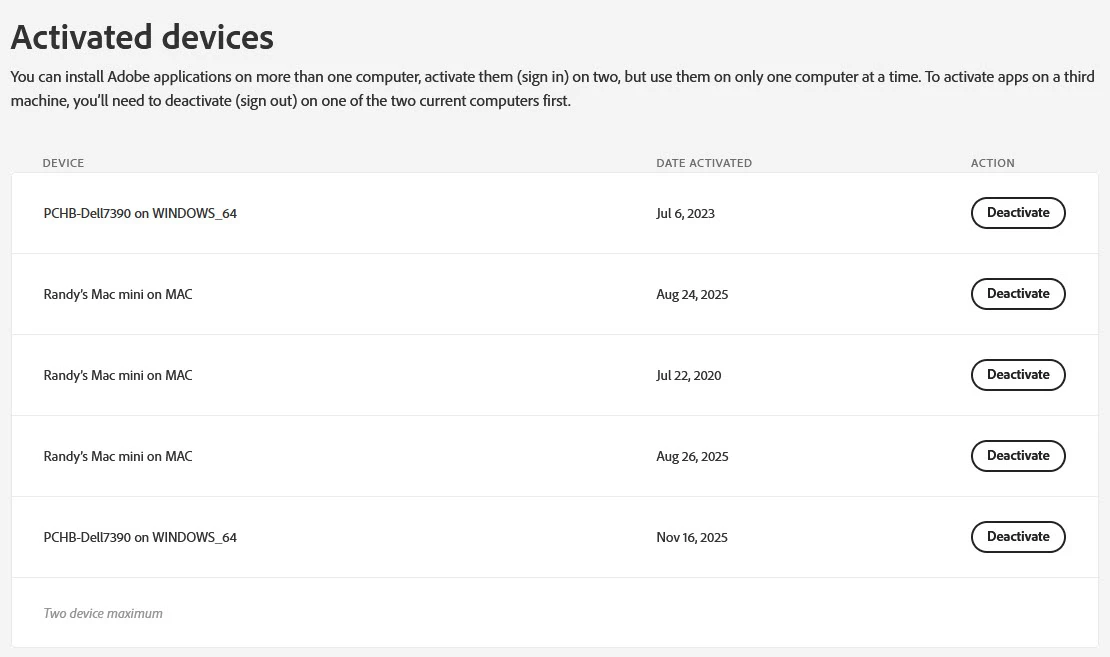
3) You can use your Creative Cloud app on your Mac to access your Adobe Account online. The following three screen captures will walk you through the process:


Don't be surprised if you see multiple instances of your systems listed, as above. Just deactivate every reference to the system you want to be rid of, then install Acrobat and sign into the new one.


4) In short, you get to use a comprehensive software package on two systems that you register with Adobe. Same as it ever was.


Hope this helps,


Randy

1 reply

Randy Hagan
Community Expert
Randy HaganCommunity ExpertCorrect answer
Community Expert
November 16, 2025

1) It is still limited to two activations

2) You need to be signed into your Adobe Account on your system to use the software

3) You can use your Creative Cloud app on your Mac to access your Adobe Account online. The following three screen captures will walk you through the process:


Don't be surprised if you see multiple instances of your systems listed, as above. Just deactivate every reference to the system you want to be rid of, then install Acrobat and sign into the new one.


4) In short, you get to use a comprehensive software package on two systems that you register with Adobe. Same as it ever was.


Hope this helps,


Randy

Participating Frequently
November 16, 2025

Ah, but this is a good thing, you can deactivate manually yourself. No need to contact Adobe Support which will tell you they don't have access to the activation servers anymore.

Thanks!