

Acrobat Pro Continuous Release 2024, Right-click to Open scanned page in Photoshop PRIOR to OCR
Long-time user:
- Adobe Acrobat Pro Continuous Release 2024
- Adobe Photoshop 25.12.0
On Mac: for many years I've been able to scan in a document to PDF with Adobe Scan on my phone or using various scanners to create a Scanned Multi-page PDF.
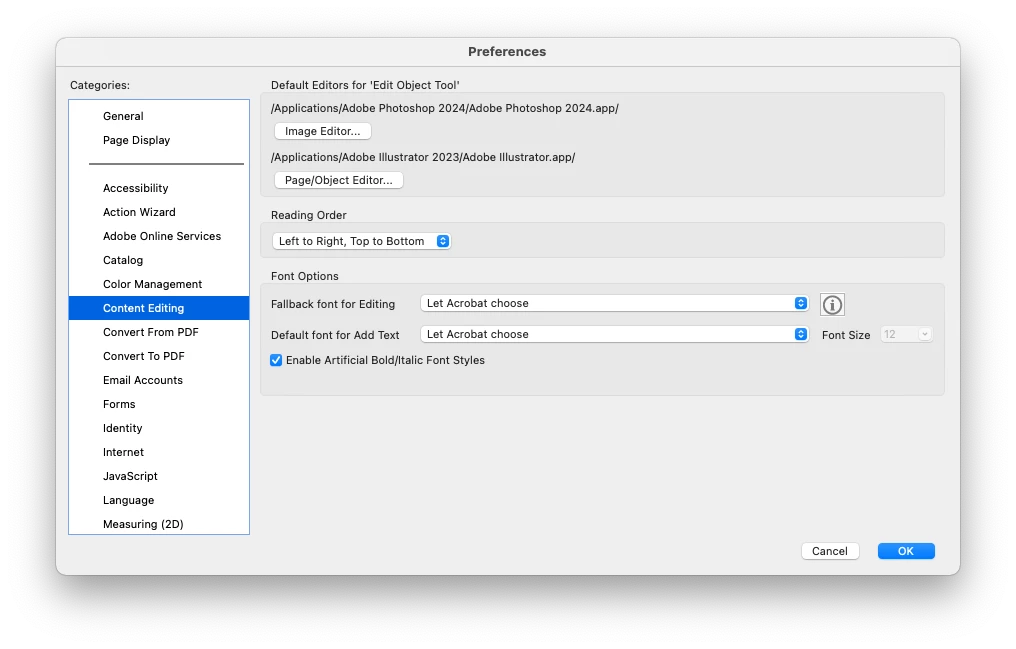
My workflow from that point has been to go to a page, click to highlight the page, and I have been offered the "Edit Image in Photoshop…" option which allows me make corrections and changes as IMAGES in Photoshop and then save the Photoshop document and have that page automatically update in Acrobat Pro.
It appears that option is no longer available, in addition to being unable to open a scanned page of a multipage PDF in Photoshop, when I try to do this, the OCR function always activates and attempts to make the entire page 'editable(?!)', creating numerous small image boxes and garbled text boxes that I don't need and don't conform to the intended content of the page in the PDF.
Also, what happened to the option of performing OCR on a scanned page but leaving the image of the scanned page instead of making numerous malformed image and text boxes?
I need the page to look exactly as scanned, be able to "Edit in Photoshop…" a particular scanned full-page image, and then have the document go through OCR without changing the image or adding malformed text boxes.
How do we return to this long time simple handling of scanned PDF pages?


 AdChoices