
jmcgrath0405
Participant
October 11, 2019
Question

Acrobat PRO DC desktop app displays not connected to the internet

  • October 11, 2019
  • 2 replies
  • 979 views

I am connected to the internet and have tested it.  for some reason, the desktop app for acrobat pro dc gives me this error message (see screen shot below) when I try to access my Document Cloud folder from within the application.  this happened about 3 weeks ago and I uninstalled and reinstalled the application, which seemed to fix it.  however this week the problem came back and I have uninstalled/re-installed the application, but it did not resolve the issue.  any guidance/help will be greatly appreciated.
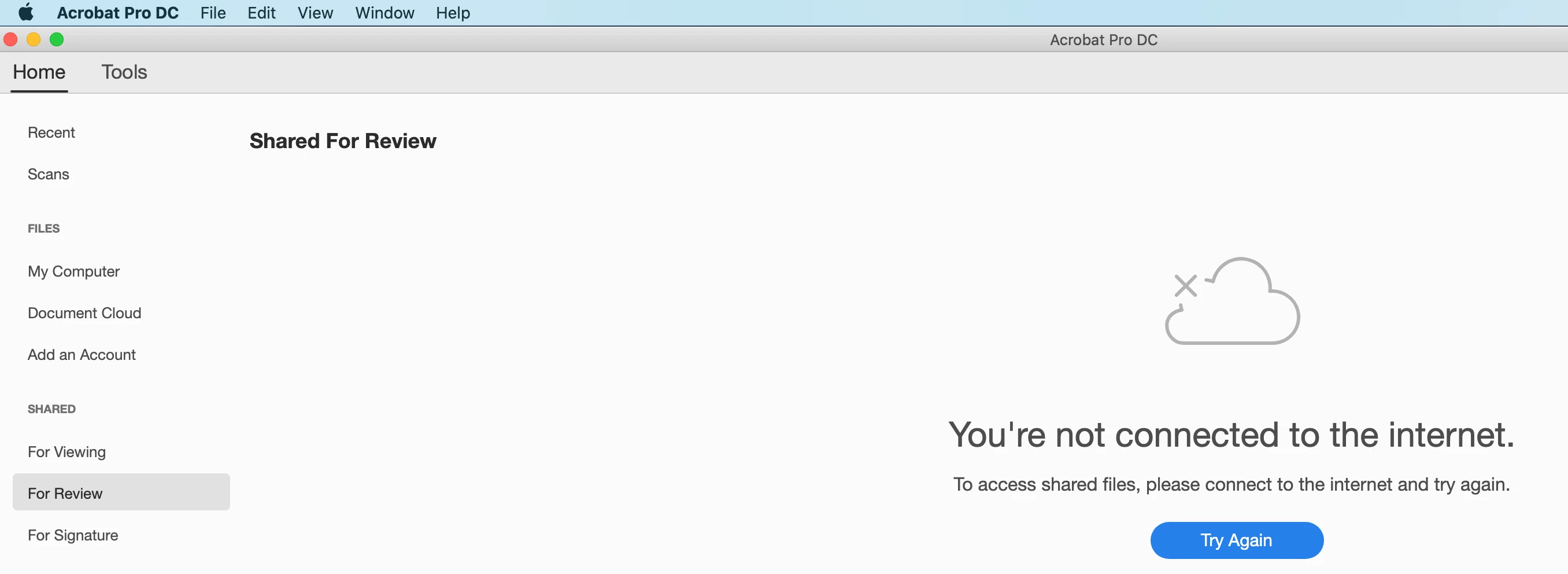
 

    This topic has been closed for replies.

    2 replies

    Amal.
    Legend
    October 15, 2019

    Hi Jmcgrath,


    Thanks for reaching out. As described above, you are getting the error message 'not connected to the internet', correct?


    ++ Adding on to the discussion 


    You may also try the troubleshooting steps provided in the help article https://helpx.adobe.com/in/x-productkb/policy-pricing/activation-network-issues.html and see if that helps


    Let us know how it goes 


    Regards,

    Amal

    ls_rbls
    Community Expert
    Community Expert
    October 14, 2019

    Hi,


    In which operating system is this occuring?


    What version of Acrobat are you using?


    Is this a work computer or a home computer?


    Is that computer behind a firewall or VPN?

    jmcgrath0405
    Participant
    October 15, 2019
    thank you for getting back to me.
    jmcgrath0405
    Participant
    October 15, 2019
    O/S - MacOS Catalina version 10.15