


Participant
January 17, 2017
Question

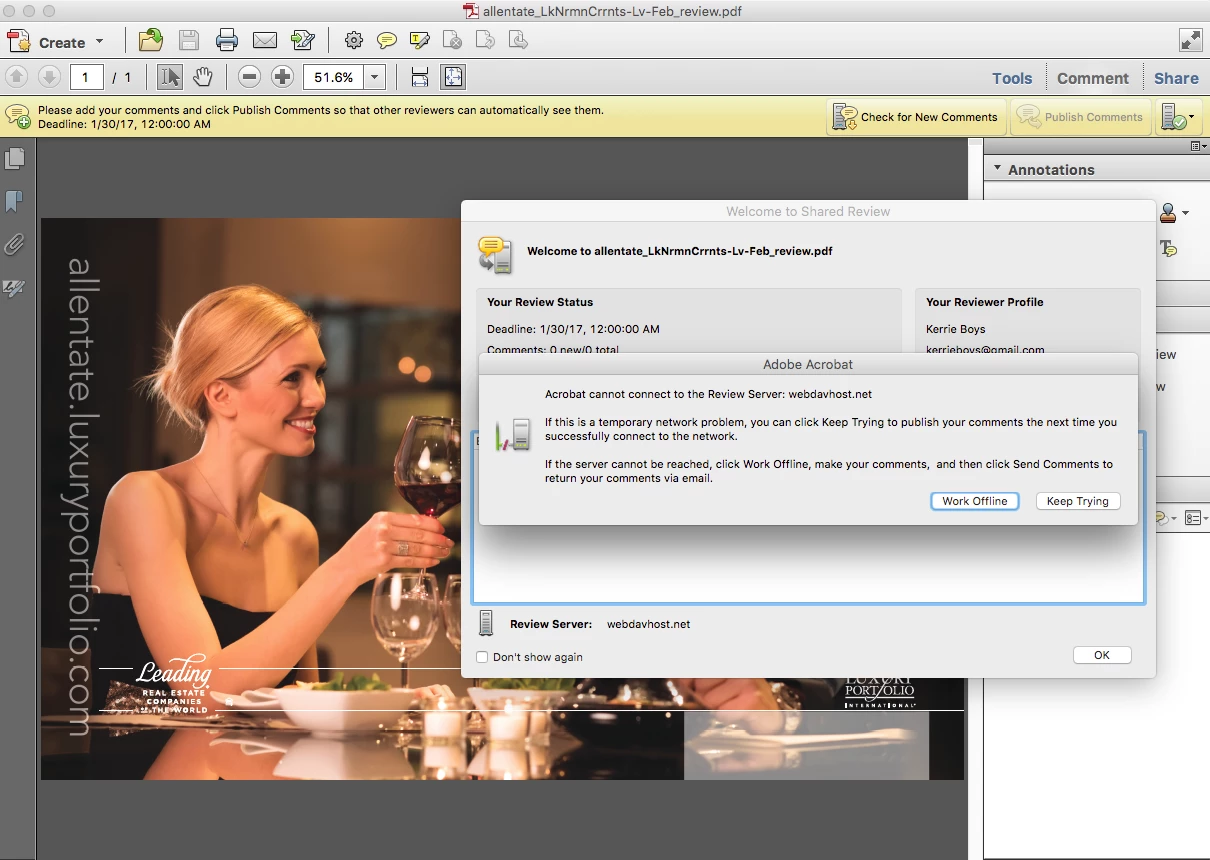
Acrobat Pro DC will not connect to WebDav Server

  • January 17, 2017
  • 4 replies
  • 3842 views

I am using Acrobat Pro DC with a webdav server for shared reviews/commenting. It worked 3 weeks ago - but has stopped working. It says it cannot connect- has anyone found a fix? Or having the same problem?
This topic has been closed for replies.

4 replies

Participant
November 13, 2019

I do believe I found a fix for this:


In Adobe Reader go to Edit>Preferences>Trust Manager

Our WebDAV server was listed here as "Always Block." I removed it from the blocked list and verified that PDFs could now be opened without error. You can also check the "Allow PDF files to access all web sites" button to avoid future issues, although this may be a security concern for some.

Adorobat
Community Manager
Community Manager
March 27, 2017

HI all,

Sorry for the delay in response.

Could you please try the steps suggested in the following links:

Why Acrobat cannot connect to the Review Server if it was working before? I can't see comments at all. I have a Mac Pro …

Adobe Reader cannot connect to the review server

Acrobat can't access shared review data on WebDAV

Also, check if there is an update available for Acrobat.

You may also download the update from the following link:

For Mac: Adobe - Acrobat : For Macintosh

For Windows: Adobe - Acrobat : For Windows

Please confirm the version of Acrobat installed on your computer.

Launch Acrobat>navigate to Help menu>select About Adobe Acrobat

Thank You,

Shivam

kirkf64948406
Participant
May 10, 2017

Hello, I'm wondering if this was resolved.  I have run into the same issue, but only with the Macintosh version of Adobe Acrobat, both DC and Professional.  I have a post on the forum here AdobeResourceSynchronizer - Macintosh - Unable to connect when behind proxy server

In my post I note that the PC version of Acrobat DC does work and quite quickly through our network.  I have also since requested that the vendor website is whitelisted in our proxy server to no avail.

My assumption is that this has to do with NTLM authentication through our proxy server.  The whitelist should take care of this however I cannot be certain it is fully applied as I am not an administrator of the proxy appliance.

-Kirk

gvbpilot
Participant
March 22, 2017

I have a similar problem where some users are not able to connect with documents.  They are stored in a SharePoint 2010 library.  Permissions are not an issue.  If users select "keep trying" to connect, the comments ARE NOT saved and there is no indication those comments are lost.

FIX THIS PLEASE!

Adorobat
Community Manager
Community Manager
January 17, 2017

Hi idesign2inc,

Could you please try with sample review and see if that works.

Thank You,

Shivam

Participant
January 17, 2017

What is a sample review? The screen shot I gave you is a sample of a review.