

Participant
February 22, 2023
Question

Acrobat Pro missing prepare form tool

  • February 22, 2023
  • 1 reply
  • 18965 views

Hi,


My 'Prepare Form' tool option has disapeared on my Acrobat. I've got a CC subscription through work and I definitely had it last month when I used it last...

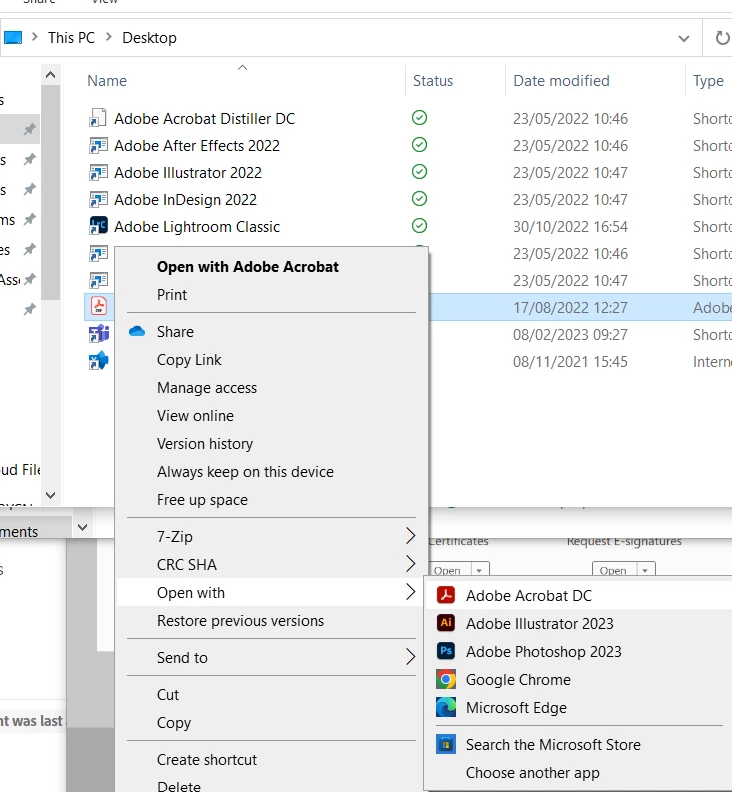
If I open a pdf it says its opening with Adobe Acrobat DC:
 

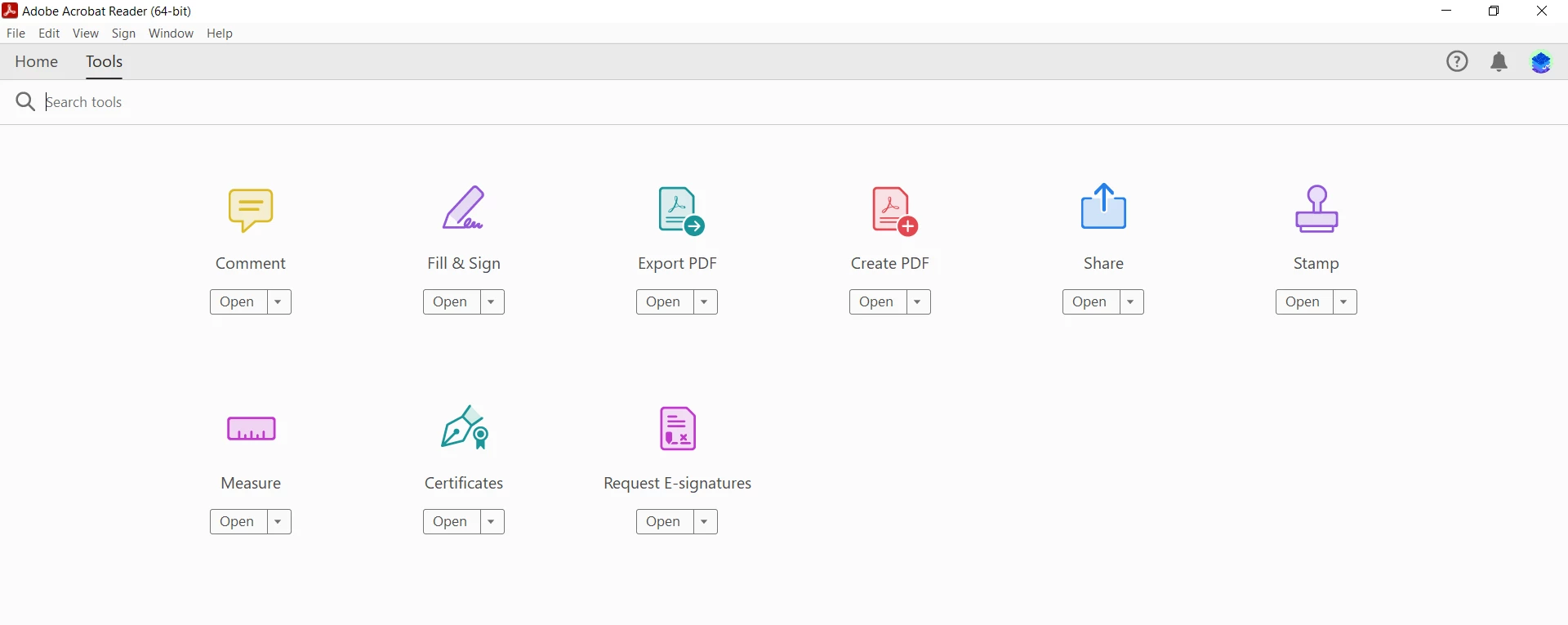
However then in the top left hand corner it is coming up as Adobe Acrobat Reader:
Any advice would be great.

Thanks

This topic has been closed for replies.

1 reply

AkanchhaS8194121
Legend
February 22, 2023

Hi @defaultaqgopg766h94 


Thank you for the detailed description. 

Prepare form tool is a part of Acrobat Pro. However, Acrobat Reader is open on the screen, which is freeware. It doesn't include the Prepare form feature.


There's likely a chance that when you select open with Acrobat Reader is set up as the default app to view/open the PDF file.  

As you are an Acrobat Pro user, we suggest you uninstall the freeware Acrobat Reader

Or set Acrobat Pro as the default PDF viewer from the above screen. Open With>Choose another app> Select Acrobat Pro >check "Alway use this app to open .pdf files.">OK


Marking a reply or response “Correct” will help future users with the same issue quickly identify the correct answer.


Thnaks,

Akanchha