
Participant
February 28, 2024
Answered

Acrobat Pro won't download

  • February 28, 2024
  • 1 reply
  • 638 views

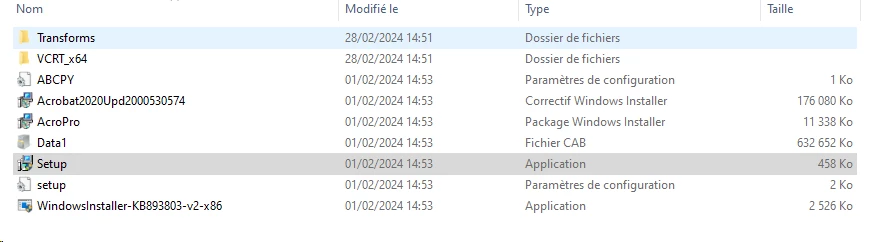
After opening the Adobe Acrobat zip and lauching the Setup.exe file, the installation stop with the following message : "Adobe Acrobat (64-bit) (Continuous) is already installed". I looked for the Adobe application on my PC but I found it nowhere. 


This topic has been closed for replies.
Correct answer Amal.

Hi @JOELLE35749576mb07 


Hope you are doing well and thanks for reaching out.


Please remove the application using the Acrobat cleaner tool https://www.adobe.com/devnet-docs/acrobatetk/tools/Labs/cleaner.html , reboot the computer and reinstall the application using the direct link https://helpx.adobe.com/acrobat/kb/acrobat-dc-downloads.html and see if that works.


Let us know if you experience any trouble and need more help.


~Amal


Got your issue resolved? Please label the response as 'Correct Answer' to help your fellow community members find a solution to similar problems.

1 reply

Amal.
Amal.Correct answer
Legend
February 28, 2024

Hi @JOELLE35749576mb07 


Hope you are doing well and thanks for reaching out.


Please remove the application using the Acrobat cleaner tool https://www.adobe.com/devnet-docs/acrobatetk/tools/Labs/cleaner.html , reboot the computer and reinstall the application using the direct link https://helpx.adobe.com/acrobat/kb/acrobat-dc-downloads.html and see if that works.


Let us know if you experience any trouble and need more help.


~Amal


Got your issue resolved? Please label the response as 'Correct Answer' to help your fellow community members find a solution to similar problems.