Acrobat Pro X crashes when comparing documents
I spent half my day yesterday comparing specific pages in 2 large pricelists. No problems. When I started up again today Acrobat started to act up. I want the box "Compare only text" checked, but if I have that checked today Acrobat crashes immediately after the comparing is finished. I have restarted my computer, repaired the program. In the logbook of the computer it only says "Fel" (Error in English) and that the affected file is acrobat.exe.
The strange thing is that I am working exactly as I did yesterday. If I compare the same pages as one of the groups I did yesterday (with the box checked), it crashes. No updates on either Windows or Acrobat this morning.
Here's the reason I want the box checked:
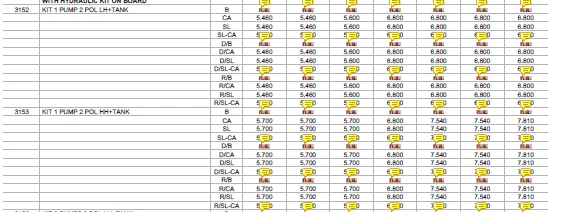
Above is the result with the box checked.
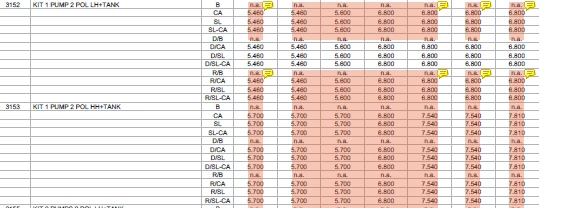
Below is with the box unchecked. I have to manually read all the text that's marked.
Any ideas?
Lena
Sweden
 AdChoices