


bradw9585377
Participant
November 5, 2016
Question

Acrobat Pro X will not install from CS6 Master Collection

  • November 5, 2016
  • 2 replies
  • 919 views

Prerequisite Information:

Downloaded the latest installation file: MasterCollection_CS6_LS16.7z

Installing on Windows 7 Enterprise (updated) from a local drive.

Have valid, confirmed and registered CS6 license key.

Attempted on multiple laptops (including Windows 7 Ultimate and Win 8,1) Same Error.

Error:
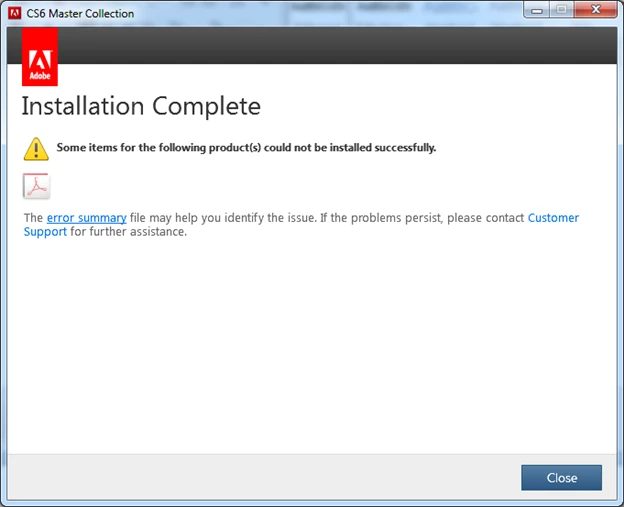
When I click the error report, I get this:

and this:
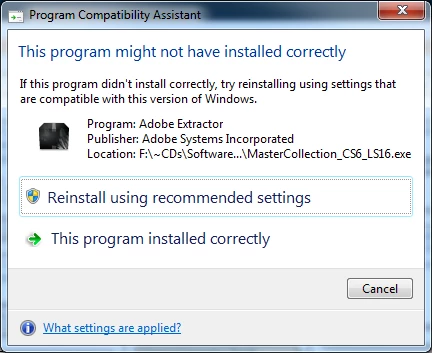
When I follow forum directions to download JUST Adobe Acrobat (separate module), my license key (for CS6) returns "invalid license key" error.

I do NOT want to convert to Acrobat DC. I want the product I paid for working.

Your help is greatly appreciated.

Brad.

This topic has been closed for replies.

2 replies

bradw9585377
Participant
November 12, 2016

The problem is that Acrobat Pro X will not install from the CS6 Master Collection Suite (see original full post).

Phone support won't take the matter.

Chat Support refuses to assist.

The Forum doesn't have the answers.

Would someone help?

Please?

Brad.

Ned Murphy
Legend
November 5, 2016

You cannot use the serial number for the Creative Suite to activate products that were not installed thru the suite manager.

bradw9585377
Participant
November 5, 2016

Ned,

That's what support suggested I do. Since the CS6 Suite installation manager was creating the error message, they suggested I try the Standalone product. Obviously, this didn't work. Notwithstanding, that doesn't solve my problem of getting Adobe Acrobat Pro X installed from the CS6 Suite. Any suggestions anyone?