
Participant
July 28, 2023
Question

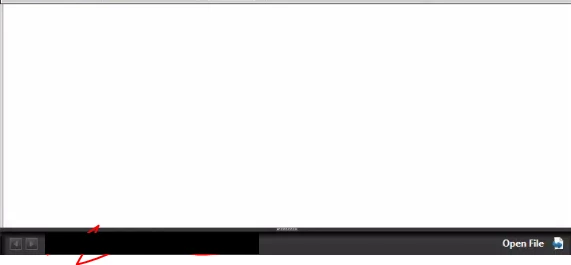
Acrobat Pro XI keeps opening with white box and 'open file' at top.

  • July 28, 2023
  • 2 replies
  • 397 views

So workflow wise, we save emails from outlook by using an add-on to select option 'convert to PDF' then saving in a folder, issue is, it crashed the other day and the option vanished. We ran updates on outlook and acrobat pro and it came back after enabling the add-on? but now, it shows this huge white header at the top thats blank with a 'open file' on the far right side and an arrow, the file is open and i can read it below? but this always pops up now, when it is already open! which is very annoying. What on earth would make this go away? why is it coming up in the first place? and why would it ask to open a file again after the file is already open? it is a requirement that i use this version so i need this version to work.

preview below.
This topic has been closed for replies.

2 replies

Participant
August 14, 2023

Its my hope, they i cant be instructed on what i can try to resolve the issue, as stated, there are dependancies that require older Adobe that cannot be overcome in newer Adobe, partially due to the UI changes and the use of connected programs that are needed for document flow.


If possible, if it is simply an issue of scripting or something to do with a plugin, id love to know how to resolve this.

If it is thinking this is multiple installs, or if it is launching it in reader first and then glitching, id love to overcome it.

try67
Community Expert
Community Expert
July 28, 2023

Acrobat XI is an old, unsupported version, not compatible with the current OS and Office versions. Problems with it are to be expected, as a result.