
Participant
February 6, 2025
Question

Acrobat request e-signature not working

  • February 6, 2025
  • 1 reply
  • 1234 views

Hi Acrobat community!


I've problem with the function "request e-signature", when I'm trying to request e-signatures this message below pops up.
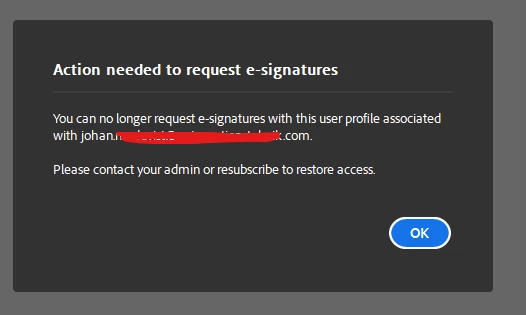
I've a Acrobat Pro license licensed to my account so this request e-signature function should be available for me, does anyone has any idea what could cause this?


Thanks in advance

/Johan

1 reply

AnandSri
Legend
March 7, 2025

Hello,


I hope you're doing well, and we apologize for the delayed response and the trouble.


Please ensure you have the latest version of Acrobat installed on the machine: 25.001.20428 Planned update, Mar 04, 2025. Check for any pending updates from the Menu > help > check for updates, install the updates, restart the app and the machine, and check. For more information, see this: https://adobe.ly/3Fd6mJJ.


Sign out and sign back in using the Adobe ID (email) linked to your license. Your current email is also associated with a Business/Team account that includes an Acrobat license. Please check with your team admin to confirm your license assignment status. See this article to learn more about the request e-signature options: https://adobe.ly/3F7eg7z


Go to Acrobat Online services, sign in with your Adobe ID, and try the e-signature tool; let us know if you experience any issues.


Thanks,

Anand Sri.