silsurf@me.com
Inspiring
March 29, 2025
Answered

Acrobat set-up

  • March 29, 2025
  • 1 reply
  • 254 views

Can someone walk me through how to set up Acrobat so that I am alwasy in the editing mode and that a sidebat alwasy has the thumbnails in it?


Thanks


Henry

Correct answer creative explorer

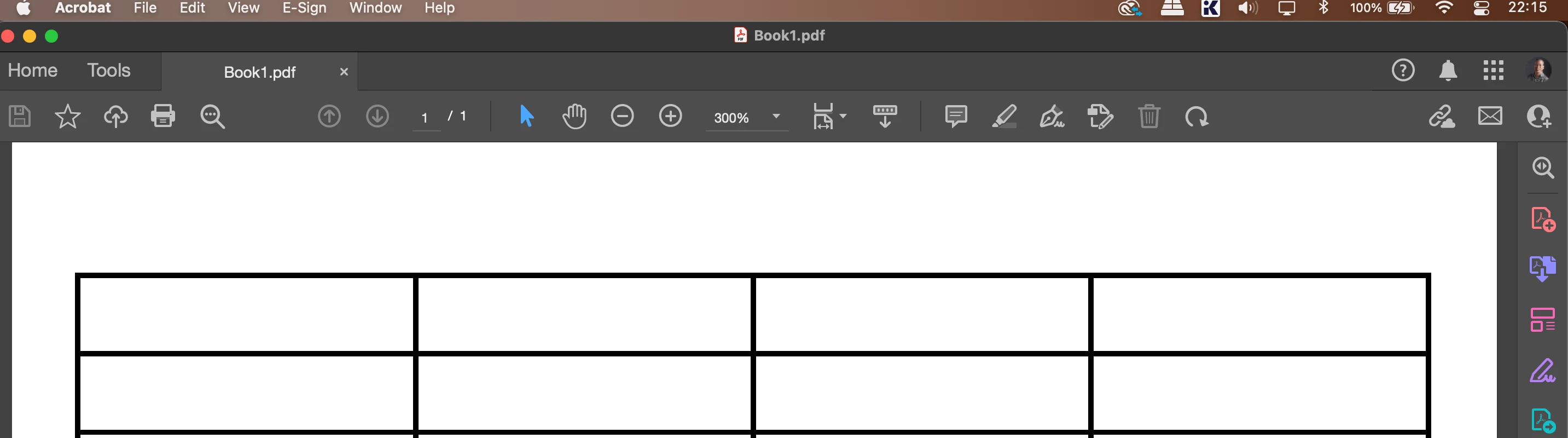
@silsurf@me.com  Yes, we can configure it to get close.  Open any PDF document. This is what is mine (which is what I like!)


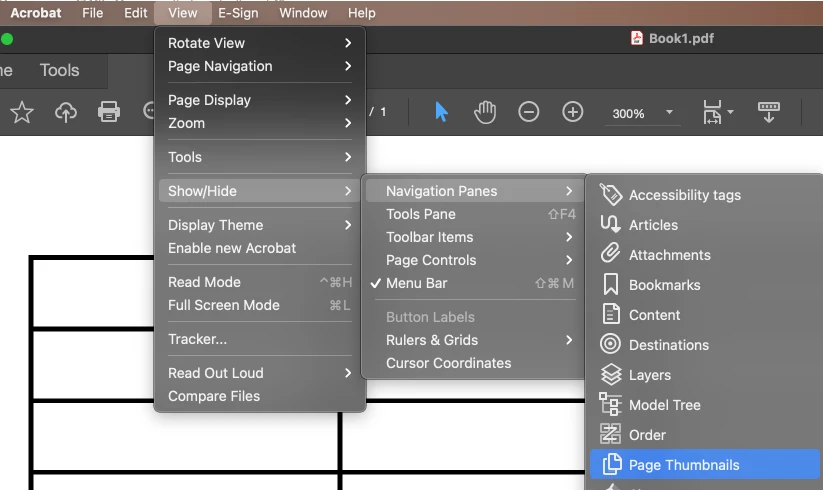
Page Thumbnails:
Go to the "View" menu > Show/Hide > Navigation Panes  > Page Thumbnails


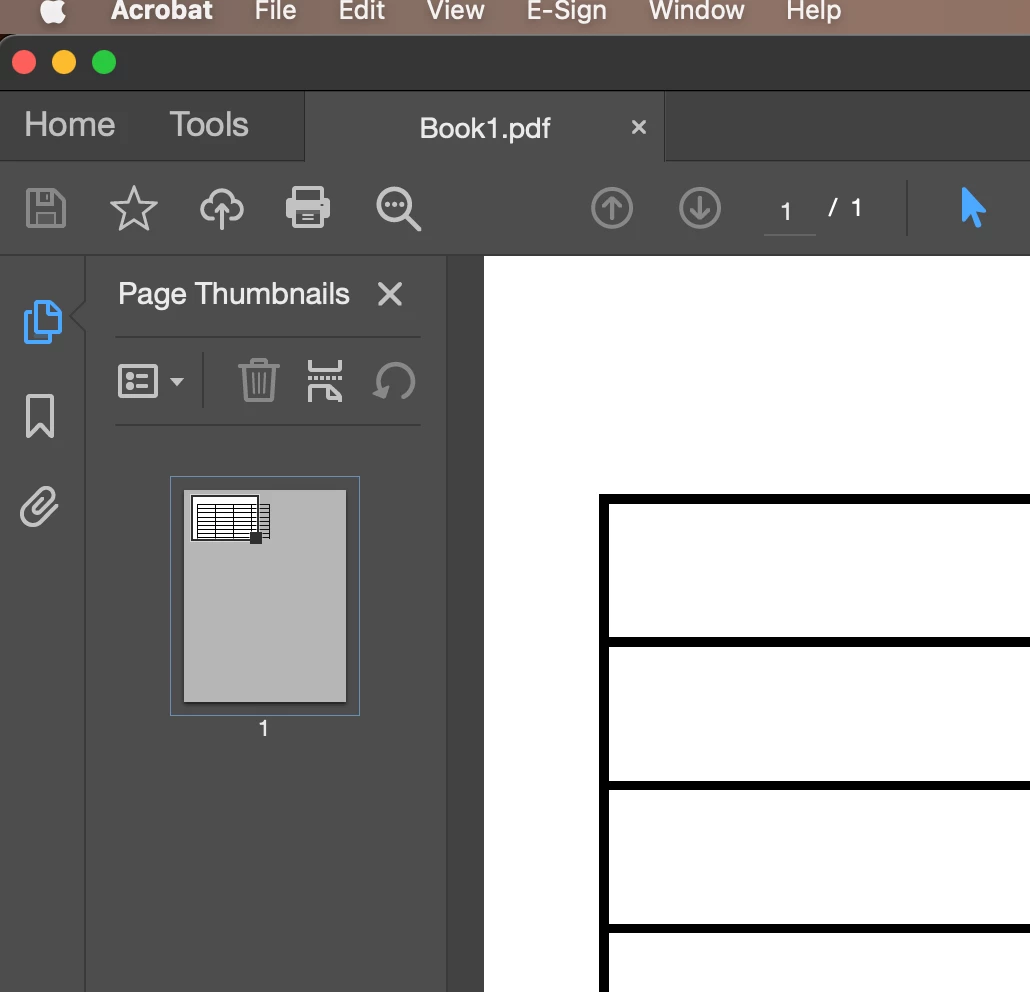
The thumbnails sidebar should appear on the left:


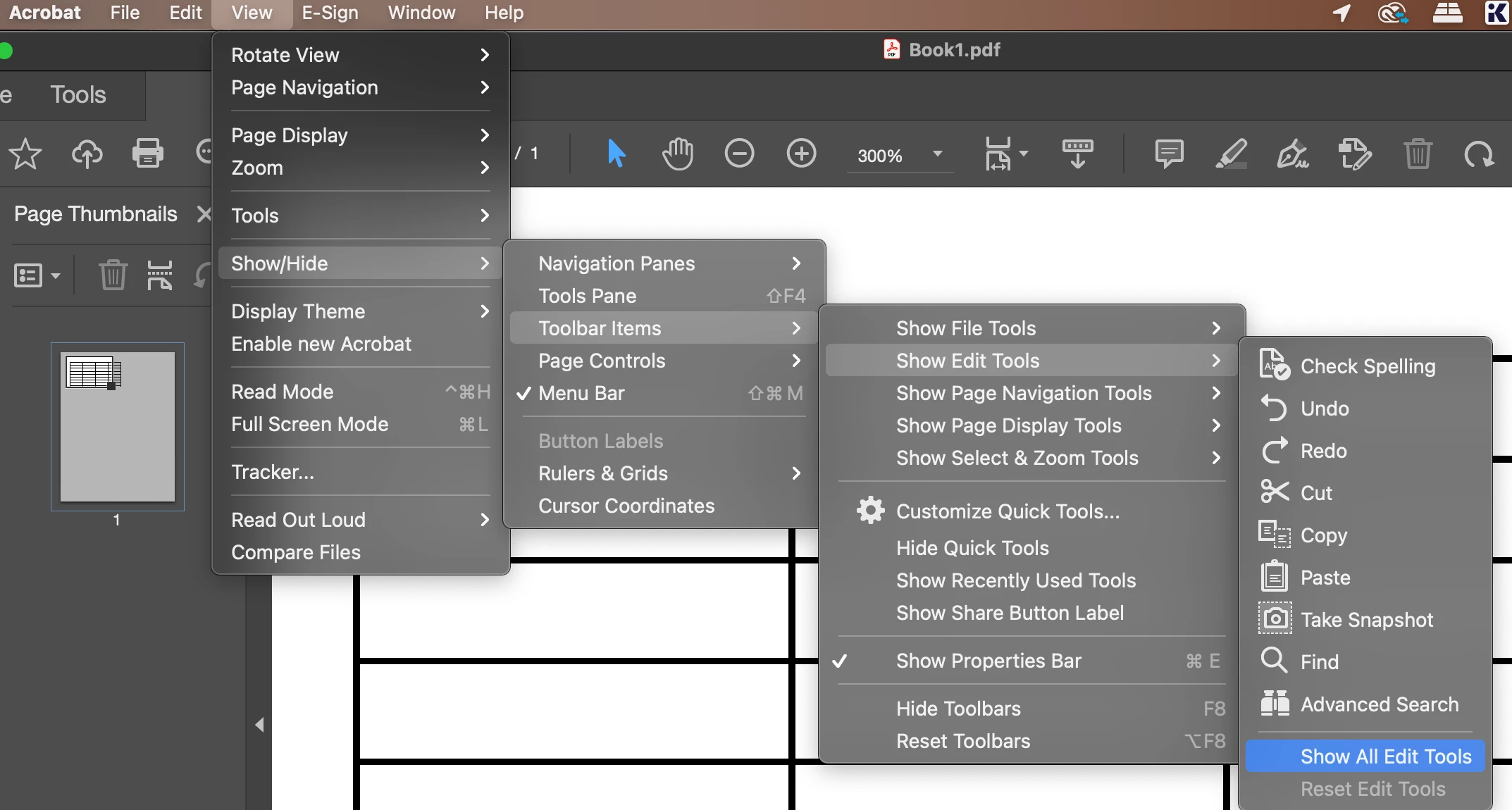
Edit Tools:
Go to the "View" menu > Show/Hide > Toolbar Items  > Show Edit Tools > Show All Edit Tools


The Edit Tools sidebar should appear on the top:


Acrobat should generally remember the state of the sidebar between sessions. However, to ensure it does, close and reopen Acrobat to verify that the thumbnails sidebar reappears.


1 reply

creative explorer
Community Expert
creative explorerCommunity ExpertCorrect answer
Community Expert
April 3, 2025

@silsurf@me.com  Yes, we can configure it to get close.  Open any PDF document. This is what is mine (which is what I like!)


Page Thumbnails:
Go to the "View" menu > Show/Hide > Navigation Panes  > Page Thumbnails


The thumbnails sidebar should appear on the left:


Edit Tools:
Go to the "View" menu > Show/Hide > Toolbar Items  > Show Edit Tools > Show All Edit Tools


The Edit Tools sidebar should appear on the top:


Acrobat should generally remember the state of the sidebar between sessions. However, to ensure it does, close and reopen Acrobat to verify that the thumbnails sidebar reappears.


m