Participating Frequently
October 19, 2022
Question

Acrobat software is not displaying fonts correctly and crashes every single time I open it

  • October 19, 2022
  • 2 replies
  • 514 views

I can't understand what happened I just update to version 22.003.20258 and after that,
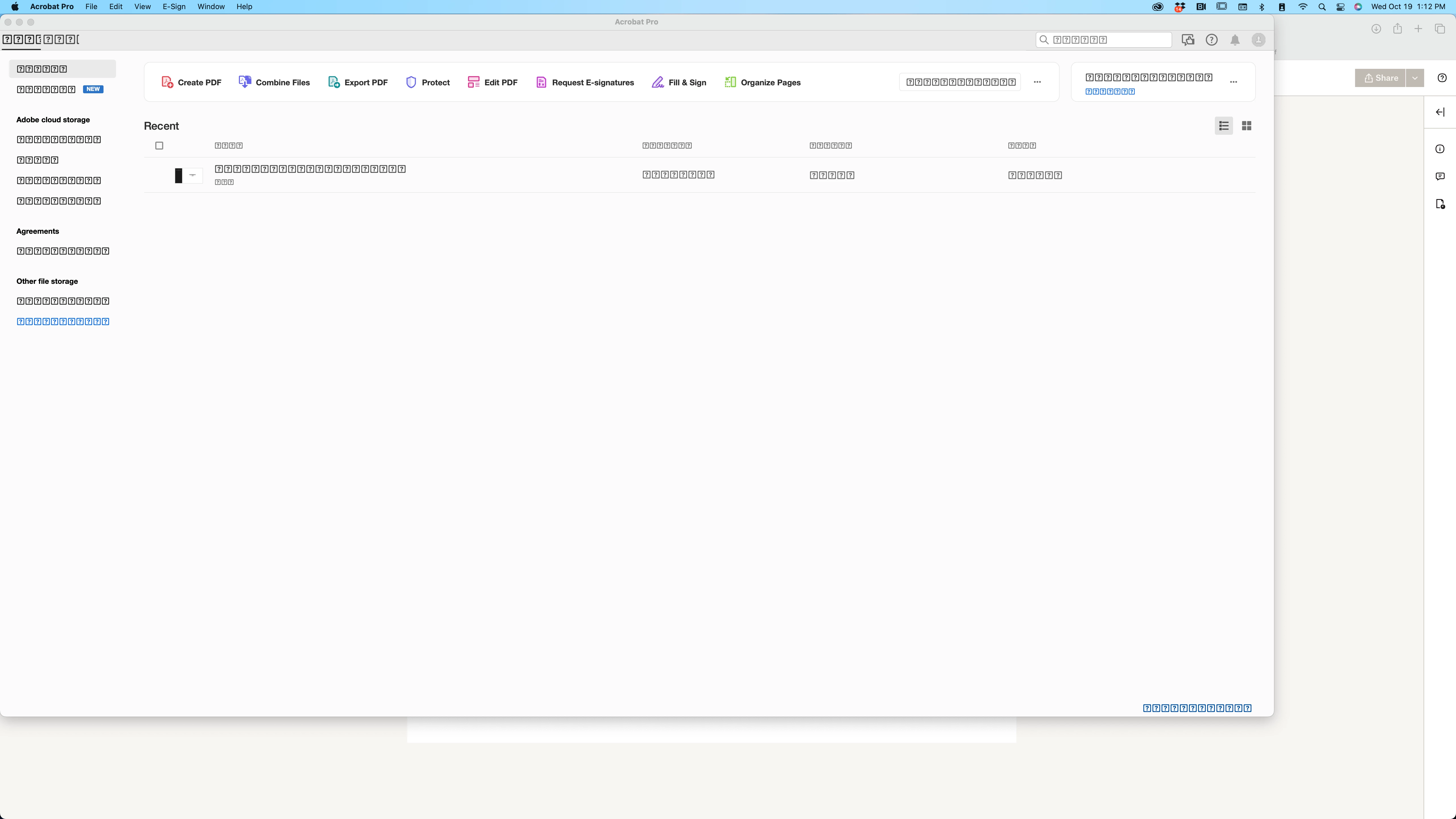
I can't open the app and it displays like this, please help.


This topic has been closed for replies.

2 replies

Adobe Employee
October 26, 2022

Hi @alonsoreyes 

Can you please share below info for further investigating the issue : 

  • What is the exact workflow or steps following which issue occurred 
  • What is the OS version, OS locale
  • Can you please restartmachine and then, try launching acrobat
  • Or may be uninstalling acrobat > restarting machine > re-install acrobat and check
  • It seems, sign in is not resolved, can you please share the crash dumps


Thanks,

Saurav

Participating Frequently
October 26, 2022
Yes I did all that apparently the software Connect Fonts from extensive was the cause of doing that. Now I fixed by making less font folders (under 20) so now is ok.

Thank you
Adobe Employee
October 26, 2022

Hi @alonsoreyes 


Hope you're doing well !

Apologies for the inconvenience caused. 


We are checking the issue locally meanwhile could you please update to the latest version i.e. 22.003.20263 and let us know if you are still facing the same issue.


Regards,

Sujata


Participating Frequently
October 26, 2022
Yes I fix it, apparently the software Connect Fonts from extensis was the cause of doing that. Now I fixed by making less font folders (under 20) so now is ok.

Thank you
Adobe Employee
October 27, 2022

Glad to know, issue is resolved.