


Dawid@5339
Participating Frequently
June 22, 2026
Question

Acrobat | Something went wrong

  • June 22, 2026
  • 9 replies
  • 110 views

Can I ask why I get so many problems with Adobe pdf

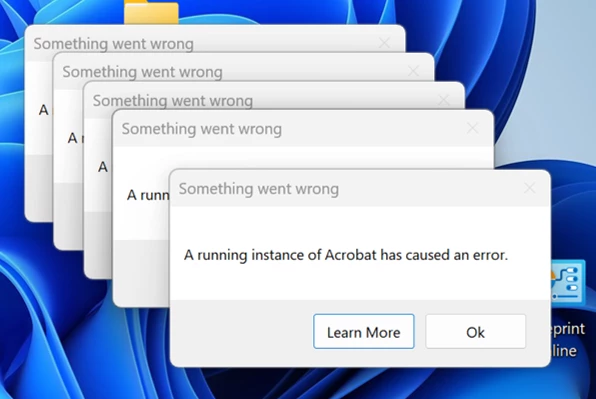
“Something went wrong 

A running instance of Acrobat has caused an error”

when trying to open a PDF doc, it does not open then I see this?


    9 replies

    G-Man5
    Participant
    June 23, 2026

    I am having the same issue. How do you fix this issue?

    Dawid@5339
    Participating Frequently
    June 23, 2026

    I’m switching off now till morning, hope someone can get it sorted in the meantime

    Dawid@5339
    Participating Frequently
    June 23, 2026

    Hi again now I had a TEAMS meeting with clients in Cape Town and I tried to share docs I sent on email with attachments, and again now 5 times I could not open the attachments. My question is how long I must pay fees and I constantly have this problem. I need someone to sort it out. I did get a little respite when I cleared all my Cash and temp files but it was one day only now its back while speaking to clients on TEAMS


    HynesH
    Participant
    June 23, 2026

    To tag along here. I have a handful of customers with this same issue. They are running version 26.001.21677


    Adobe is on the latest up date. This is happening on 5 different computers between 3 different locations

    Meenakshi0101
    Community Manager
    Community Manager
    June 23, 2026

    Hi HynesH,


    Thank you for reaching out. I'm sorry to hear that you're experiencing the same issue. The team is currently investigating this behavior, and it would be helpful if you could provide the following information:

    • Are you opening the PDFs from a network location, or are they saved locally on your machine?

    • Please collect the workflow logs using the steps outlined here: Adobe Acrobat Diagnostics.


    Let us know if you need any help.


    Thanks,

    Meenakshi

    HynesH
    Participant
    June 23, 2026

    Saving locally

    Dawid@5339
    Participating Frequently
    June 23, 2026

    Hi Eric, 

    Can ou also describe what has changed on your system (Update, Install...) to pin point a before this issue occurred and after? Make sure to run full back ups in case ou plan to reinstall anything. - No nothing has changed

    Dawid@5339
    Participating Frequently
    June 23, 2026

    Are you opening the PDFs from a network location or are they saved locally on your machine - From my saved docs on Laptop and from emails

    What are the version numbers of Acrobat and your operating system installed on your - Cannot work this one out as the option is nowhere on my Acrobat maybe you can figure this one out


    Dawid@5339
    Participating Frequently
    June 23, 2026

    Adobe Acrobat Diagnostics What are the version numbers of Acrobat and your operating system installed on your machine

    I tried but at age 68 not so clued up.

    I tried following the videos but the HELP does not include the Diagnostic Tab is not there


    so i tried to update and still do not know the version etc


    Operating system


    Meenakshi0101
    Community Manager
    Community Manager
    June 23, 2026

    Hi Dawid@5339,


    Sorry about the delay in response.


    To check the Acrobat version, please use the following steps:

    • Open Acrobat and go to Menu > Help and click on About Adobe Acrobat.
    • It will open the window where you see the version number mentioned. Share the screenshot.

    To run the Diagnostic tool, please use the second option if the Troubleshoot Acrobat option is not available under Help.


    Let us know if you experience any issues.


    Thanks,

    Meenakshi

    Eric Dumas
    Community Expert
    Community Expert
    June 23, 2026

    Can ou also describe what has changed on your system (Update, Install...) to pin point a before this issue occurred and after? Make sure to run full back ups in case ou plan to reinstall anything. 

    Meenakshi0101
    Community Manager
    Community Manager
    June 22, 2026

    Hi Dawid@5339,


    Thank you for reaching out, and sorry for the trouble caused.


    To help us investigate this issue further, please provide the following information:

    • Are you opening the PDFs from a network location or are they saved locally on your machine?

    • Please collect the logs for the workflow using the steps outlined here: Adobe Acrobat Diagnostics

    • What are the version numbers of Acrobat and your operating system installed on your machine?


    Let us know if you need any help.


    Thanks,

    Meenakshi
