
Acrobat Standard 2017 always wants to connect to the internet
Hey,
we recently bought Acrobat Standard 2017 to update our Acrobat XI.
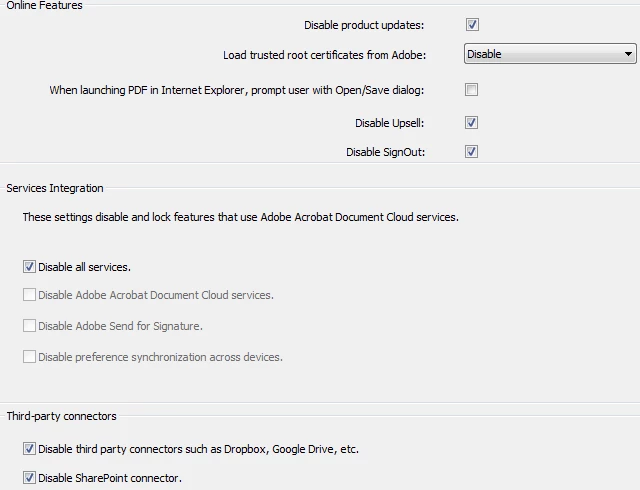
I will install the software via software distribution. I used the Wizard to create a mst and i disabled every online function.
But when i open Acrobat Standard a window will pop-up after a few seconds which leads me to insert a user and passwort for our proxy server (yes, we are using a proxy server).
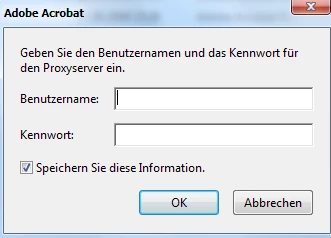
So the program will still talk to the internet. We need to supress all those windows.
I tried to delete the IA32.api in the plugin folder. Well it worked, no proxy window, but without the IA32.api you cannot print. When you klick the print button or CTRL + P, nothing happened. Same with some other plugins like the weblink.api.
How can i suppress Acrobat Standard 2017 to talk with the internet?
Thank you very much
 AdChoices