


alexanderl16240166
Inspiring
October 17, 2025
Answered

Acrobat updated and file thumbnail now missing

  • October 17, 2025
  • 1 reply
  • 88 views


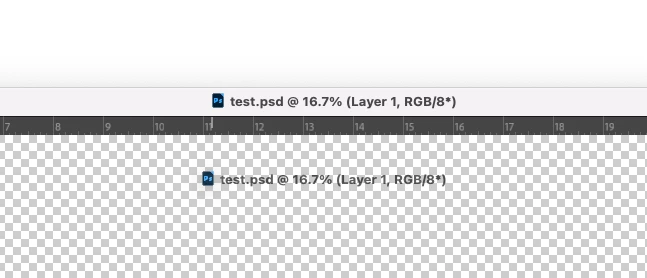
Hello. My Acrobat updated itself to Version 2025.001.20756 (on MacOS Sonoma) and now the file thumbnail is missing from the title bar. My typical workflow for getting notes from client PDFs into photoshop entails clicking and dragging that thumbnail into photoshop to place the page I need. Similar to the attached screenshot, which is instead dragging a file from Photoshop since Acrobat no longer lets you. Is there a way to get this back, and if not, Adobe please add back this functionality. I have a 27" monitor, the 20px that was saved by removing the title bar is not helpful. 
Correct answer alexanderl16240166

Going to answer my own question here, but might be helpful to someone in the future: there's an option in the View menu called "Enable/Disable new Acrobat." You have to restart the app and then things are back to normal. I didn't spend enough time in the new one to really judge if it looked better or not, but I really wish when Adobe changed things they wouldn't remove functionality, just stack new ones or whatever. 

1 reply

alexanderl16240166
alexanderl16240166AuthorCorrect answer
Inspiring
October 17, 2025

Going to answer my own question here, but might be helpful to someone in the future: there's an option in the View menu called "Enable/Disable new Acrobat." You have to restart the app and then things are back to normal. I didn't spend enough time in the new one to really judge if it looked better or not, but I really wish when Adobe changed things they wouldn't remove functionality, just stack new ones or whatever.