



Indy+S
Participant
June 9, 2026
Question

Acrobat webpage Pdfs do not save images

  • June 9, 2026
  • 1 reply
  • 8 views

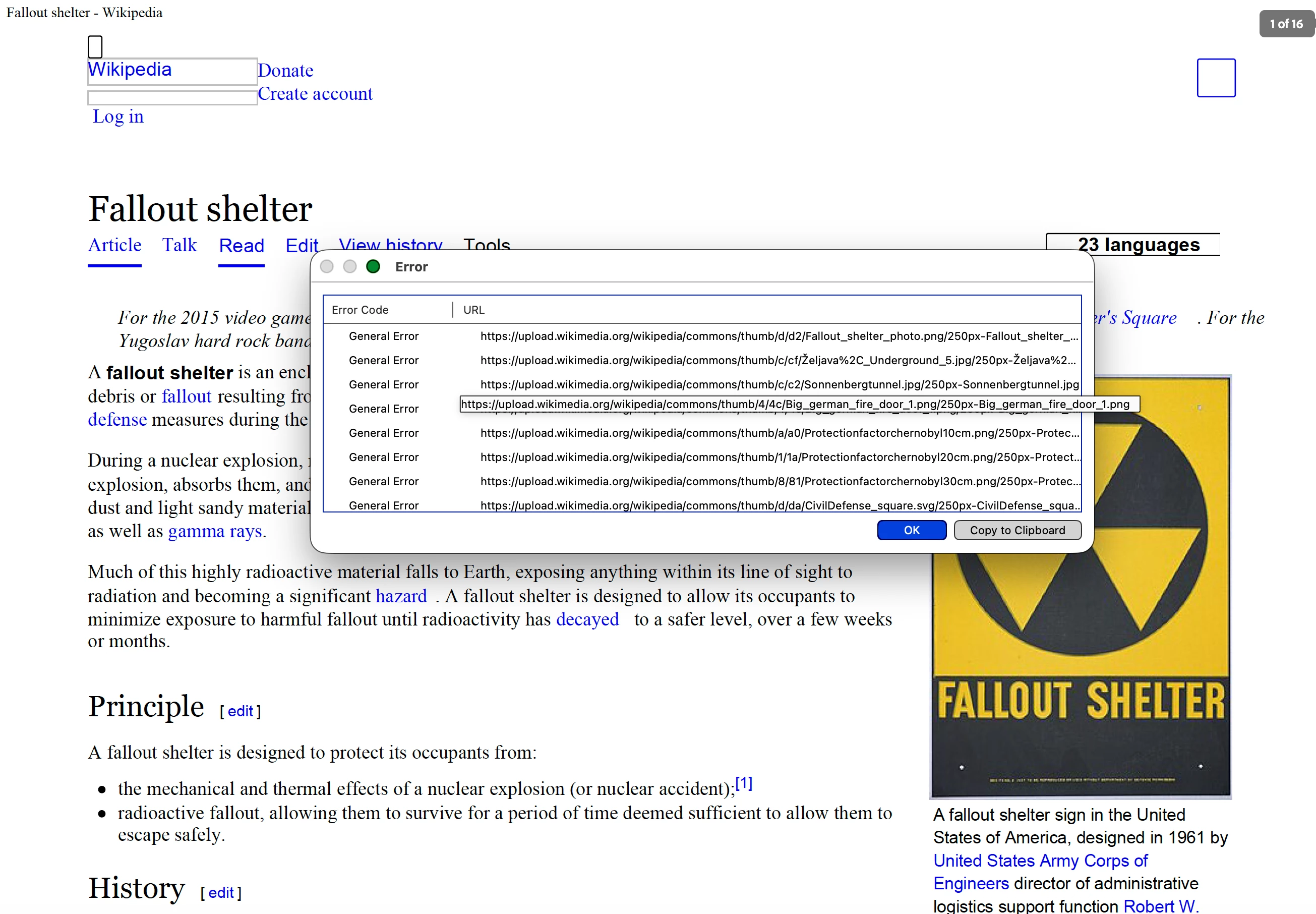
I’ve noticed this for a few months, but reached my breaking point now, Acrobat has this weird bug where pretty much, if a webpage more than 2 or 3 images, then it does not save the images and produces “general error” messages without explaining. I have not been able to figure out how to fix this or what is causing it, but it’s getting annoying. I included a Wikipedia page with a lot of images to illustrate. The version is 2026.001.21651, it’s a recent update but it’s been doing since about March? The steps to replicate are to “Create” then “Web Page” then put in the URL and then the “Create” button.
 

1 reply

Meenakshi0101
Community Manager
Community Manager
June 9, 2026

Hi Indy+S,


Thank you for reaching out and reporting this behaviour.


Please confirm if the issue occurs when creating PDF from a webpage from any browser or a particualr browser. It would be really helpful if you can share the screenshot recording showing all the steps used.

We will share all the information with the team for further investigation.


Let us know if you need any help or have questions.


Thanks,

Meenakshi

Indy+S
Indy+SAuthor
Participant
June 10, 2026

It’s not on any particular browser, it’s with the Acrobat desktop app itself. Attached is a screen capture video, and it also froze while doing with another Wikipedia page.