Participant
July 8, 2026
Question

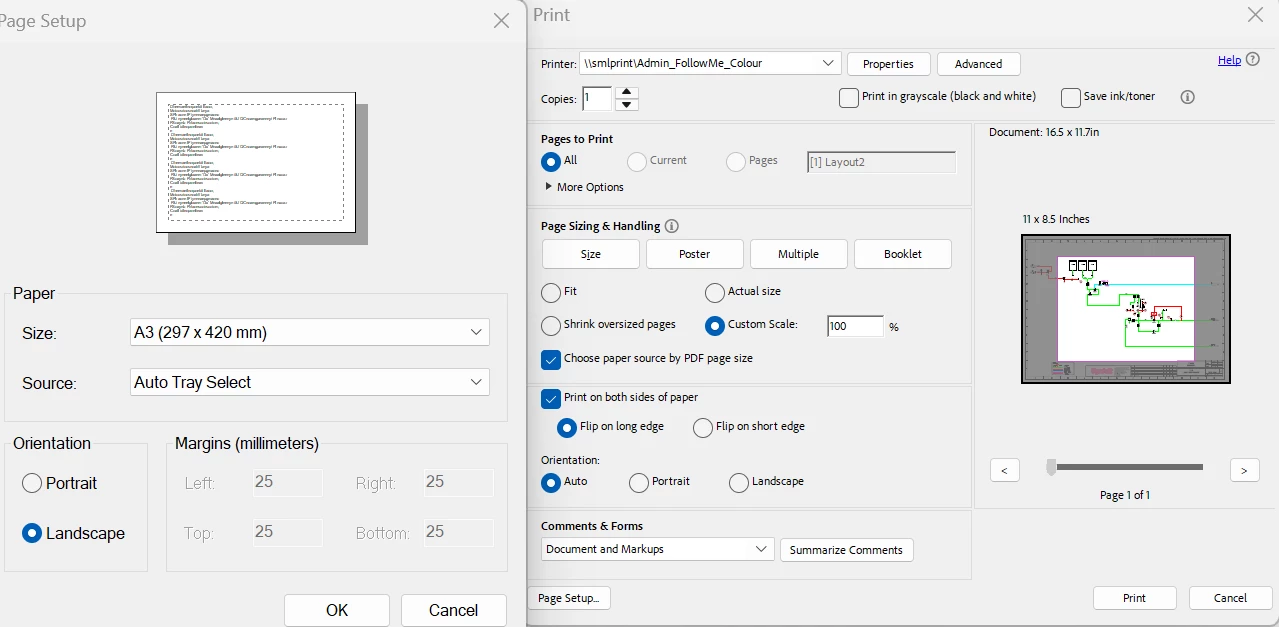
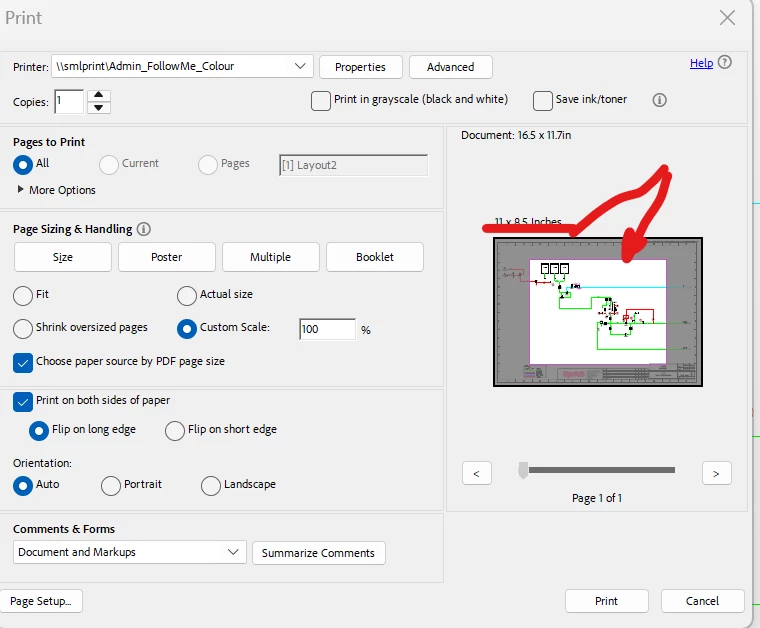
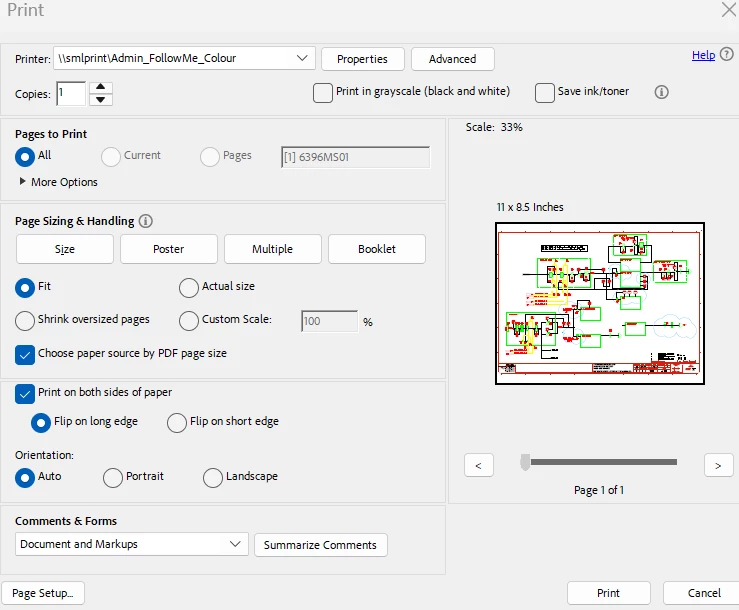
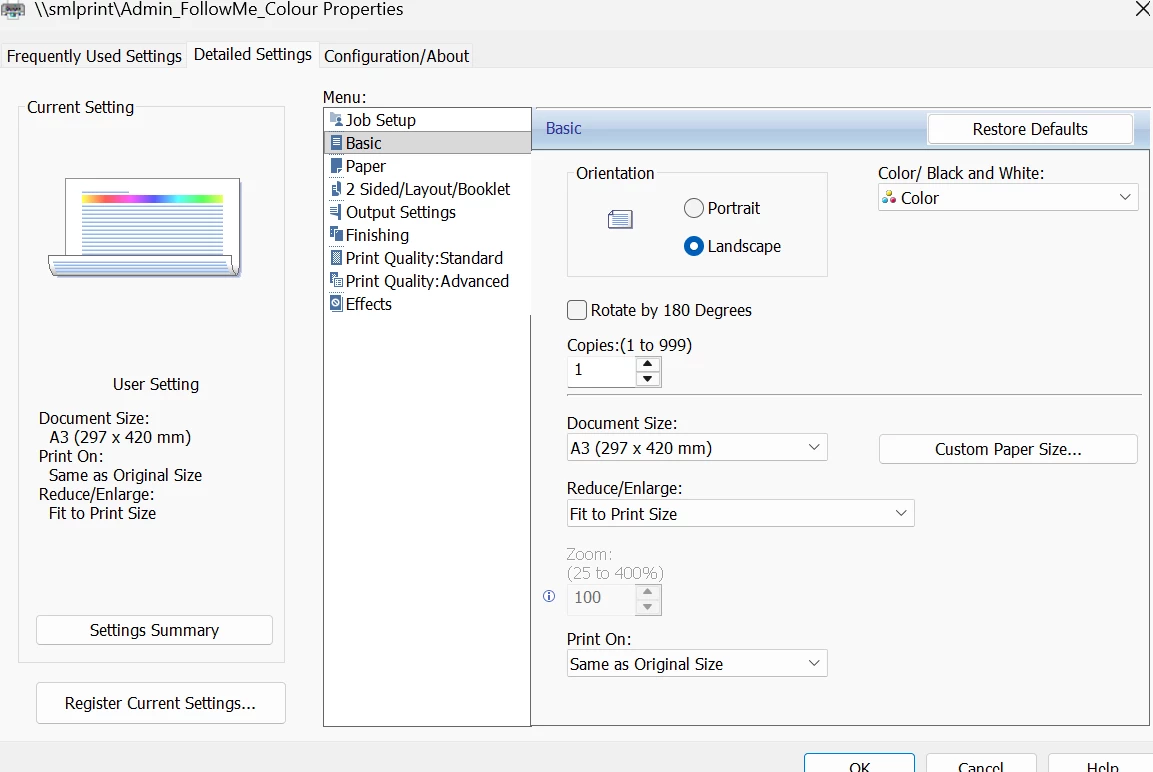
Acrobat will not print to A3 now?. Has worked fine, but it something is now forcing to print to A4, changing "Detailed Settings" has no effect? This has occred in the last couple of weeks

  • July 8, 2026
  • 2 replies
  • 8 views

I cannot print to A3 even thou the acrobat knows the document is A3. Changing the detailed settings has no affect. The print preview box in the print dialogue box will not change from A4.
 

    2 replies

    johnoAuthor
    Participant
    July 13, 2026

    Hi Meenakshi, I have been away for a few days.I had also lodged a request with our internal IT department, it seems to be working now.

    The page setup window, was already correct.

    It prints on A3 at the moment, puzzled as to why the document preview still shows A4 as a window?


    Meenakshi0101
    Community Manager
    Community Manager
    July 8, 2026

     Hi johno,


    Thank you for reaching out, and sorry for the trouble caused.


    Please try changing the paper size in the Page Setup option in the Print window of Acrobat. Here are the steps to follow:

    • Open the PDF in Acrobat.

    • Click on the Print icon.

    • In the Print window, locate the Page Setup option at the bottom left.

    • In the Page Setup window, select “A3” from the Paper size drop-down menu.

    • Click on the OK button to save your changes.

    • Adjust any other settings as needed, and then try printing again.


    Let us know how it goes.


    Thanks,

    Meenakshi