
Participant
April 11, 2023
Question

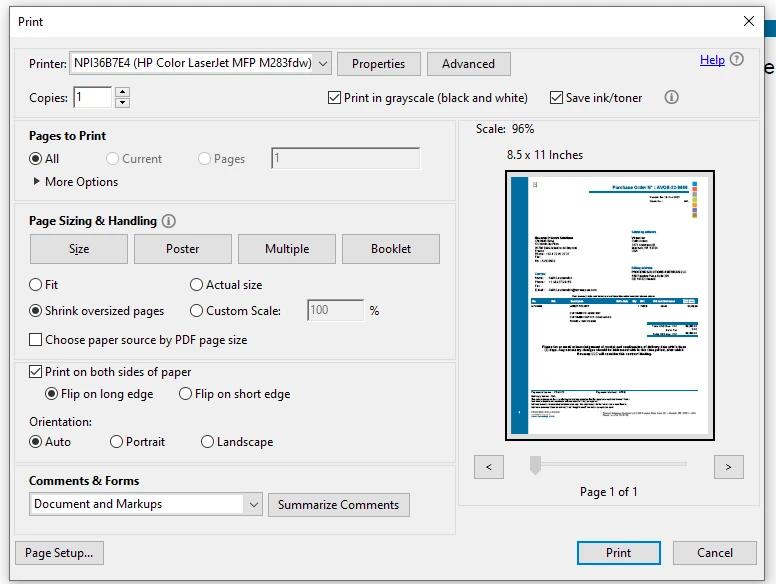
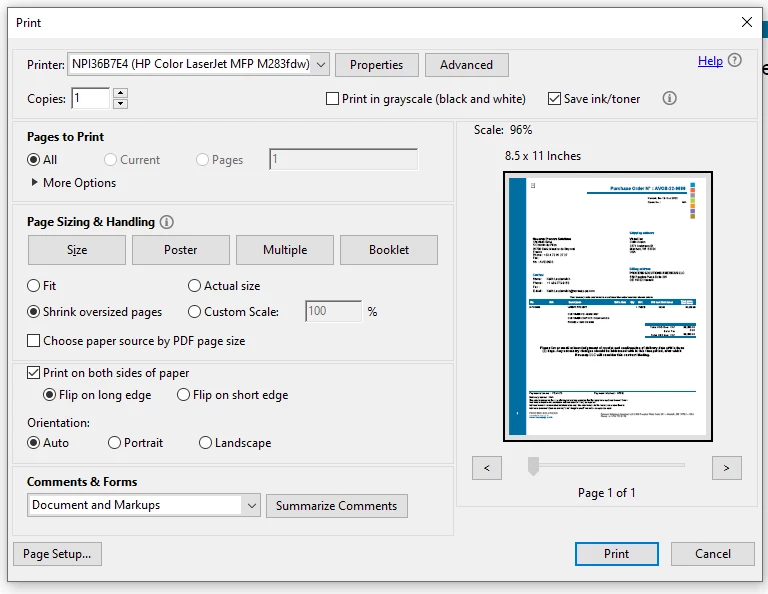
Acrobat will not print to grayscale

  • April 11, 2023
  • 1 reply
  • 1306 views

Hello all.  I have run into an interesting problem.  I recently changed work computers and redownloaded Adobe Acrobat.  It no longer allows for a grayscale printing of documents.  I have to print many documents that do not need to be in color, so I use this feature quite often.  Has anyone else experienced this?  Any ideas on how to correct this error?

I am attaching two screenshots of this both with the "print in grayscale" check block both checked and unchecked so you can see what I am talking about.
1 reply

Participant
April 12, 2023

I should add that I realized today that I can print in grayscale if I print the document through the Acrobat extension on Google Chrome.  However, I cannot print in grayscale if I print using the Adobe Acrobat Pro app on the computer.

Participant
April 25, 2025

To fix this issue you need to uninstall the 64bit version and install the 32bit version.

I had the same exact problem and the answer was in the depths of github. ❤️

AnandSri
Community Manager
Community Manager
April 29, 2025

Hello Keith!


I hope you are doing well, and thanks for reaching out.


Please ensure you have the latest version of Acrobat installed on the machine: 25.001.2047x. Optional update, Apr 28, 2025. Check for any pending updates from the Menu > help > check for updates, install the updates, restart the app and the machine, and try again. For more information, see this: https://adobe.ly/437PqOc


Also, ensure you have the latest printer driver and firmware installed, along with OS updates. You may also try the suggestions from the following article: https://adobe.ly/4lT8uqL


Let us know how it goes with the current version of the Acrobat you have.

Thanks,

Anand Sri.