


rgibs
Participant
March 5, 2025
Question

Acrobat window won't let me resize

  • March 5, 2025
  • 3 replies
  • 885 views

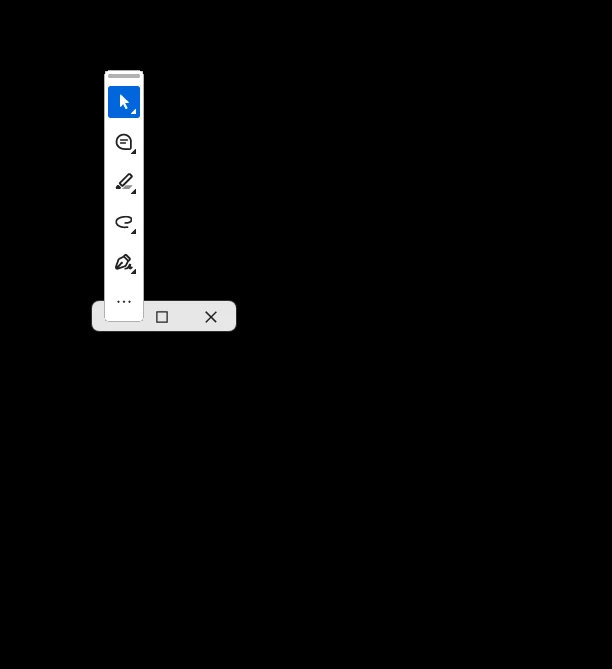
I can have acrobat open fullscreen but when I try to downsize it to have to windows side by side it keeps minimizing the window. When I click the restore down button it does this (see attached image) I am losing my mind trying to resize this window! I have tried everything I can possibly think of
3 replies

Edith30147163mlfo
Participant
March 4, 2026

I JUST FOUND THE SOLUTION

Under File, look for “Disable New Acrobat Experience.”

Disable it and everything works. 

Inspiring
March 6, 2025

@rgibsHope you are doing well

Well as far as your issue is concerned, i believe it is due to corrupt preferences or window snapping settings. Try to reset Acrobat Preferences / Disable Windows snap assist / Shift + Resize

These alternates can be helpful to you in my opinion.

creative explorer
Community Expert
Community Expert
March 6, 2025

@rgibs this sounds so frustrating. Could this be a corrupted version? Maybe try uninstalling it with Adobe Cleaner, can fix many common problems (such as removing old Adobe software, cleaning corrupt installation files, and fixing your host files to establish a connection with Adobe servers). https://helpx.adobe.com/ca/creative-cloud/kb/cc-cleaner-tool-installation-problems.html

Then go back to adobe.com and install from Adobe themselves and not a third party website

m
Meenakshi_Negi
Legend
March 6, 2025

Hi rgibs,


Thank you for reaching out.


As Creative Explorer mentioned above, try reinstalling the application. Try reinstalling the application using the following steps:
-Remove the application and run the cleaner tool (https://adobe.ly/41kIJGw).
-Reboot the machine
-Install Adobe Acrobat from the following page: https://adobe.ly/41s7m4f.  


Let us know how it goes.


Thanks,

Meenakshi