raymondh93818467
Inspiring
November 5, 2017
Question

Acrobat X or XI, file can not be saved.

  • November 5, 2017
  • 1 reply
  • 435 views

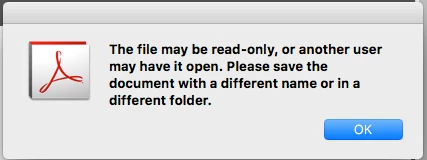
Under the macOS 10.11 and 10.12 systems  using Acrobat X or XI version to open a PDF file, Continue to save as the PDF file. Then the software will remind file is in use, can not be saved.Can you tell me how to solve this problem?
This topic has been closed for replies.

1 reply

jane-e
Community Expert
Community Expert
November 5, 2017

Go to File > Save as and type a different name. If necessary, save it to a different location.

raymondh93818467
Inspiring
November 6, 2017

1.Save as a different name is the same result(can not be saved).

2.Save it to a different location,but we don't want to do one more step.  We just want to save it as the original path (overwriting the original file). Are there any other good methods?

3.No problem occurs in 10.10 or less of the system.Why does this new system have this problem?

jane-e
Community Expert
Community Expert
November 6, 2017

It's not the system. It's the document.

It happens to me when I move a file or rename it in the Finder and then continue to work on it. Do a save as with a similar name and delete one of them. That's what I do. Then I try to be more careful with my work habits.

If the software won't let you do something, you have to find a way to make things work. I wish it weren't so! As to why, I am a user just like you, and maybe the engineers can tell you "why". I sure can't!

Also, if you opened it from email, make sure you are not working on the one in your email downloads folder. It should be moved or saved as to a better (real) location.

Best,

Jane