
Participant
January 31, 2025
Question

Action Wizard: stops after one document

  • January 31, 2025
  • 1 reply
  • 386 views

Created an Action Wizard macro to convert a folder full of PDFs to TXT so I can run some analysis on them. Simple macro - open folder, delete the cover page, recognize the rest as text, save as TXT. But when I run it, it stops after one file (which it processes fine) every time - ending on a blank page entitled "Untitled 1."
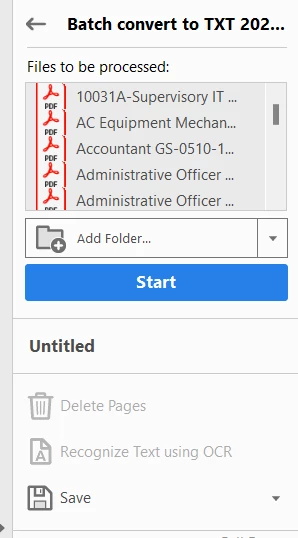
Ideas? Is there a log I can review somewhere?

1 reply

Community Expert
February 1, 2025

I haven't run an  Action in Acrobat but have in Photoshop. From that experience, I have seen that choosing a 'Save as' can result in each save saving to the same filename.  So, you get image1 adjusted then saving to a particular name, then image2 adjusting then saving to the same name, overwriting teh adjusted image1. To clarify your situation, does the process appear to only do one file and then stip or does it run through the whole process but only one file is created? What I'd check is if your txt file in the folder is the first or last of the PDFs in the folder.

Participant
February 1, 2025
Thanks for the feedback. It does one file - saves it fine - and then stops
at a blank document. I can see multiple files sitting in the queue but
nothing happens and the “Start” button turns grey and changes to
“Complete.”
Legend
March 5, 2025

Hi @kevin_3273


Sorry for the delayed response. It is really hard to assume a situation when there are a number of variables involved. 
- I would suggest changing the location of the source and destination folder - Try locally. 

- Test with one file and then try a couple of files. 

- Look for prompts. 


If that doesn't work - Edit Action just checks for the main function you are trying to run the action is a combination of tools. 


Let us know how it works. 


~Tariq