

mycc3
Known Participant
March 31, 2021
Question

Activating the request for ORC

  • March 31, 2021
  • 2 replies
  • 2609 views

Hi,

I want to re-activate the automatically request to run a OCR when I try to search for a text in a PDF which contains only a bitmap.

... can't find the setting to turn this on.


This document didn't help:

https://helpx.adobe.com/acrobat/using/edit-scanned-pdfs.html#enabledisableautoocr


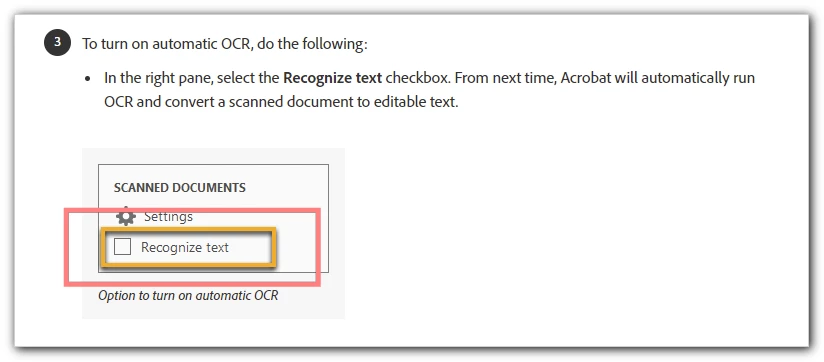
This option is missing in my latest version of Acrobat Pro DC (v 2021. ...):
 

Thanks!

mycc

This topic has been closed for replies.

2 replies

April 8, 2021

https://helpx.adobe.com/acrobat/using/edit-scanned-pdfs.html#enabledisableautoocr employee monitoring


I recently discovered this. I had a screenshot I wanted OCRed and couldn't do it in one step. I save the png into a TIF and then it worked.

gary_sc
Community Expert
Community Expert
April 10, 2021

I've done somemore investigation, welcome to the rabbit hole!


First off, Pearl is correct, TIFs do do this automatically convert to a searchable document. But why TIFs and not other formats?


Well for now that is a mystery, I haven't heard why this limitation but there is a preference. If you go into Preferences and go to Convert to PDF, then scroll down to TIF, then click on Edit settings...

you get this window: now click on "Settings" of Scan Optimization

Which brings you to:

Which gives you the option of Recognize Text. 


And here's the deal: this only shows up with TIF documents, no other format.


And THAT's why it only works with TIF documents. I can almost understand why it is not allowed for JPG documents becuase they are a lossy format and the JPG degredation could affect OCR quality but PNGs? They are not lossy, they should be clean.


So that's the why it only works on TIFs, it isn't the reason it's only TIFs.


Sorry

gary_sc
Community Expert
Community Expert
March 31, 2021

If you save the file as a TIF file, the process is automatic. If you save it as a png, jpg, etc. it will not.


FWIW, a tif format is the best format to save out a scan in for OCR preparation anyway.


FWIW2, I recently discovered this. I had a screenshot I wanted OCRed and couldn't do it in one step. I save the png into a TIF and then it worked.


Otherwise you will have to do this in two steps.

mycc3
mycc3Author
Known Participant
March 31, 2021

Thanks  for your help! 


Now just jusing www.DeepL.com/Translator:


But I just want to have the automatic query for OCR back as soon as Acrobat Pro detects that the document contains only a bitmap during a text search.


I had once accidentally disabled this option:


... and now I just can't find the place where I can enable this again, the automatic query for a text recognition.


Because now Acrobat doesn't give me any feedback about whether it can't find my search text only because the PDF contains only one bitmap.


With this feedback, however, I recognize this so that an OCR pass has to be performed first - a great help when dealing with PDFs from a wide variety of sources with a wide variety of content on a daily basis.


Best, mycc

gary_sc
Community Expert
Community Expert
March 31, 2021

If you go into the Edit mode, you will find that there in the right hand side. But that will not make a png or jpg open and be OCRed. Really strange to me. Note though that if you open the png or jpg image and go into Edit mode, it will OCR the page.