Participating Frequently
November 2, 2024
Answered

Add multiple files to acrobot action from finder in different folders on Mac

  • November 2, 2024
  • 1 reply
  • 715 views

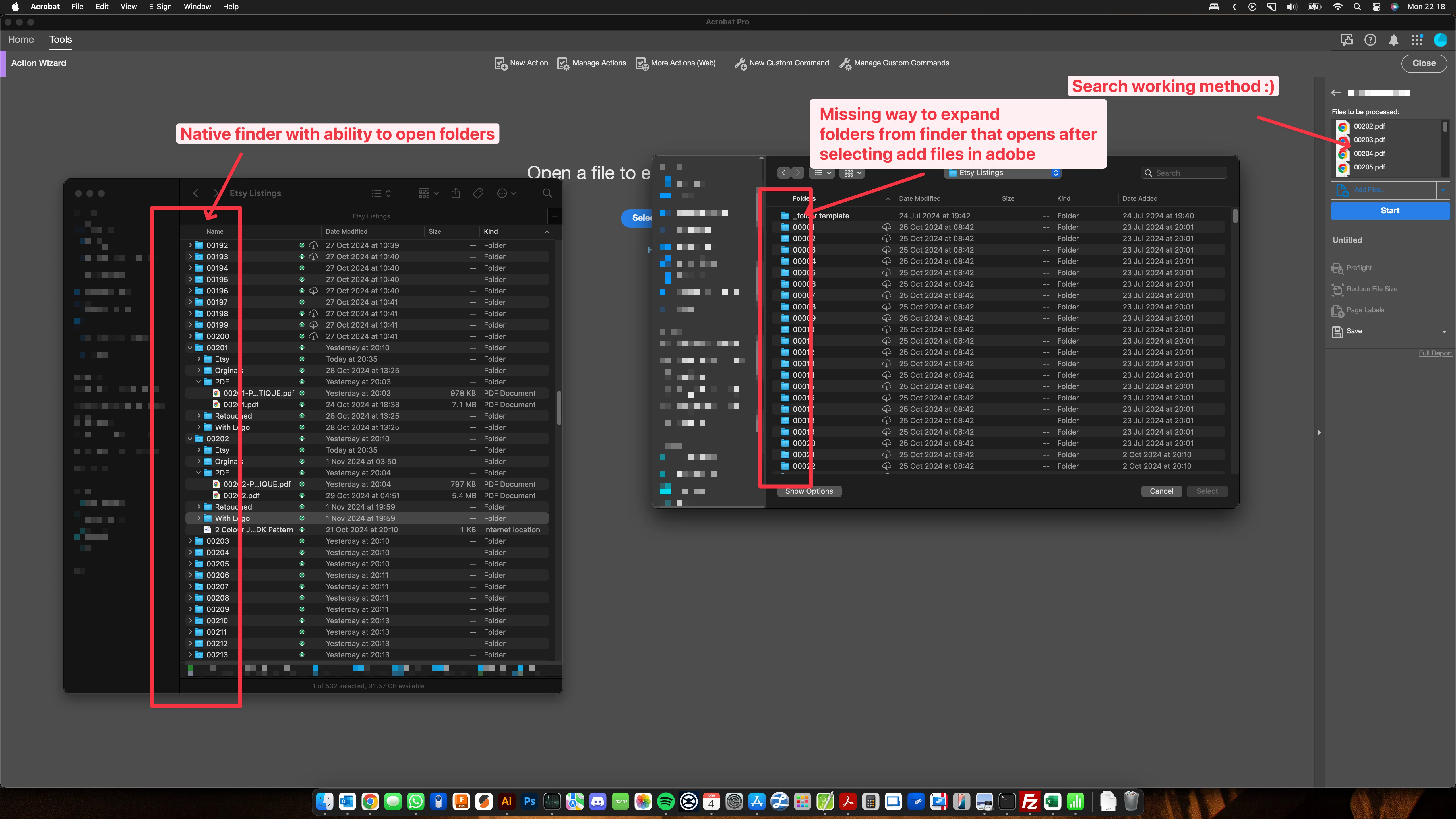
I'm seeking assistance with my workflow to get multiple PDFs into an action nested in different Mac folders.


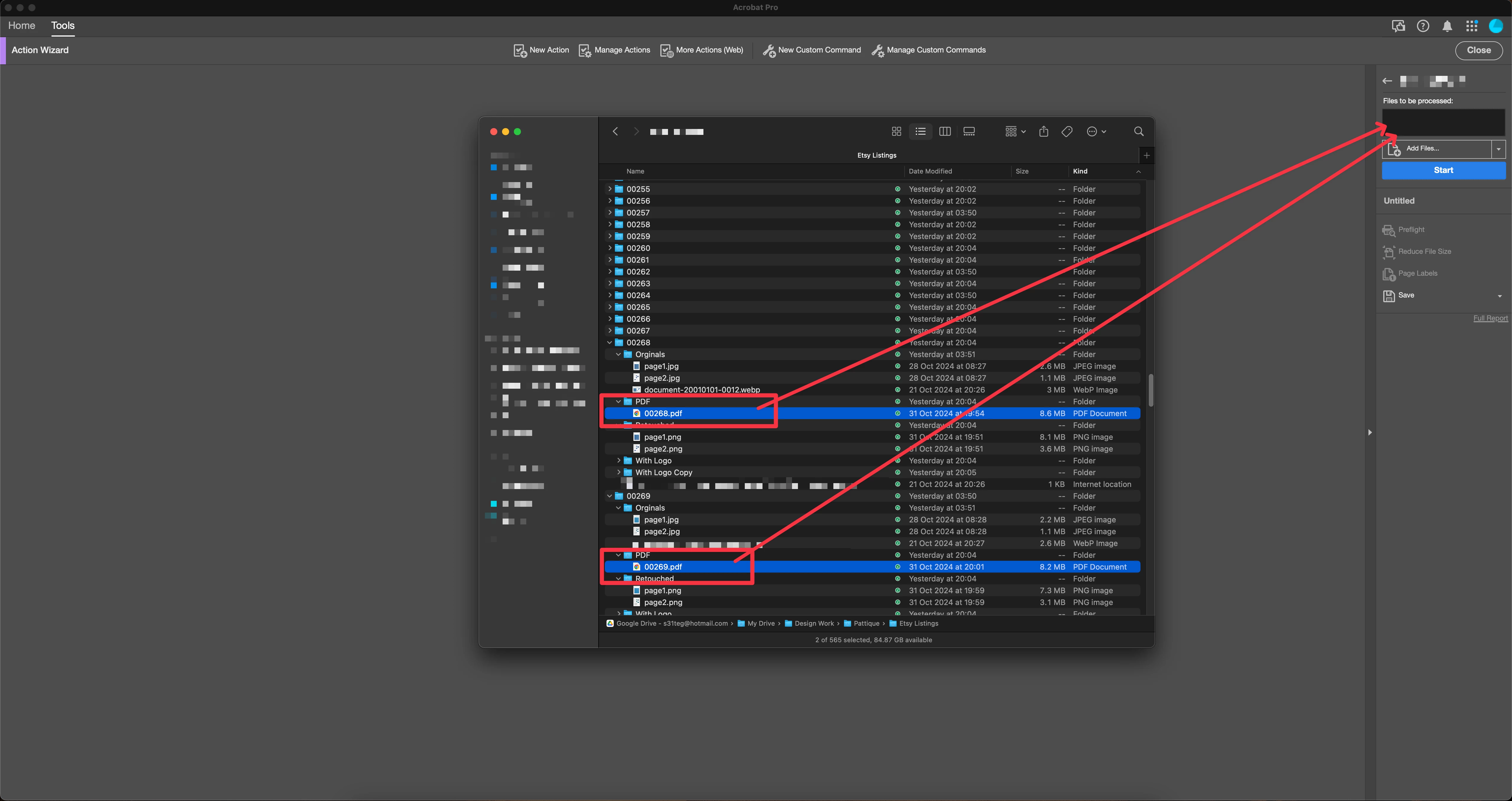
I can't find a way to have multiple PDFs selected in Finder and then drop them into my action. I have to go into each folder and add 1 by 1.


Does anyone knows a way apart from copying all PDFs into 1 folder, processing them, and then moving them back after they have been processed?


TIA:)

See attached for my ideal workflow.


This topic has been closed for replies.
Correct answer divyasin

Could you delete the image above for me also. I see some info in it


Hi @bert 1989 ,


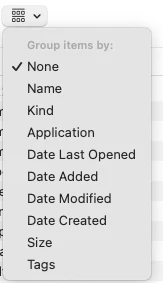
For expanding the folders in finder , can you try changing the item group setting to "None" and then check if folder is expandable. 

Steps:

  1. Click on Add Files.
  2. Click on grouping icon in top toolbar on finder window.
  3. Select group by "None" option. (Sharing screenshot for reference)

Let me know if this works for you. And apologies,  I cannot delete the images from others post as I don't have rights for it. May be you should be able to Edit it. 


Regards,

Divya Kumar Singh

1 reply

Adobe Employee
November 4, 2024

Hi @bert 1989 ,


Thanks for reaching out. You can select multiple PDFs from different folders by keeping CMD pressed on mac (that needs to be done manually) in File Open window that comes afer Add Files in Action wizard. But once all are selected , then they can be added in together by clicking"Select" option in same dialog. All files will be added in one go. Apart from this , if you have something common in filenames, then you can also use the search functionality of finder. Search for common sring in filename and select all files and add.


Regards,
Divya Kumar Singh

bert 1989Author
Participating Frequently
November 4, 2024

Hey Divya


The search function could work.

It's not possible to select multiple PDFs across multiple folders as the way to expand folders is missing when finder is opened from adobe. Also I would of though dropping the files onto the correct area within adobe should add to the list to be processed also. See attached image.

TIA


[personal information removed by moderator]


bert 1989Author
Participating Frequently
November 4, 2024

Could you delete the image above for me also. I see some info in it