Inspiring
May 14, 2020
Answered

Add sound to a PDF.

  • May 14, 2020
  • 4 replies
  • 1988 views

Mac

Catalina

Acrobat 20.0


I cannot find the menu 

Choose Tools > Rich Media, and then select the Add Video.


How to find this?


This topic has been closed for replies.
Correct answer palala fog

Hi,


I upgraded very recently my Acrobat because the spinning wheel begun to rotate when I tried to detect which version was running... and until today it is impossible to aks to Acrobat the question:
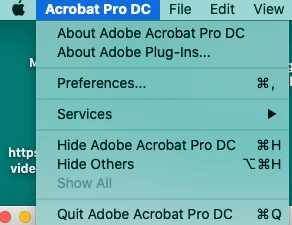
 

Now I am finely upgraded. You men the menu Help in Acrobat?

Thanks.


4 replies

Adobe Employee
May 22, 2020

Hi aps90669553


Thanks for reaching out to us.

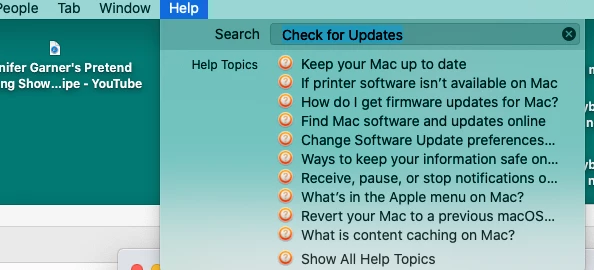
Could you please try - Help >> Check for Updates. We have released a new Patch after may release. Please Upgrade to that and then can you try the above workflow and let us know if you are facing the issue again.


Thanks,

Abhishek Ranjan Singh

palala fogAuthorCorrect answer
Inspiring
May 28, 2020

Hi,


I upgraded very recently my Acrobat because the spinning wheel begun to rotate when I tried to detect which version was running... and until today it is impossible to aks to Acrobat the question:


Now I am finely upgraded. You men the menu Help in Acrobat?

Thanks.


Adobe Employee
May 30, 2020

Hi aps90669553,


Hope you're doing well.


Please follow the below steps to upgrade ACROBAT to a new release :
1. Open acrobat.
2. Now click on HELP on left top panel > Then click on CHECK FOR UPDATES.


Please follow the below steps to add a video or a sound file in acrobat:

1. Go to right side tools panel > Write RICH MEDIA > select RICH MEDIA.


2. Now from the mid top panel select Add video or sound and drag a rectangle in the pdf file.


3. Now select a multimedia file you want to add and click OK.


Please follow the above steps and let us know if you still face the issue.


Thanks,

Abhishek Ranjan Singh

ls_rbls
Community Expert
Community Expert
May 21, 2020

Hi,


Just following up and cheecking if you were able to resolve this issue by applying the last two updates that Adobe released for May 2020:


Just today another optional update was released addressing additional known issues.  I would suggest that you try and apply the updates.


https://www.adobe.com/devnet-docs/acrobatetk/tools/ReleaseNotesDC/index.html


Adobe Employee
May 16, 2020

Hi aps90669553,

Please confirm the name and version of the Adobe tool you are currently trying the mentioned steps.

Is it Acrobat Pro DC or Adobe Reader ?

Regards,

Ishita Verma

Inspiring
May 16, 2020

Acrobat Pro DC, last version for Mac under Catalina.


Thanks. 

Legend
May 16, 2020

Please tell us the actual version number, not "current" or "last". Thank you.

(Be aware that Tools is not a menu, it is the Tools tab).

ls_rbls
Community Expert
Community Expert
May 16, 2020

Hi,


Which Adobe product are you using exactly?