Participant
August 2, 2023
Answered

Add Text does not work like it did before the upgrade.

  • August 2, 2023
  • 2 replies
  • 6485 views

Before the upgrade I could click on "Add Text" and it would simply let me add text to my document, but now after the upgrade, I click on "Add Text" and it goes into "edit mode" showing all of the boxes, etc... on the form and making it very complicated to actually "Add Text" to the document.  Is there a fix for this? This is the main reason that we use Adobe and the fill and sign is WAY over kill for what we need this system to do with these documents.  We just need our simple Add Text back.
    Correct answer iamjo20

    @iamjo20 

    There are no screenshots in your reply.


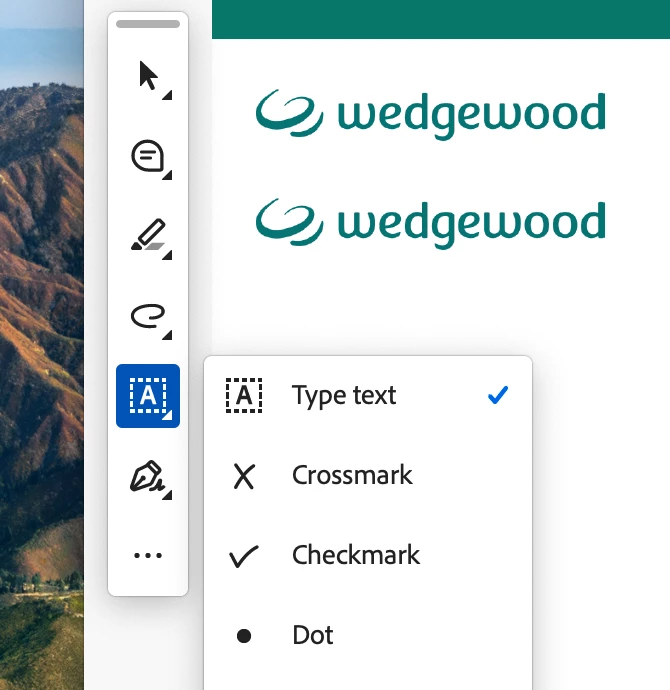
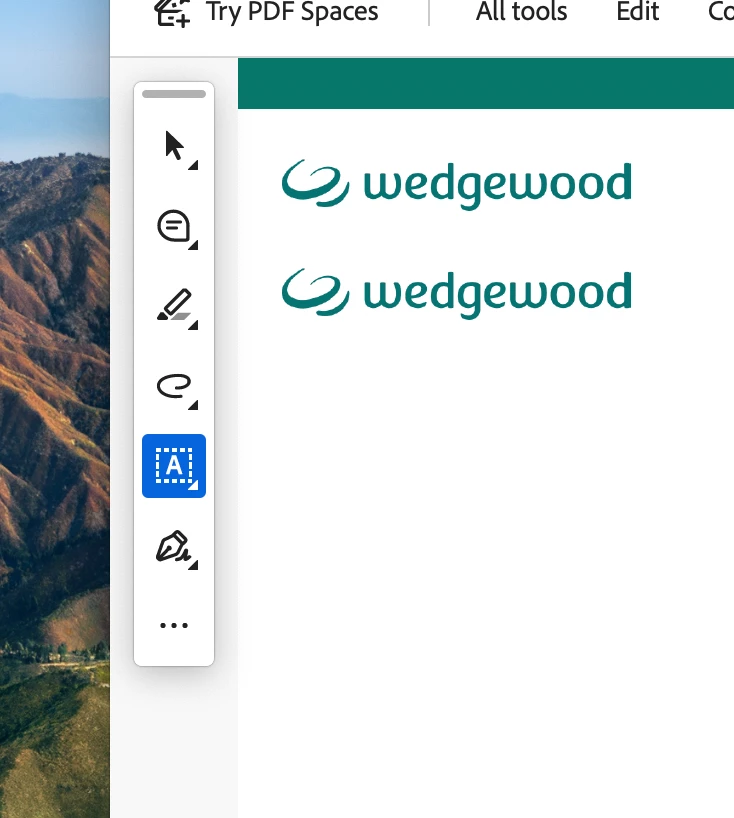
    screen shots 1, 2 and 3:

     hopefully they show up now?


    TY

    2 replies

    AkanchhaS8194121
    Legend
    August 2, 2023

    Hi @Norma31455880penv 


    Thanks for reaching out. Sorry to hear about the trouble caused

    With Modern Viewer, many tools have been repositioned and renamed for a better user experience. 


    In the old UI, there were two places where the "Add Text" tool used to appear. One is under the "Edit tool," and another one is under the "Comment" tool for adding text. 


    In New UI, it's called Text under the Comment tool. 

    On this Quick toolbar if you do not have this "Text" added, then click on Customize

    then Comment>select Text and move it to the Quick toolbar>Save  

    This should do the job as it used to.


    To know more about Modern interface, please check this help guide https://helpx.adobe.com/acrobat/using/new-acrobat-experience.html 


    Hope this helps.


    Thanks,

    Akanchha


    Participant
    August 2, 2023

    Thank you.  This worked and we all appreciate it here!

    AkanchhaS8194121
    Legend
    August 2, 2023

    Perfect!

    Let us know if there's any further assistance is required. 


    ~Akanchha 

    Peru Bob
    Community Expert
    Community Expert
    August 2, 2023

    This is the Using the Community forum (which is the forum for issues using the forums).
    Please tell us what Adobe application you are using so that this can be moved to the proper forum for help.

    Participant
    August 2, 2023

    Adobe Acrobat Pro Version 2023.003.20244

    John T Smith
    Community Expert
    Community Expert
    August 2, 2023

    You need to ask program questions in the forum for the program you are using
    To ask in the forum for your program please start at https://community.adobe.com/
    Moving from Using the Community (which is about the forums) to the correct forum