
Adding Alt Text to Charts Converted From Word/Excel
I can't figure out how to add alt text to charts without getting accessibility errors. I'm converting Word docs to PDF, and the docs have embedded Excel charts.
If I enter the alt text in Word or Excel before converting, the Adobe screen reader reads it correctly, but I fail the "Nested alternative text" check. If I convert to PDF without the alt text, I don't get the error, but the screen reader recites the data without the necessary context. I tried converting the chart to a figure using Reading Order, so that I could add alt text in Adobe, but that only converted the chart area to a figure. I still had to deal with all the data points inside. The tags are below (when I converted it to a figure, the first <Span> was <Figure> instead).
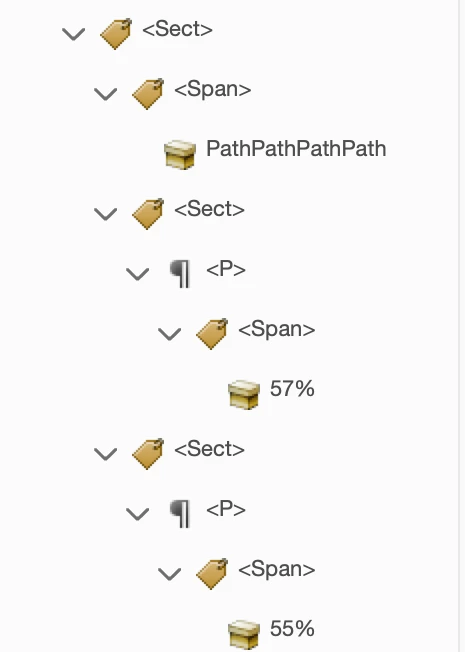
Is there an obvious solution I'm missing? I'll take a not-so-obvious one at this point, too.
 AdChoices