
Adding comments increases file size substantially when using the "wrong" font.
It can be so frustrating when adding comments to a pdf increases the file size dramatically.
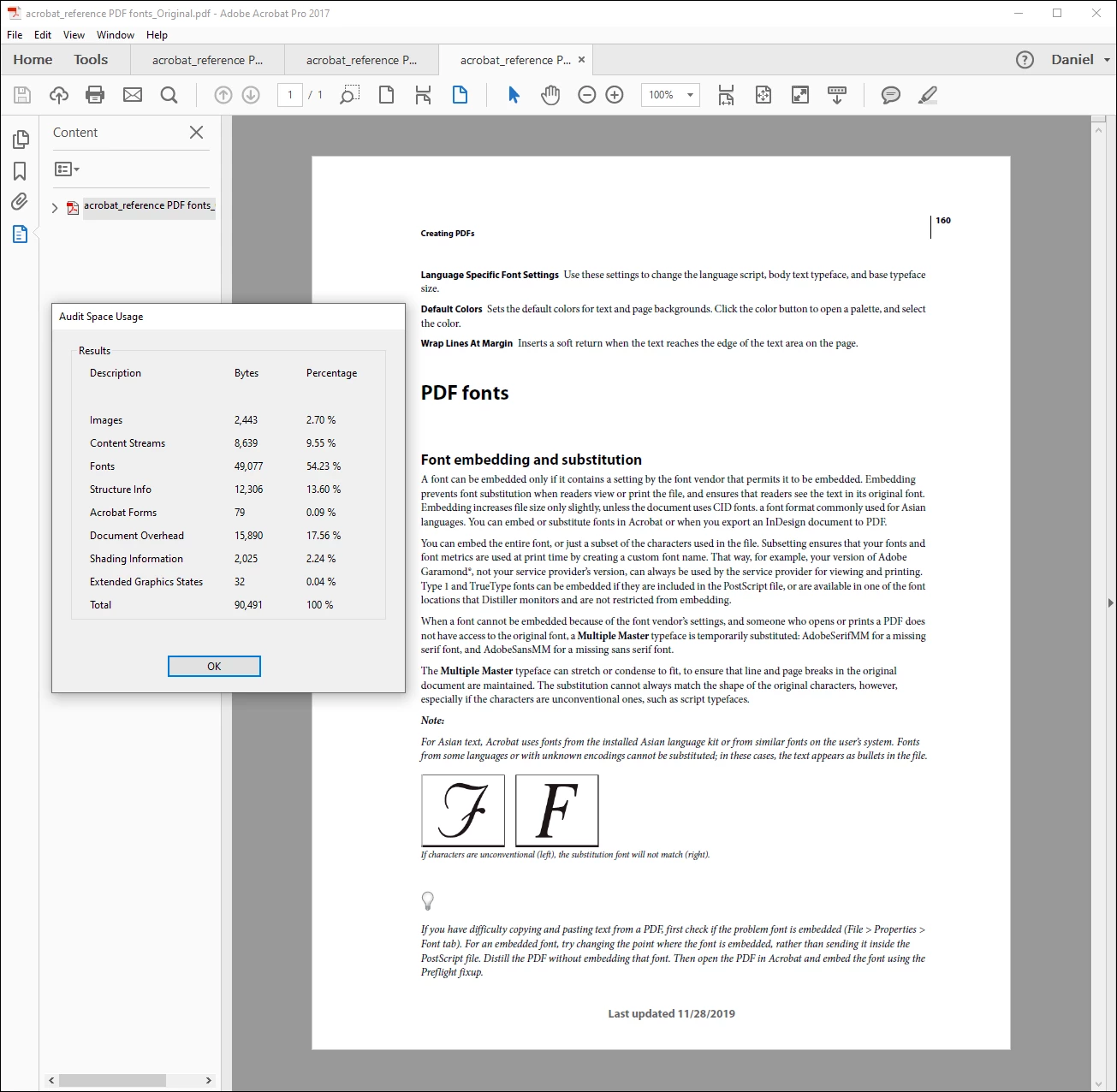
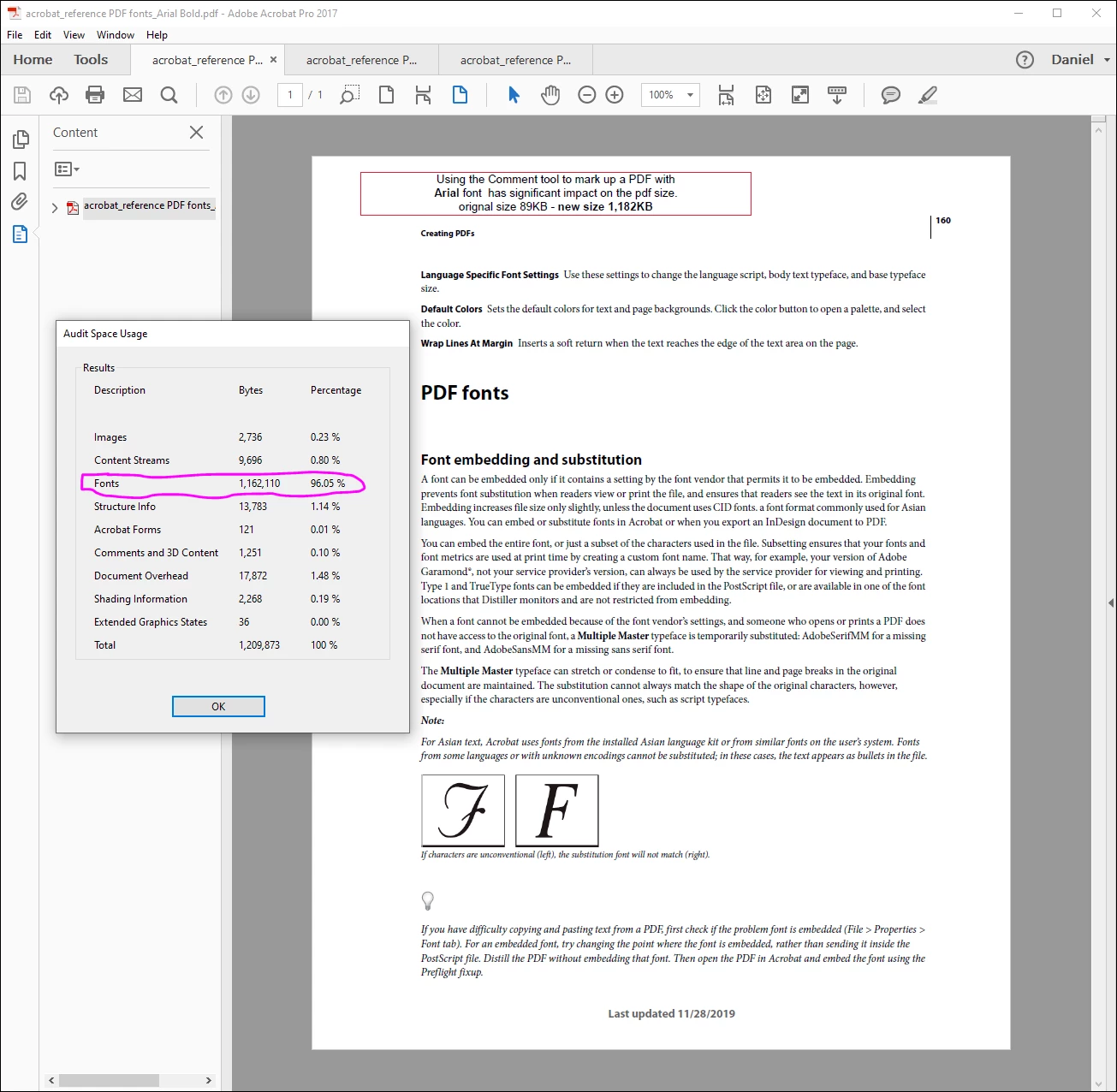
In my example below it went from 89KB to 1,182KB for a simple text box.
Searching Google on in it can be infuriating too, posts asking if a huge image or something has been added, or information on how to optimize a pdf. I've found plenty of workarounds to reduce my file size after adding comments blew it up, but I just want to add the comments and be done.
Good news is that,
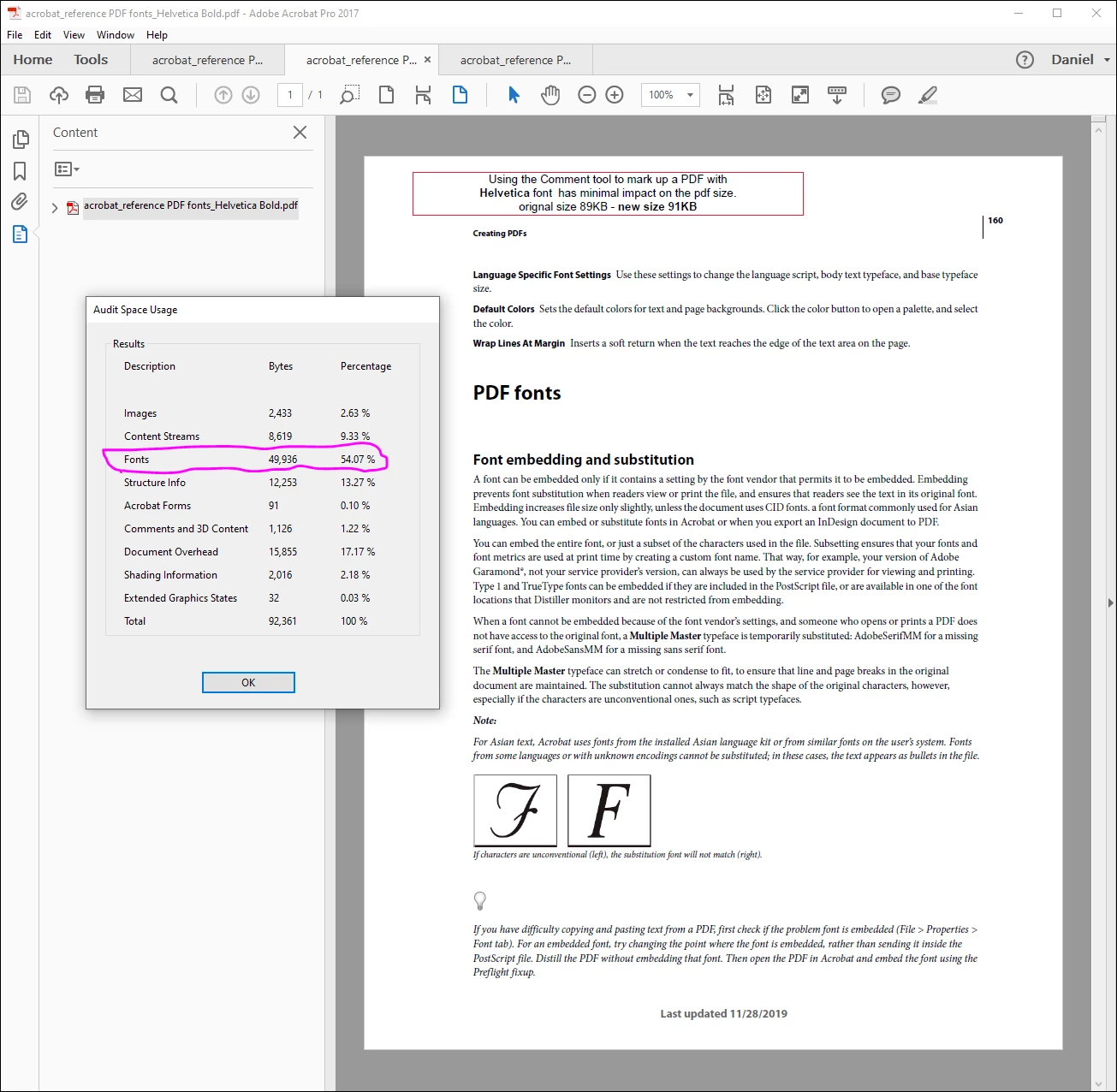
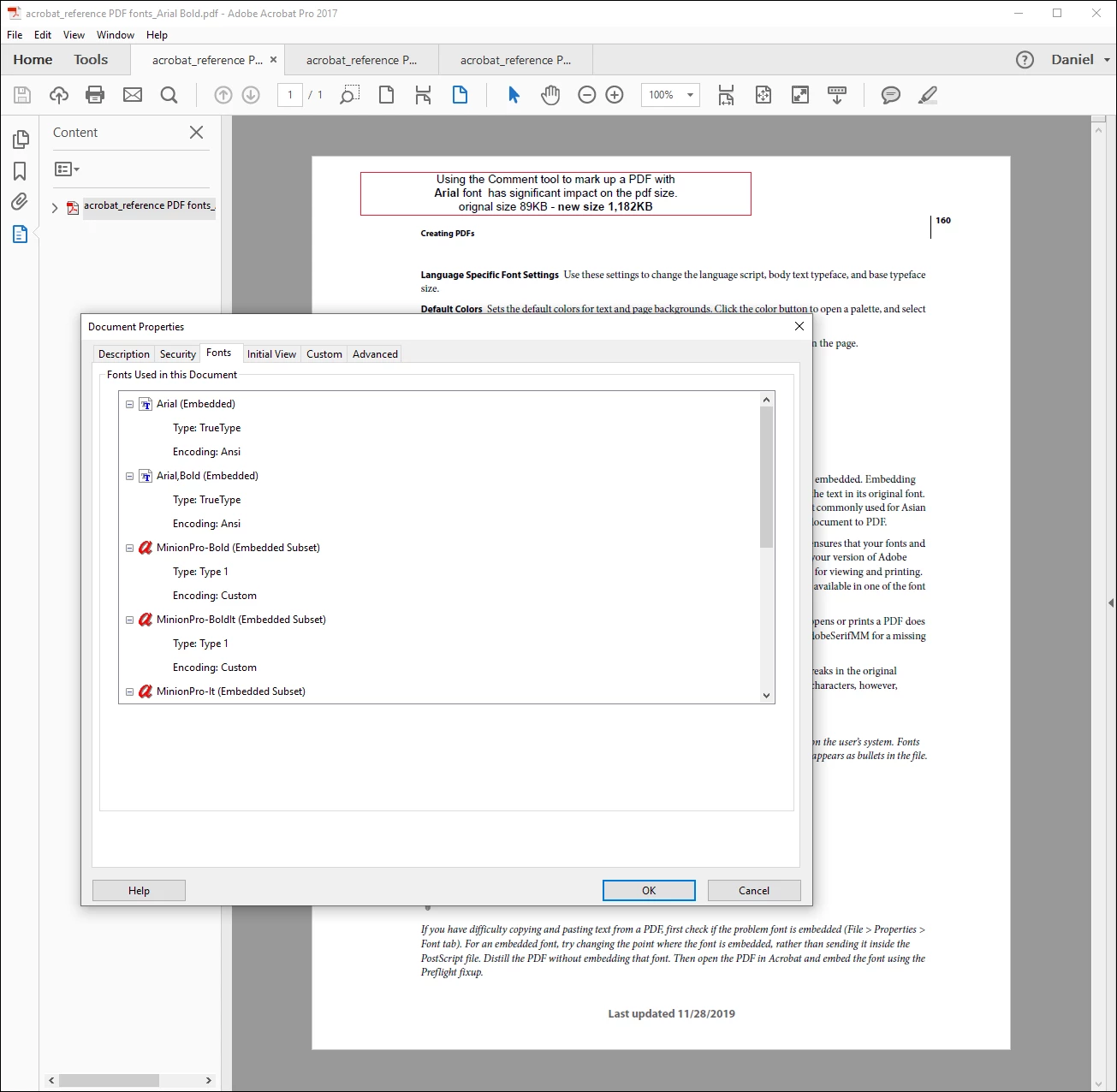
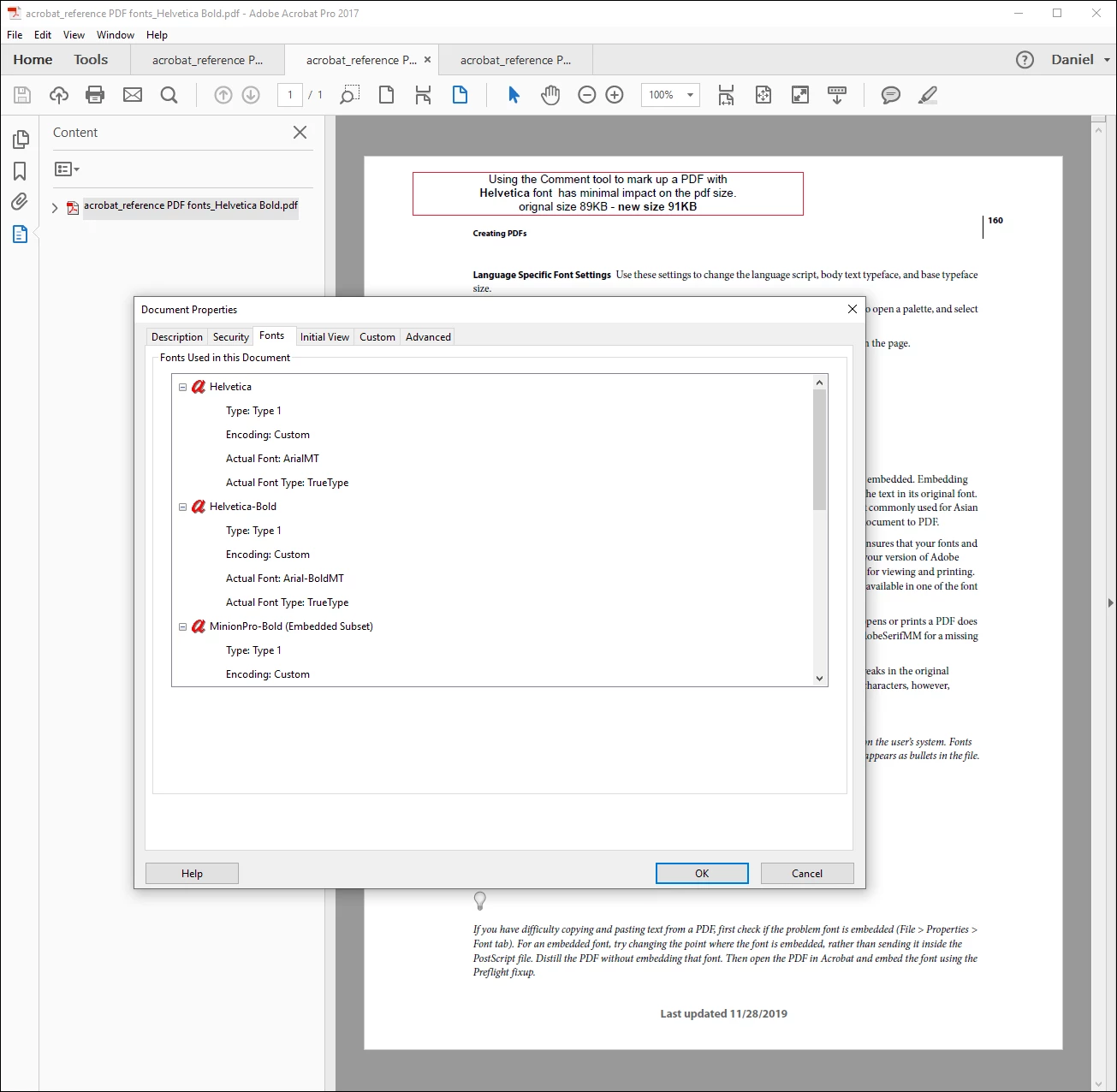
Today I learned that the font I was using in the comment increases the file size.
After changing my font selection from Arial to Helvetica the file size barely changes at all.
It would be super helpful to have an easy way to identify which fonts won't blow up my file size, but for now I'll just stick with Helvetica, or test each font before using. Once I've used Arial in a comment it is easier to start over than to try and remove the font from the pdf as just deleting the text does not reduce the file back to its original size.
Hopefully this will help someone else experiencing the same issue of dramatic file size increase when adding comments to a pdf. Perhaps someone will suggest an easy way for me to identify which fonts are preferred for comments on a pdf?
I've attached a few screen shots below for reference.
Cheers,
Dan
 AdChoices