Participant
June 13, 2024
Answered

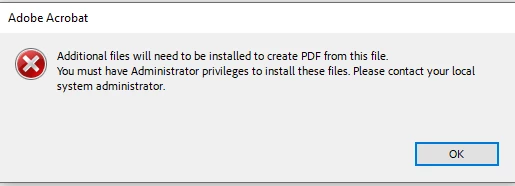
additional files will need to be installed to create pdf from this file .

  • June 13, 2024
  • 3 replies
  • 2185 views

So I get this error and I have read through alot of post and ideas on how to fix it, but no luck yet. Im trying to open / convert a Docx files into a PDF.


error messenge reads

"Additional files will need to be installed to create pdf from this file . you must have administrator privileges to install these files. please contact your local system administrator."


I have tried reparing the office 365 installation, I did the same with adobe.

I have checked that the docx is not set to adobe as standard app.

I have updated everything humanly possible.

I have tried several different files on different drives

I do NOT have the same problem with XLS files


    Correct answer it0D4C

    The problem actually lies in Microsoft Office, not Adobe. You need to run a repair tool for Microsoft Office. This tool is already installed on your computer if you have Office. Here is the solution:
    Go to: Settings > Apps > Click "Microsoft 365 Apps for enterprise - en - us" > Modify > Allow changes > Quick Repair

    3 replies

    bhaskaranunni36
    Participant
    May 2, 2026

    I too get this error on the Adobe acrobat desktop app on my Windows system. I opened the Adobe acrobat on web browser and I could convert my word file to pdf without any issue.

    Meenakshi0101
    Community Manager
    Community Manager
    May 4, 2026

    Hi bhaskaranunni36,


    Thank you for reaching out, and sorry to hear that you are experiencing the same issue.


    Could you please confirm if you have already attempted the troubleshooting steps suggested in this thread?

    If those steps didn’t resolve the issue, please check if Microsoft Office Word is listed under the "Converting to PDF" section in Preferences. Refer to the screenshot below for assistance.


    Additionally, please let us know whether you are trying to open files saved locally on your machine or from a network location.

    We look forward to your response.


    Thanks,

    Meenakshi

    it0D4CCorrect answer
    Participant
    April 7, 2025

    The problem actually lies in Microsoft Office, not Adobe. You need to run a repair tool for Microsoft Office. This tool is already installed on your computer if you have Office. Here is the solution:
    Go to: Settings > Apps > Click "Microsoft 365 Apps for enterprise - en - us" > Modify > Allow changes > Quick Repair

    jane-e
    Community Expert
    Community Expert
    June 13, 2024

    @Rene38016765svp6 


    I've moved your post from Using the Community to Adobe Acrobat for you. 


    The error message says to contact your administrator. What happened when you did that?


    Please tell us your OS and exact version of Acrobat. Does this happen with all Word files or just the one?


    Jane


    Participant
    June 13, 2024

    I am an admistrator of the system thats why its so wierd..