


Adobe Accessibility - Table Header Cell Error
Since the most recent InDesign update, the exact same table I have been using and exporting-to-PDF successfully with correct tag structure for over 20 documents is now refusing to tag correctly?
When I go into the reading order panel to try and remediate, select a cell, open the table editor, go into cell properties, and try to manually update the cell as a header cell, the structure type is not changing to "TH" even after I hit "Ok."
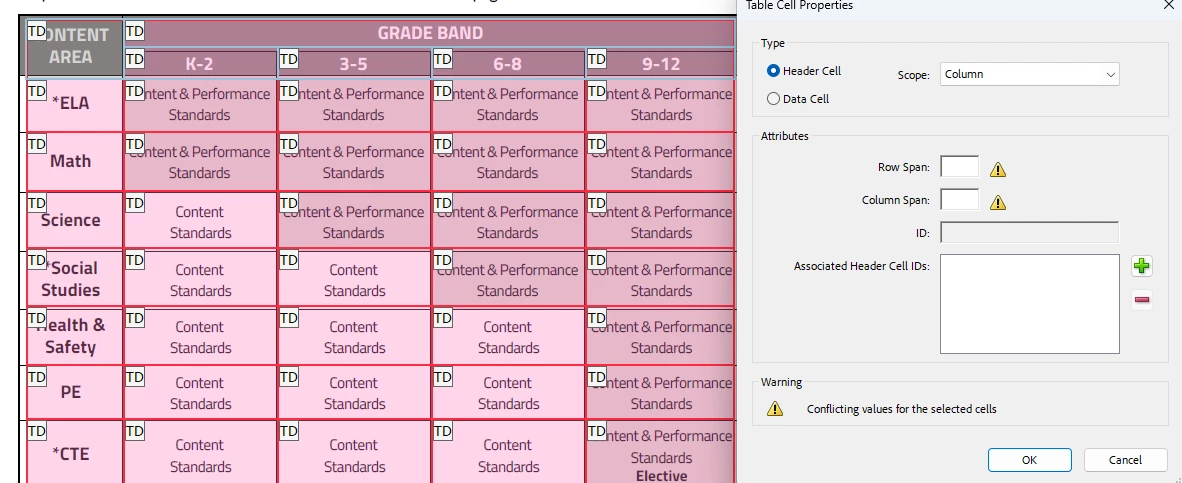 (in this screenshot, you can see the blue selection boxes around all of the dark-grey-shaded header cells, the selected type, and the incorrect structure type still showing instead of updating to TH.)
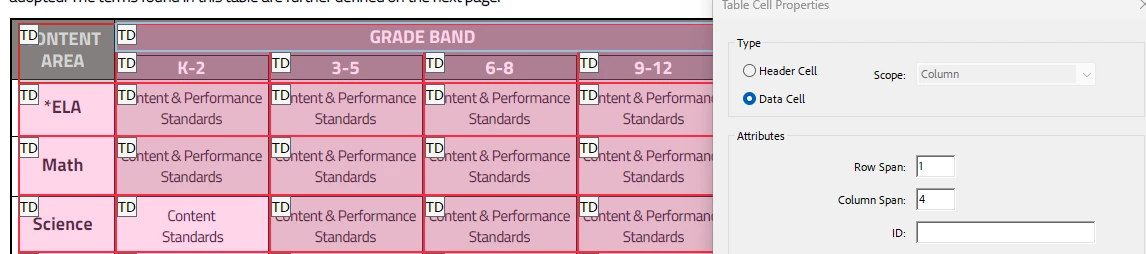
When I try to click into the cell properties for one of the header cells after telling the program it is a Header Cell and selecting "Ok," the cell properties menu is saying it is a column-scope Data Cell??
When I look in the content panel, it is reflecting the heading containers as "TH"
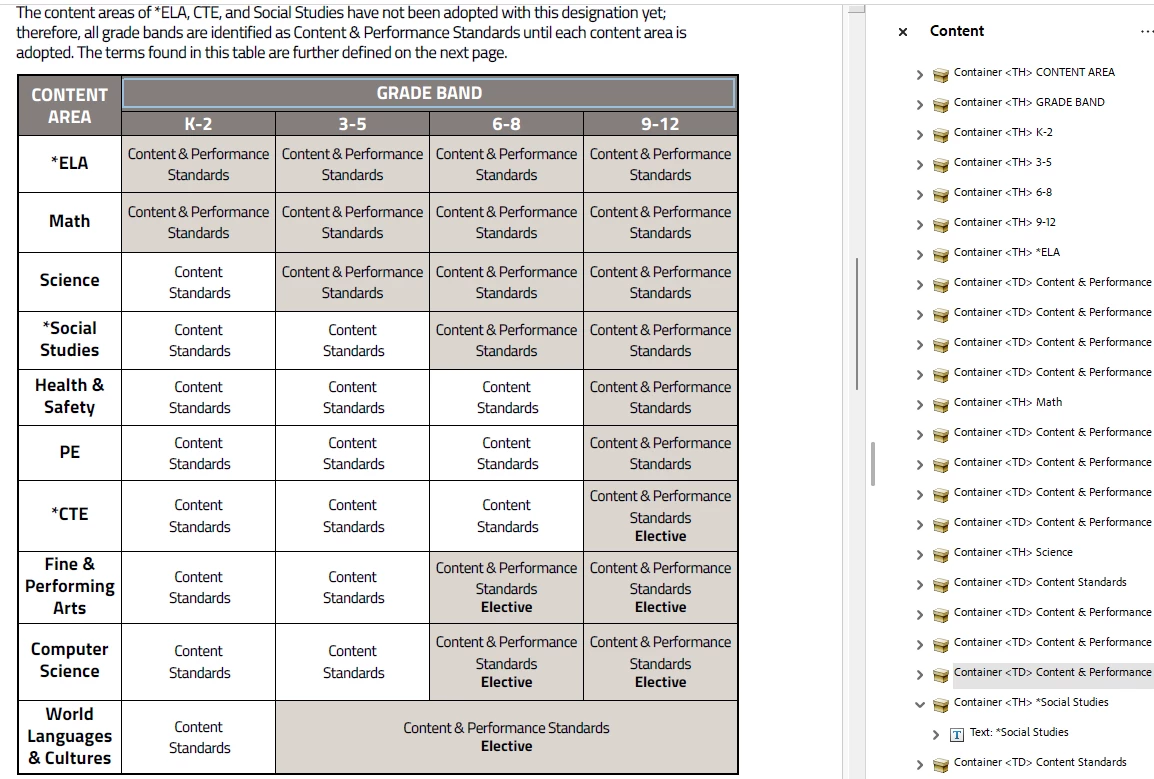
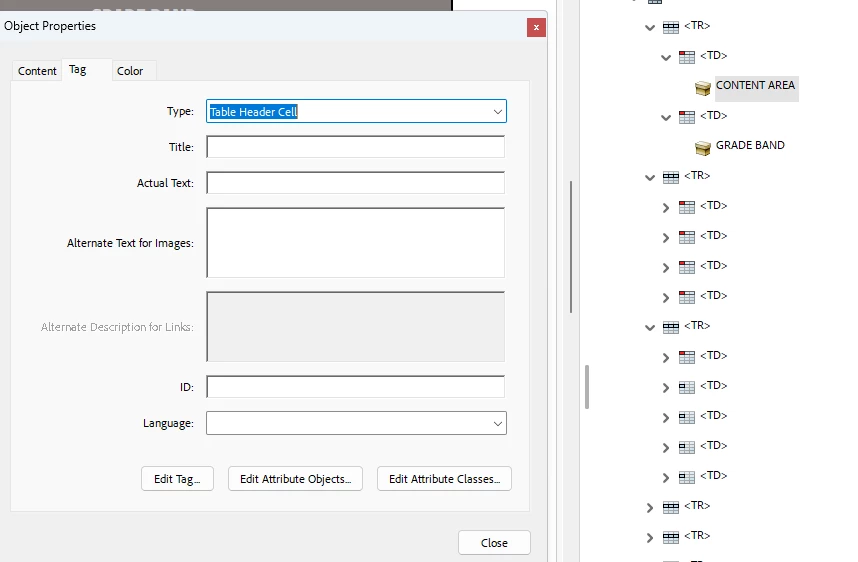
but the tags panel is showing "TD" with the visual symbol of a TH tag?
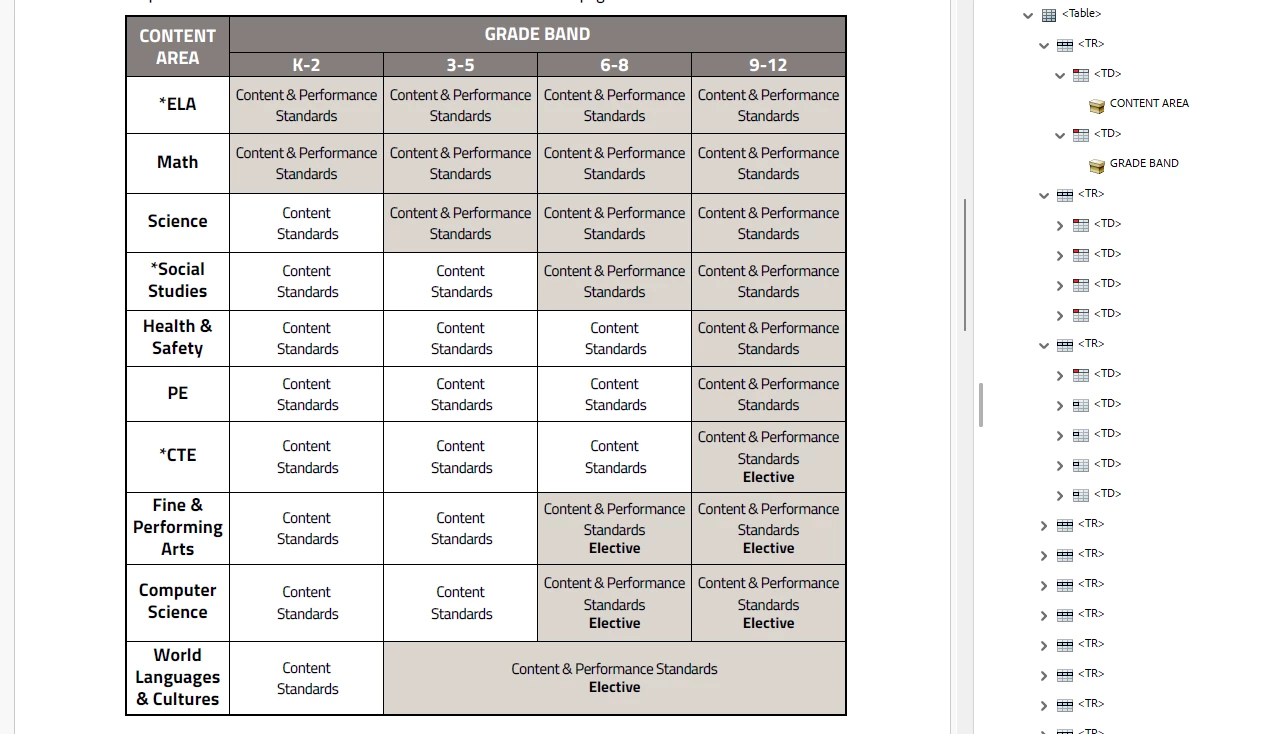
When I go into the properties of one of the header tags that should be showing as TH, it says the type is "Table Header Cell," but the label is still showing "TD." I cannot manually type and change to "TH."
Does anyone have any idea why this is happening? Once again, this is the exact same table I have been using and exporting for 6 months with absolutely no problems, but now the reading order/table editor panel will not properly tag my header cells. Is anyone else having issues with table header tagging since the last update?
(P.S.: I am aware that tables are not ideal for accessibility and that there have been known issues in the past with adobe tagging and tables. I do not have the ability or authority to elect to not include tables in these docs; the govt. board/agency with the authority over these rules wants the table in these docs. Thank you!!)
 AdChoices