
Participant
January 29, 2025
Question

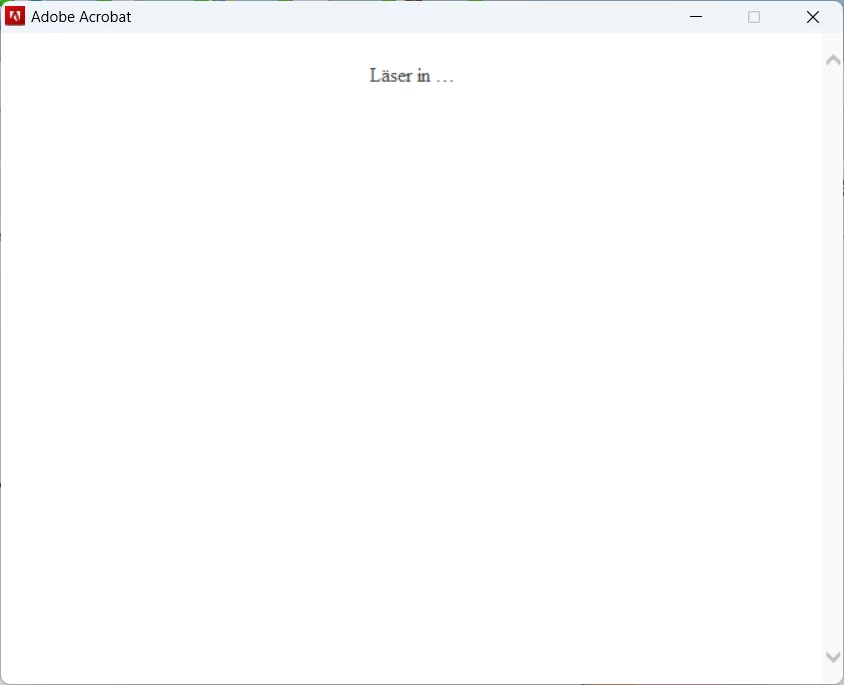
Adobe Acrobat 2017 Standard login not loading

  • January 29, 2025
  • 2 replies
  • 307 views

When starting the Adobe Acrobat 2017 Standard after it was installed from the Adobe Cloud portal. The Login requered popping up, but then it stops in this windows (Look below)

We have bought the licens with the license code which was entered during installation, but can not make the product work...
 

    2 replies

    AnandSri
    Legend
    February 3, 2025

    Hello,


    I hope you're doing well, and we apologize for the delayed response and the trouble.


    Please try the solution from the following community article: https://adobe.ly/4aIwsjj.


    If the issue persists, please use Acrobat cleaner tool to remove the installed app, restart the machine, and install Acrobat

    Please note that the On June 06, 2022, Adobe discontinued support for Acrobat 2017 Classic and Acrobat Reader 2017 Classic. So, the steps may or may not work. For more details on te support, see this article: End of support for Adobe Acrobat 2017 Classic and Acrobat Reader 2017 Classic


    I hope this helps.

    Thanks,

    Anand Sri.

    kglad
    Community Expert
    Community Expert
    January 29, 2025

    in the future, to find the best place to post your message, use the list here, https://community.adobe.com/

    p.s. i don't think the adobe website, and forums in particular, are easy to navigate, so don't spend a lot of time searching that forum list. do your best and we'll move the post (like this one has already been moved) if it helps you get responses.


    <"moved from using the community">
    AnandSri
    Legend
    February 3, 2025

    Hello,


    I hope you're doing well, and we apologize for the delayed response and the trouble.


    Please try the solution from the following community article: https://adobe.ly/4aIwsjj.


    If the issue persists, please use Acrobat cleaner tool to remove the installed app, restart the machine, and install Acrobat

    Please note that the On June 06, 2022, Adobe discontinued support for Acrobat 2017 Classic and Acrobat Reader 2017 Classic. So, the steps may or may not work. For more details on te support, see this article: End of support for Adobe Acrobat 2017 Classic and Acrobat Reader 2017 Classic


    I hope this helps.

    Thanks,

    Anand Sri.