
Known Participant
January 22, 2018
Resuelto

Adobe Acrobat 8 Standard asking for reactivation, but reactivation should not be necessary.

  • January 22, 2018
  • 2 respuestas
  • 3264 visualizaciones

I know Adobe Acrobat 8 Standard edition is a legacy product that is no longer supported, but that is no reason for Adobe to invalidate its use.  I have owned this edition for years.  It is all I need, and I all I want.  I do not need or want a subscription version.

I launched Acrobat and got a message saying that it needs to be reactivated.
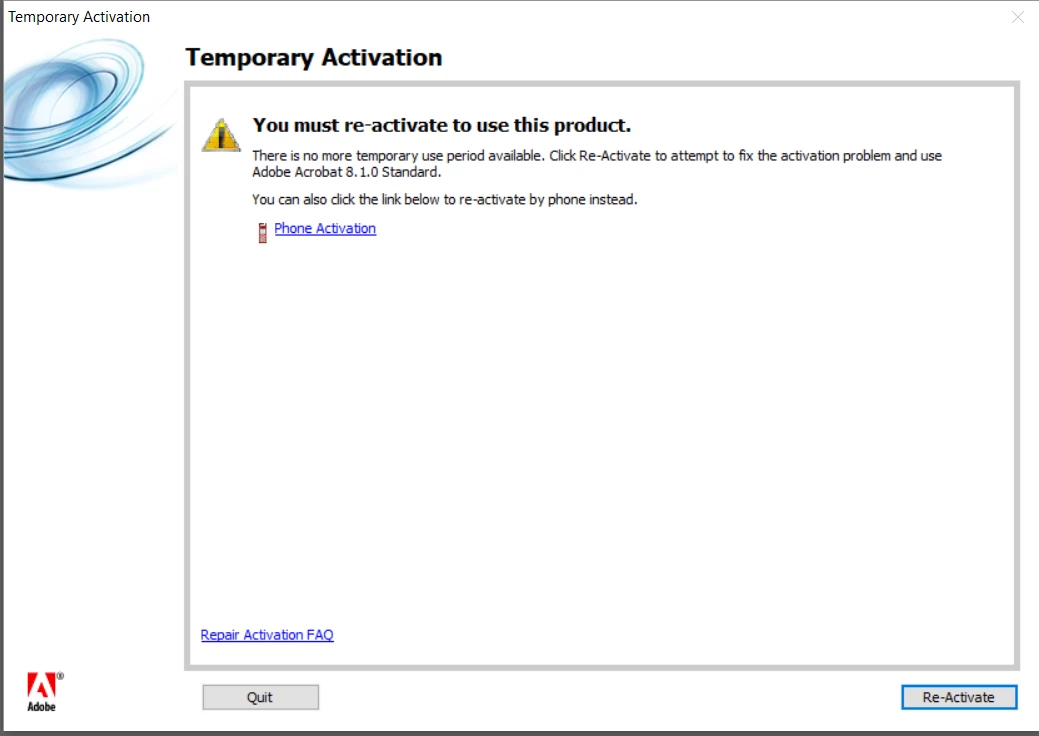
If I click the Re-Activate button, I am taken to a dialog that wants me to reactivate over the internet or via phone.  When I dialed the phone number, I got a message saying that Adobe no longer reactivates via phone.  When I try to reactivate over the internet, I am told that no internet connection is connected; even if I turn off the firewall.

When I click the Cancel button, I get a dialog that tells me the grace period for using this product has expired.  There is no grace period!  This version should NEVER expire!

Now, I have a product, which is fully paid for, that I cannot use; only because Adobe has screwed up.  If this is how Adobe operates, what incentive would I have to upgrade to a current version?

Este tema ha sido cerrado para respuestas.
Mejor respuesta de kglad

uninstall acrobat 8 (using the uninstaller)

clean per http://helpx.adobe.com/creative-suite/kb/cs5-cleaner-tool-installation-problems.html

remove the cache.db file from Program Files (x86)/Common Files/Adobe/Adobe PCD/cache/

restart your computer

follow the steps here to install acrobat 8, https://helpx.adobe.com/creative-suite/kb/activation-fails-cs3-acrobat-8.html

if that fails read this, https://forums.adobe.com/thread/2385900

2 respuestas

Dietmar1
Participant
January 23, 2018

I have exactly the same question. I got meanwhile a new code, that, after downloading a new copy of A8 is not accepted. What shall I do ?

kglad
Community Expert
Community Expert
January 23, 2018

follow the steps in message 1.

kglad
Community Expert
kgladCommunity ExpertRespuesta
Community Expert
January 23, 2018

uninstall acrobat 8 (using the uninstaller)

clean per http://helpx.adobe.com/creative-suite/kb/cs5-cleaner-tool-installation-problems.html

remove the cache.db file from Program Files (x86)/Common Files/Adobe/Adobe PCD/cache/

restart your computer

follow the steps here to install acrobat 8, https://helpx.adobe.com/creative-suite/kb/activation-fails-cs3-acrobat-8.html

if that fails read this, https://forums.adobe.com/thread/2385900