


Adobe Acrobat Cannot Connect to SharePoint Shared Review Server
We’ve run into a new problem (April 2024) with Adobe Acrobat Pro being unable to connect to the SharePoint server to publish or get comments from Shared Review PDFs.
Note: We have tried basic troubleshooting (restarting app, restarting system, reinstalling app, however the problem persists). The old workaround for this issue (resetting internet explorer) does not work.
Problem Summary:
We believe the problem is that Adobe Acrobat Pro uses an Internet Explorer embedded control to sign-in to SharePoint and access Shared Review PDFs. Internet Explorer is *end of life* and SharePoint automatically blocks Internet Explorer sign in to SharePoint and One Drive. (Adobe Article - "Use of Internet Explorer embedded control for SharePoint Shared Reviews")
As an Adobe Acrobat Pro user when you open a Shared Review PDF hosted on SharePoint what you see is an unexpected pop-up message telling you to upgrade your Browser (picture below). This pop-up is due to SharePoint blocking Internet Explorer sign-on. With SharePoint blocking sign-on to Adobe Acrobat you will *not* be able to Check for New Comments or Publish Comments on your shared reviews.
Here are examples of screens you may see when using Adobe Acrobat to open a Shared Review PDF demonstrating the problem.
Example 1: This is Acrobat’s embedded Internet Explorer control attempting to connect to SharePoint and being blocked by SharePoint (seen when you open a Shared Review PDF).
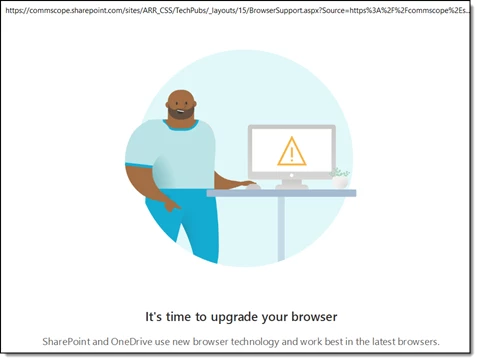
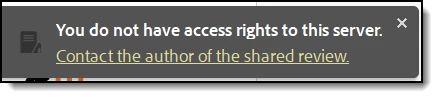
After closing this window, and a SharePoint connection not being established you’ll see the following error messages in Adobe Acrobat when attempting to Check for Comments or Publish Comments.
Example 2: Error messages seen as access to SharePoint Shared Reviews are blocked from Adobe.

Any workarounds or suggestions for resolving this issue?
 AdChoices