



darcyc52058815
Participating Frequently
May 4, 2026
Answered

Adobe Acrobat constantly asks me to "Start Free Trial"

  • May 4, 2026
  • 1 reply
  • 429 views

I am a paying subscriber for Creative Cloud products (specifically Adobe Illustrator).

However, Adobe Acrobat is (supposedly) a FREE PDF viewer. 

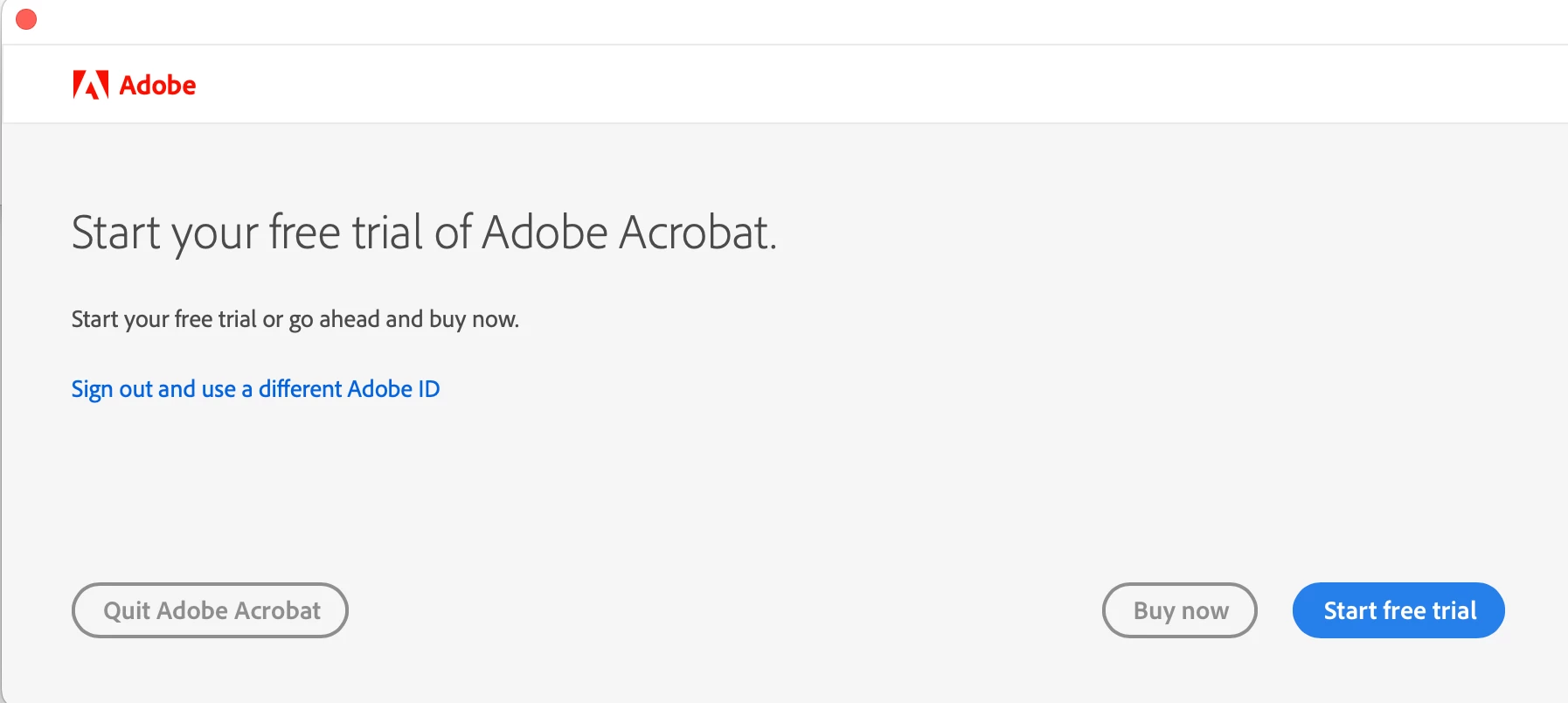
I have downloaded and re-downloaded Adobe Acrobat several times and every time it asks me to “Start my free trial of Adobe Acrobat” with the following options: “Buy Now”, “Start Free Trial”, and “Quit”

The most annoying part is that I am trying to access a government form that should be free to access for the public, but its being paywalled by bulls**** software. 

Why is it asking me to pay for a free PDF viewer?
 

    Correct answer Meenakshi0101

    Hi darcyc52058815,


    Thank you for the information.


    We understand that you’ve already attempted to reinstall the application. However, based on the screenshot, it seems that you have installed Adobe Acrobat instead of Adobe Acrobat Reader.

    Please follow the steps below to properly reinstall the application. You can use the link provided to download the installer for Adobe Acrobat Reader:

    • Remove the application and run the cleaner tool (https://www.adobe.com/devnet-docs/acrobatetk/tools/Labs/cleaner.html). If you are using a Mac, make sure to empty the trash afterward to ensure that all Acrobat files are completely removed. 
    •  Reboot the machine. 
    •  Install Adobe Acrobat Reader from the following page: https://get.adobe.com/reader/enterprise/. 


    Please let us know if you need any further assistance.


    Thanks,

    Meenakshi

    1 reply

    Meenakshi0101
    Community Manager
    Community Manager
    May 5, 2026

    Hi darcyc52058815,


    Thank you for reaching out.


    As mentioned above, you have an Adobe Illustrator subscription. Please note that the Acrobat application included in Creative Cloud requires a separate subscription. To view a PDF, you can download Acrobat Reader, which is the free version, from the following link: https://adobe.ly/3QOpeVg.

    Before installing Acrobat Reader, be sure to uninstall any existing version of Acrobat from your machine.


    Let us know how it goes.


    Thanks,

    Meenakshi

    darcyc52058815
    Participating Frequently
    May 8, 2026

    I have tried uninstalling and reinstalling already. That is the first thing I tried. Nothing works. It’s ridiculous that Acrobat Reader isn’t just included as part of the Creative Cloud package automatically for free.

    Meenakshi0101
    Community Manager
    Meenakshi0101Community ManagerCorrect answer
    Community Manager
    May 11, 2026

    Hi darcyc52058815,


    Thank you for the information.


    We understand that you’ve already attempted to reinstall the application. However, based on the screenshot, it seems that you have installed Adobe Acrobat instead of Adobe Acrobat Reader.

    Please follow the steps below to properly reinstall the application. You can use the link provided to download the installer for Adobe Acrobat Reader:

    • Remove the application and run the cleaner tool (https://www.adobe.com/devnet-docs/acrobatetk/tools/Labs/cleaner.html). If you are using a Mac, make sure to empty the trash afterward to ensure that all Acrobat files are completely removed. 
    •  Reboot the machine. 
    •  Install Adobe Acrobat Reader from the following page: https://get.adobe.com/reader/enterprise/. 


    Please let us know if you need any further assistance.


    Thanks,

    Meenakshi
