

Question
Adobe Acrobat crashes when editing images
Learn how to fix Acrobat crashes when editing images.
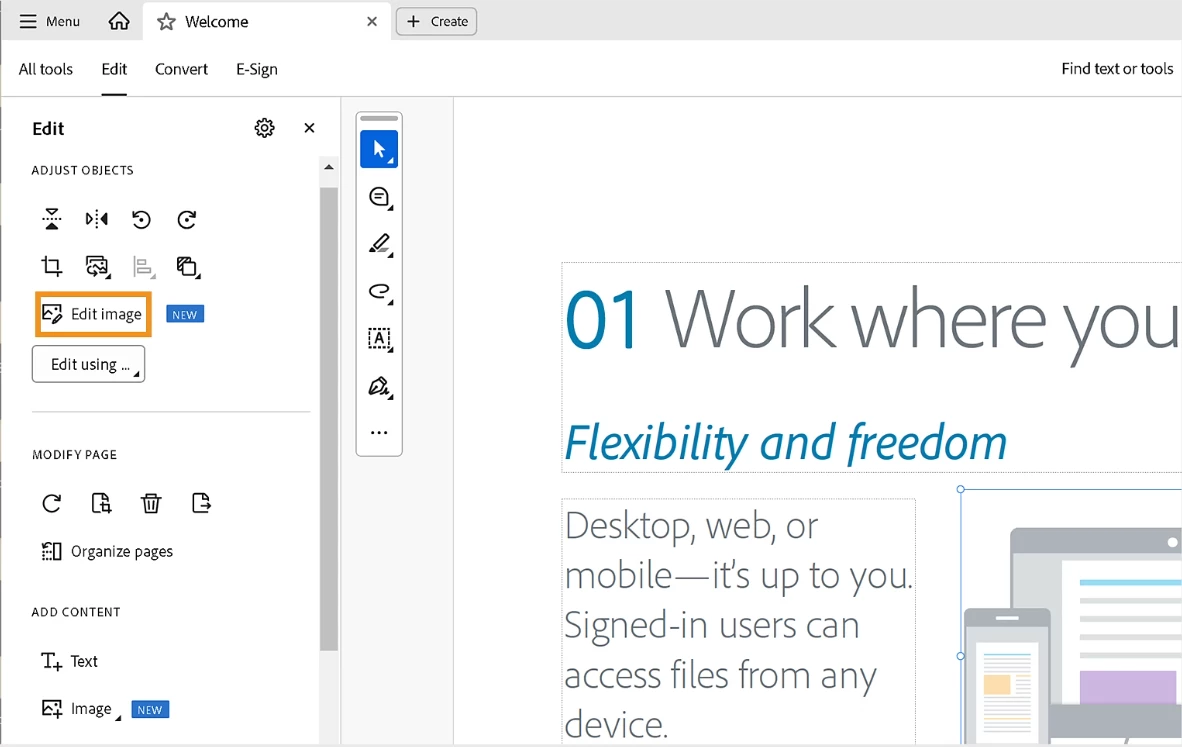
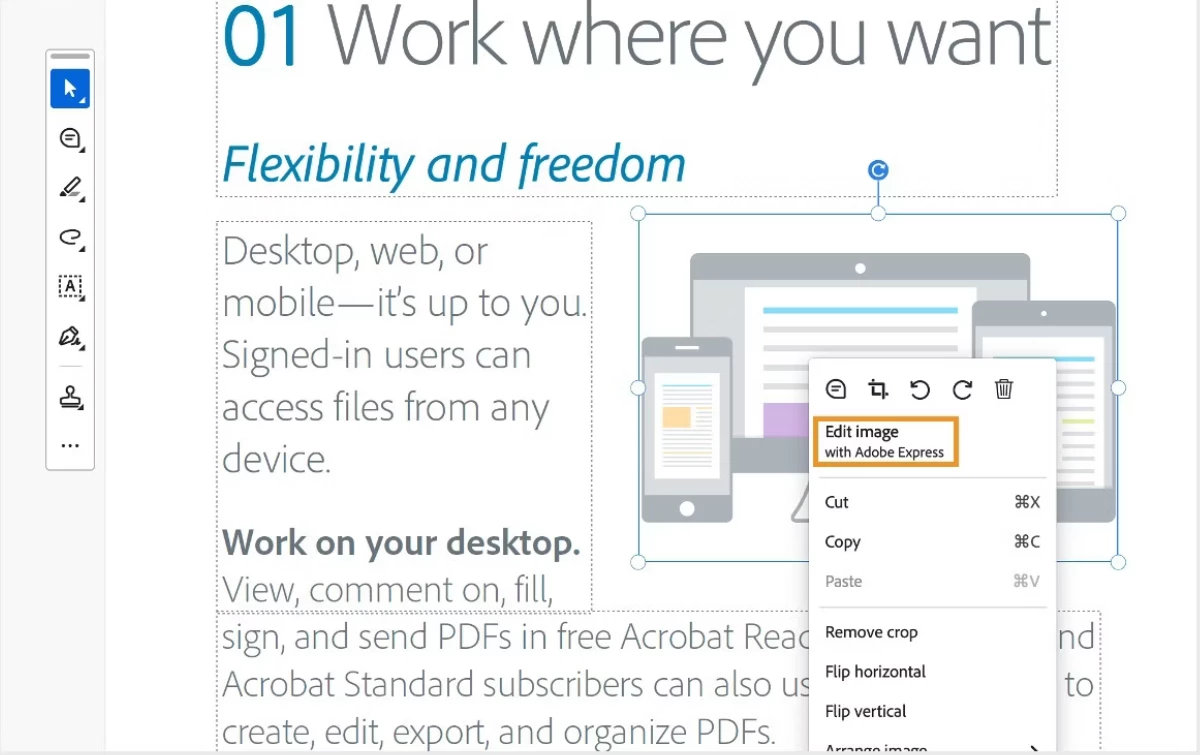
Acrobat may crash when selecting Edit Image from the context menu. To prevent this, use Edit Image from the Edit panel or choose Edit Image with Adobe Express from the right-click menu.
Edit Panel
- Open the PDF in Acrobat.
- Select Edit from the Menu Bar and select the image you want to edit. Choose Edit image.
Right-Click Menu
- Open the PDF in Acrobat.
- Right-click on the image you want to edit, and select Edit Image with Adobe Express from the menu.
If this was helpful, please click the Upvote icon in the top left corner of this post. Your feedback helps us improve the experience. Thank you!
Community resources.


 AdChoices