Inspiring
July 12, 2024
Answered

Adobe Acrobat Custom Stamp Preview distortion

  • July 12, 2024
  • 1 reply
  • 616 views

Good afternoon, I'm writing today becaause after finishing my dynamic stamps, I have a small issue when placing the stamps. Previosuly the stamps would place exactly as the preview shows, however with a new set of stamps, these seems to have teh same actual size when placed bur the preview is considerably distorted. Is there any simple fixes for this?
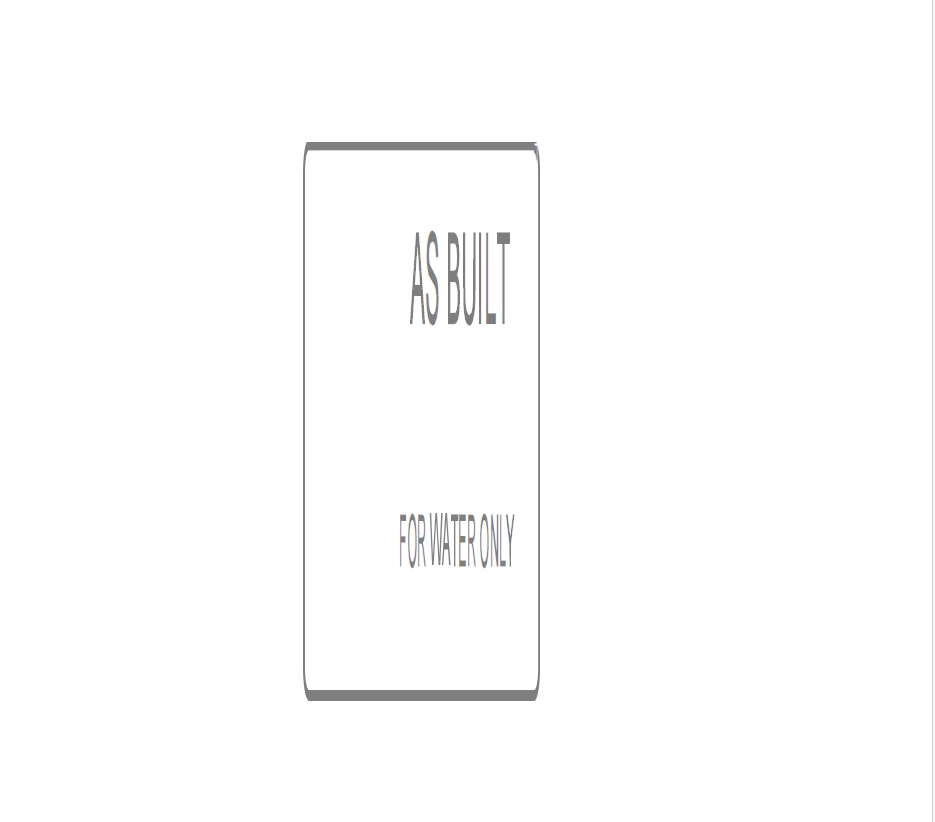
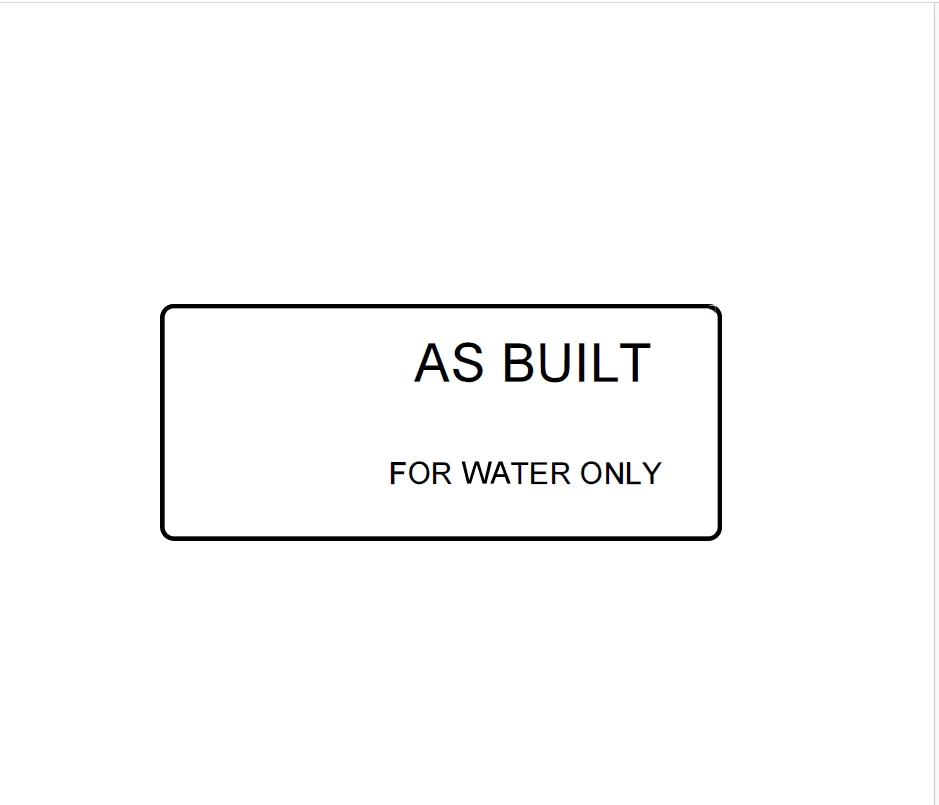


 As you can see the preview of the stamp is considerably distorted vertically

This topic has been closed for replies.
Correct answer bradley_wang_2302

No worries I managed to solve the 'glitch' by:

It seemed from my end that the issue was in the Adobe detection creating a faux-page for the stamp and was solved by cropping this before exporting.

1 reply

Community Manager
September 3, 2024

Hi @Blayde3


Following up to check if your issue was resolved or not. Sorry for the delay in responding. 
Let us know, and we will be happy to assist. 


I assume your stamp may have an image. If not, we need the details of how you set up the stamp and a sample stamp from your end. Here is how you can export the stamp: https://community.adobe.com/t5/acrobat-discussions/export-my-custom-stamps-to-share-with-others/td-p/10787066 


~Tariq

bradley_wang_2302Correct answer
Participant
September 4, 2024

No worries I managed to solve the 'glitch' by:

It seemed from my end that the issue was in the Adobe detection creating a faux-page for the stamp and was solved by cropping this before exporting.

Community Manager
September 4, 2024

Thanks for keeping this discussion updated and for sharing your findings, @bradley_wang_2302!  

I am glad you have found a fix, and your finding may help others. 


Feel free to reach out if you have any questions in the future.


~Tariq