Inspiring
March 24, 2020
Question

Adobe Acrobat DC crashing

  • March 24, 2020
  • 3 replies
  • 1742 views

Hi since several months the adobe acrobat on my Windows 7 sometimes crashed and I had to reset the program ( the tabs got restored then)

Now since 2 weeks Adobe isn't working at all: it crashes immediately. I tried first to repair it, then reinstalled it but the problem is persisting; I've checked out some help threads in the internet about changing some names files but useless..

Somebody has a suggestion?


greetz
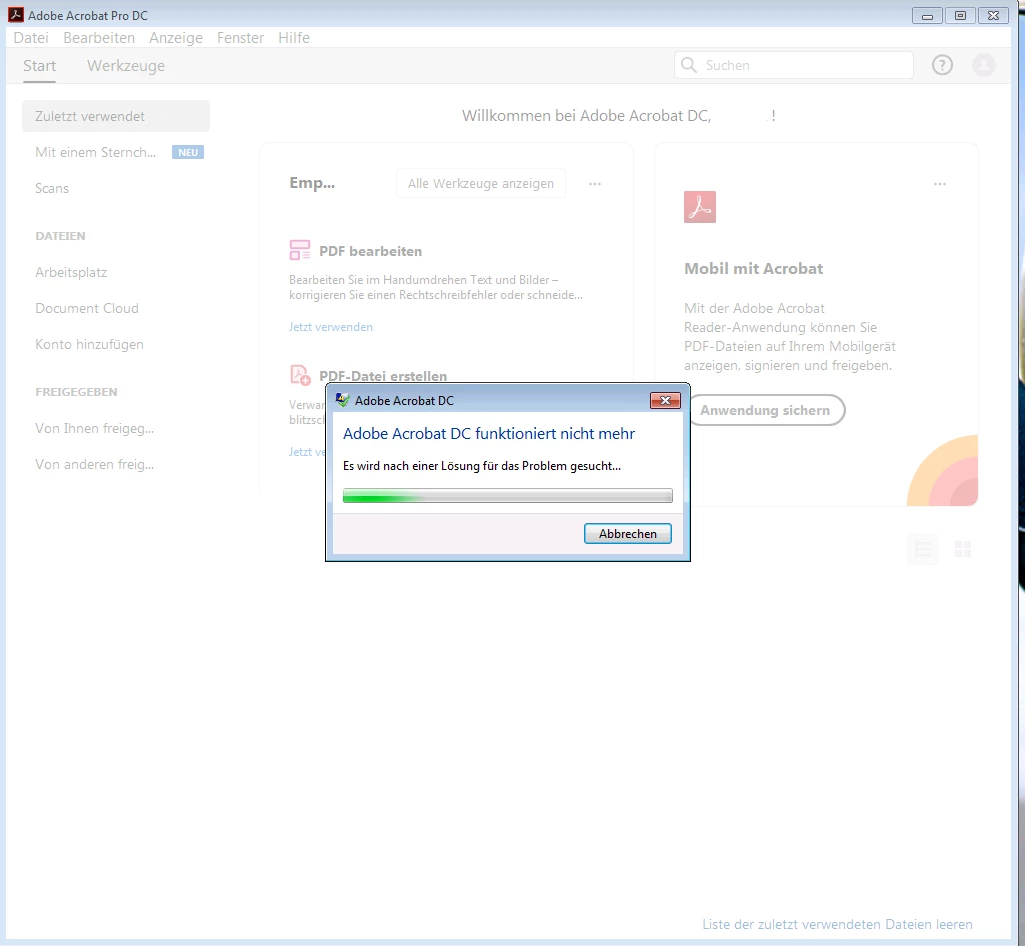
after this message it says there was no solution found, close the program

This topic has been closed for replies.

3 replies

DzogboAuthor
Inspiring
May 13, 2020

I changed the computer (only the hard disk remained the same) with Adobe still installed and it still crashes so its definitely an account based problem but I wouldn't know where to start solve it

Amal.
Legend
May 14, 2020

Hi there


we are sorry for the delay in response and the trouble you had.


As you mentioned that the application is working fine in the newly created profile and crashing on the regular user profile, it seems to be some issue with the user profile.


Please try to repair the user profile in which you are experiencing the crash issue. (https://support.microsoft.com/en-us/help/14039/windows-fix-corrupted-user-profile)


Regards

Amal


DzogboAuthor
Inspiring
June 2, 2020

Hello Amal

This link just shows how to create a new user account; this doesn't solves the problem and it isn't the right solution for this problem so I won't delete my actual account to create a new one (it's just moving the error in the trash) instead I'll wait for other solution suggestions; meanwhile I can access the offline AADC and save document, just the Cloud crashes the app

regards

Participating Frequently
April 20, 2020

Clear temporary files : 


1. Press Windows+R to open the Run box.

2. Type temp and press enter. Delete all files you can. 

3. Type %temp% and press enter. Delete all files you can. 


Next repair corrupted windows files:


1. Press Windows+R to open the Run box.

2. Type cmd and press Ctrl+Shift+Enter to run it with admin privileges.

3. In cmd, type sfc/scannow and press enter

After when the scanning gets completed, restarts your computer and try to run Acrobat Pro DC again. 


DzogboAuthor
Inspiring
April 24, 2020

nothing changed but I tried it anyways: still crashing

Amal.
Legend
April 24, 2020

Hi there


Please create a new test user profile on your computer with full admin rights and try to install the application there and check.


If it still doesn't work, please collect the crash logs (https://helpx.adobe.com/in/acrobat/kb/collect-logs-crash-freeze.html) and share them with us for investigation. Please upload the logs on the document cloud (https://documentcloud.adobe.com/link/home/) generate the link and share it with us.


Regards

Amal


Amal.
Legend
March 30, 2020

Hi Dzogbo


We are sorry for the trouble. As described the application is crashing frequently and you tried repairing and reinstalling the application with no success.


Please try the following steps and see if that works:


If it still doesn't work, please try to create a new test user profile with full admin rights ad try to install the application there and check.


Let us know how it goes


Regards

Amal


DzogboAuthor
Inspiring
April 20, 2020

I upgraded from Windows 7 to 10, then followed the 3 steps; login was succesful but Adobe Acrobat DC crashed right a moment later; I'll have to try the last step but how do you mean create a new test user profile on your website and with another email?

Regards

Amal.
Legend
April 20, 2020

Hi there 


We are sorry to hear that.


Please create a new test user profile on your computer with full admin rights and try to install the application there and check.


If it still doesn't work, please collect the crash logs (https://helpx.adobe.com/in/acrobat/kb/collect-logs-crash-freeze.html) and share them with us for investigation. Please upload the logs on the document cloud (https://documentcloud.adobe.com/link/home/) generate the link and share it with us.


Keep us posted with the result.


Regards

Amal