


Participant
July 15, 2024
Question

Adobe Acrobat DC quits when I close the "Start your free trial of Adobe Acrobat" pop up

  • July 15, 2024
  • 6 replies
  • 2763 views

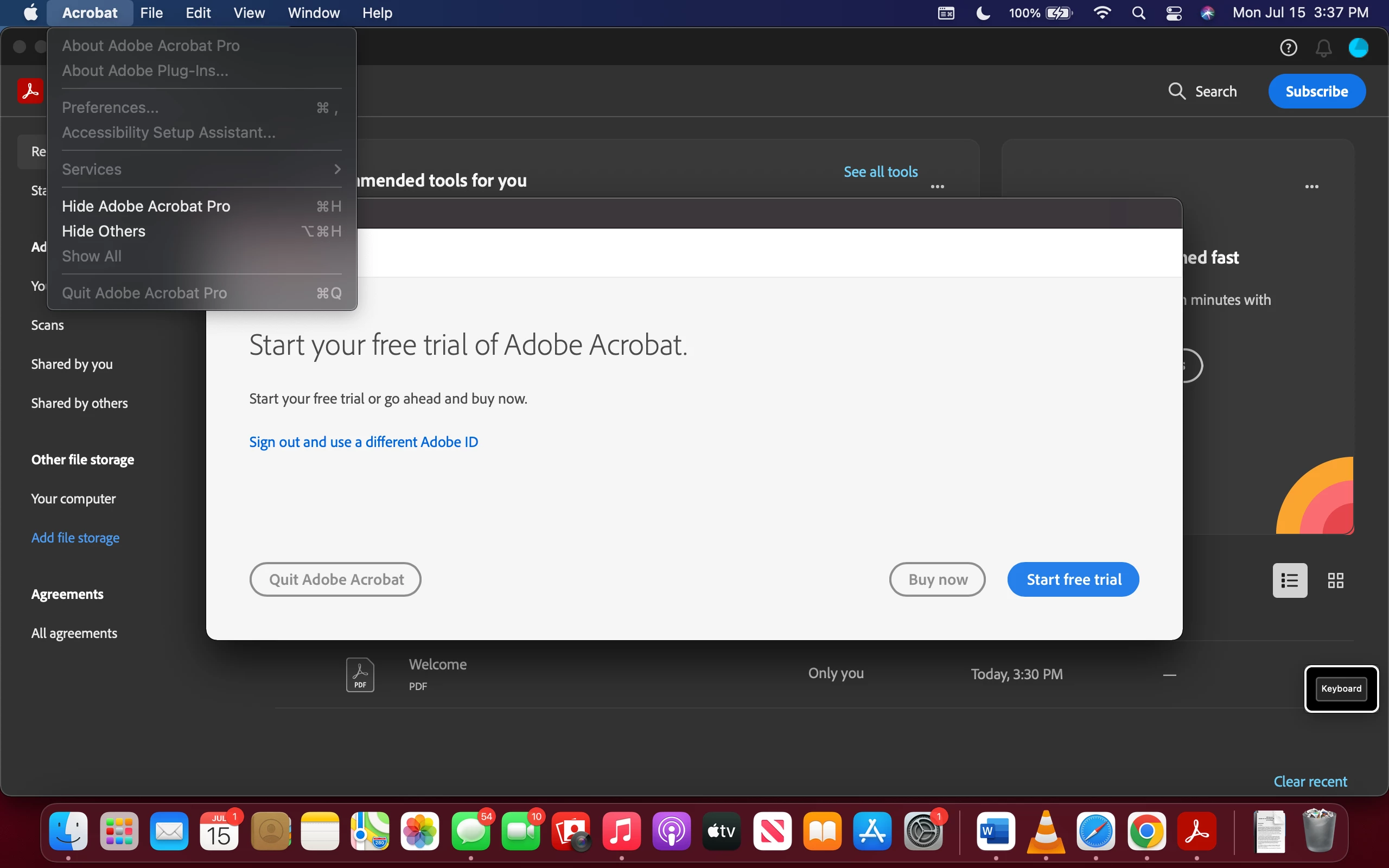
Every time I open Adobe Acrobat DC, that pop up message shows up. I don't want nor need Adobe Pro.


This wasn't happening a couple of days ago but now it suddenly does. I uninstalled it, and reinstalled it multiple times and it still does the same thing. The pop up comes out every time, when I click the red X, it gets frozen for a few seconds and it quits. I can't even read nor print PDFs, much less do anything else.


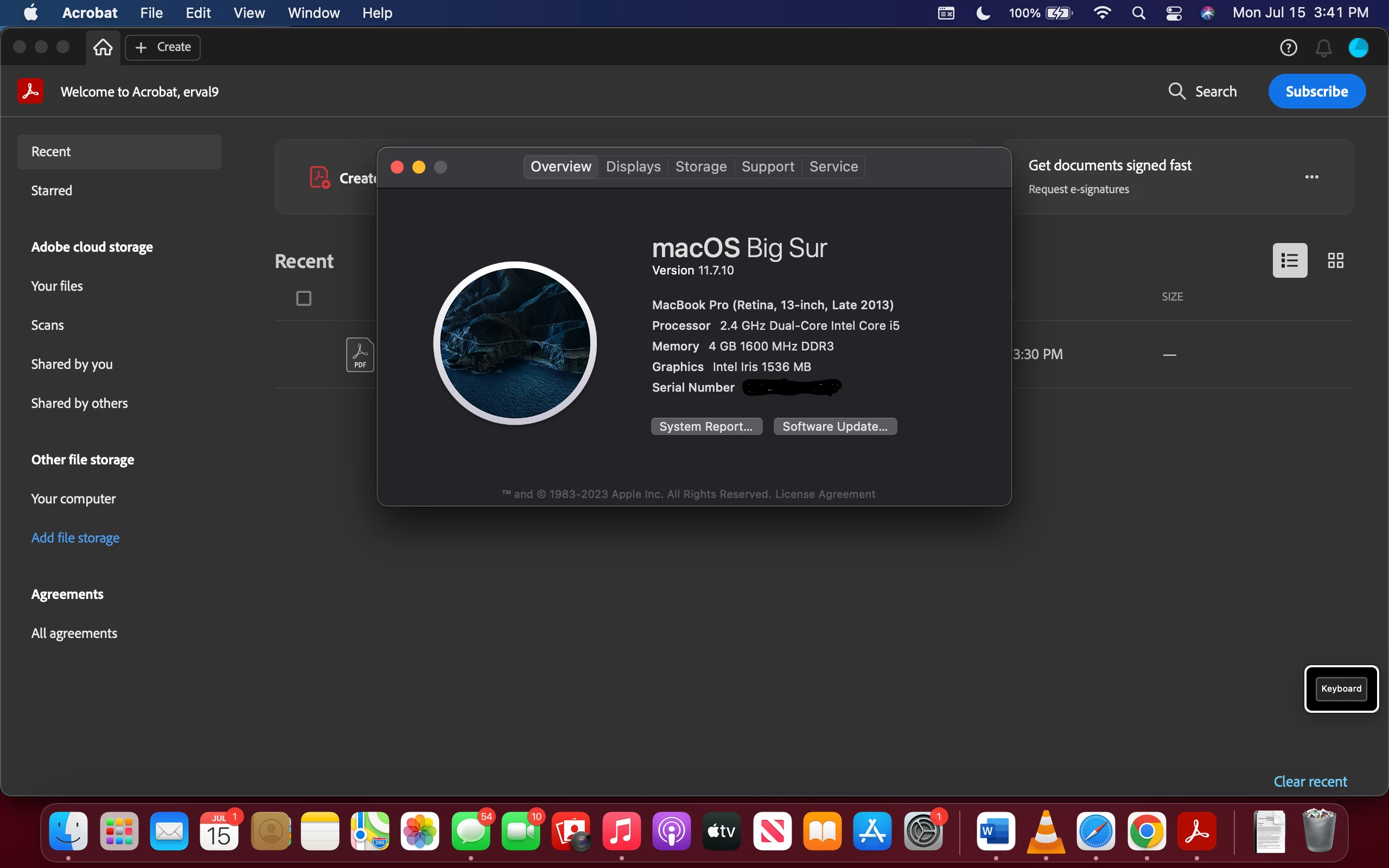
I have attached screenshots of my MacOs system and laptop information as well as what I see when I open Adobe Acrobat DC.


Any help on how to fix this would be appreciated. I hope Adobe is not trying to force us to buy and subscribe and that Acrobat DC will become useless and obsolete. Smh


6 replies

jackobjasson2
Participant
April 25, 2026

That is more like a UI/launch bug or corrupted preference cache than just the trial popup itself—reinstalling sometimes doesn’t clear those settings on Mac. You could try resetting Acrobat preferences or removing leftover config files before reinstalling again. It’s a bit like keeping records clean in state filings llc—if the underlying data isn’t reset properly, the same issue just keeps coming back.

darcyc52058815
Participant
April 24, 2026

I am having the same problem. The most frustrating thing is that I pay for Adobe Illustrator on a monthly subscription via CreativeCloud. I think when I download the free version of Adobe Reader, it gets confused and thinks I need to pay for the pro version via CreativeCloud or something. Its really frustrating that the free version of Adobe Reader is not available for download (for free) from CreativeCloud so I need to download separately but then Adobe seems to get confused.

Any help is appreciated. This is extremely frustrating.

Participant
March 12, 2025

I am Also getting this issue trying to use Acrobate Pro with a trial. As soon as I open a PDF to edit, I get this splash screen and after a few seconds Adobe Acrobat Pro closes regardless of whether I click a button or not.


Adobe Employee
October 28, 2025

Hi @Adrian_Anastas5174 


This is Acrobat 11 which is long out of support. Please uninstall this and install latest Reader version. 

Participant
December 7, 2024

I'm experiencing the same issue on a Windows 11 PC.  I just signed up for Adobe Acrobat Export PDF, and now I get this same "Start your free trial of Adobe Acrobat" window whenever I open a PDF document or open Acrobat.  This prevents me from using PDFs at all, and if I close the popup, it also shuts down Reader / Acrobat / Whatever You're Calling It Now.  SO FRUSTRATING!!!  How do I fix this?

Adobe Employee
December 11, 2024

Hi @Merf1013 


You seem to have installed Adobe Acrobat which needs Acrobat Pro or Standard subscription to run. For Acrobat Export pdf pack , please uninstall Acrobat and install Adobe Reader from https://get.adobe.com/reader/ , sign in with your Adobe ID and Export pdfs.


Regards

Ravi

Participant
October 27, 2025

I am also having the same issue.  I have uninstalled it and re-installed using your link supplied above. I'm still getting the message to start free trial or Buy Now.  Please help.

Thank You

Lisa


Legend
August 13, 2024

Hi @erval938622333dblw 

Following up to check if you are still experiencing this issue. 

~Tariq 

Adobe Employee
July 16, 2024

Hi,


Thanks for reporting this. To help us further understand the situation , can you help us with below information :

1. It seems that you want to only use the free Adobe Acrobat Reader. Can you confirm how did you installed this product.

2. What is the product version? You can get that information from Adobe Acrobat.app --> Right Click --> get Info.

3. Please run the Adobe Log Collector Tool and share the logs thus created with us.


Thanks,

Nikhil Gupta


Adobe Employee
July 16, 2024

Also do share the file if exists "/Library/Application Support/Adobe/Acrobat/DC/SupportFiles/Preferences/com.adobe.acrobat.scainstaller.plist"