


Answered
Adobe Acrobat DC Standard - Hide Task Pane
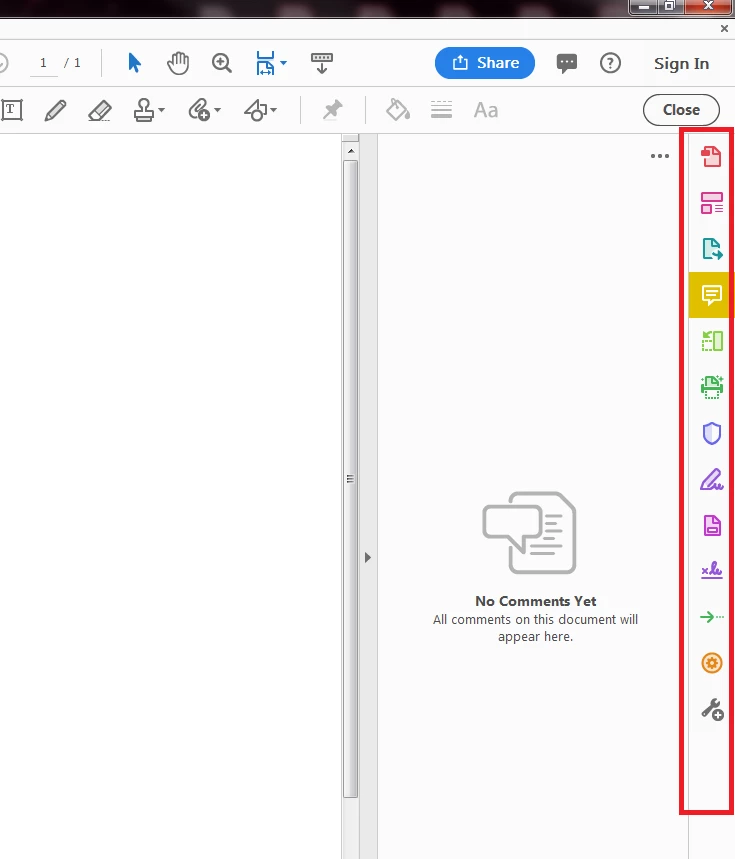
Hello, I just received the October 1, 2018 update. How do you hide the Task Pane when comments are open?
To clarify: I still want to view the comments panel, but don't want the Task Pane icons visible on the right side. It's distracting and covers up valuable document space. We view a lot of detailed text documents and comments at my workplace, so it helps to have the most viewing space possible.
If there's a way to permanently hide the Task Pane, that would be excellent.
Screenshot included (icons outlined in red):

 AdChoices