
emilye81763600
Participant
December 12, 2018
Pregunta

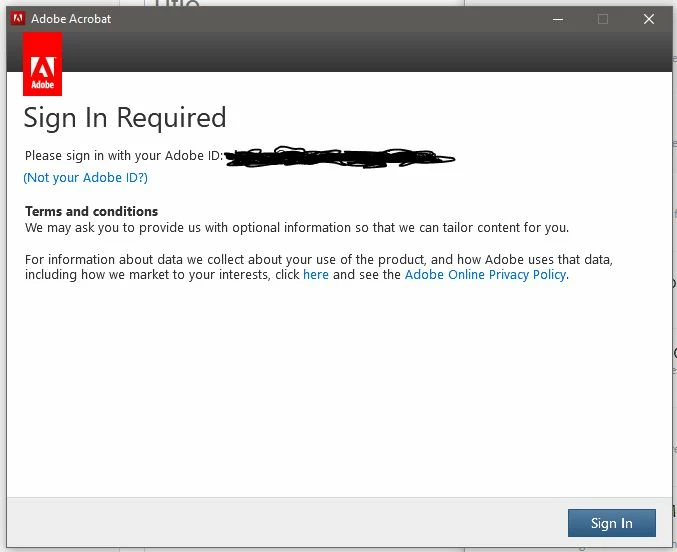
Adobe Acrobat DC won't open and keeps asking me to log in?

  • December 12, 2018
  • 1 respuesta
  • 10172 visualizaciones

Every time I try and launch my Acrobat, a window pops up asking me to log in. I am already logged into the cloud, so this doesn't make sense. I continue to log in, and then the widow pops up again. No matter how many times I log in, Acrobat just won't open. I have tried restarting my computer, installing and uninstalling, logging in and out of the cloud and even checking my internet settings. I am completely unable to open PDFs which is a huge issue. Any ideas would help.
Este tema ha sido cerrado para respuestas.

1 respuesta

Meenakshi Negi
Community Manager
Community Manager
December 13, 2018

Hi Emilye,

Sorry for the inconvenience caused.

As you have mentioned above, you are already logged in to the CC desktop application.

Please try once the steps provided here sign in help

Check if that helps.

If the issue still persists, try once to open the application directly from the CC desktop application. Check if you still get the same error message.

Also, check if there is an update pending for the CC desktop application or the Adobe Acrobat application.

Check if you get the same "sign in" window for other CC applications.

Let us know how it goes.

We will be waiting for your response.

Regards,

Meenakshi

emilye81763600
Participant
December 13, 2018

Following the steps you mentioned did not help. This does not happen for any other CC applications. All CC updates have been completed and there are none pending. I tried opening Acrobat up from CC and the same error message pops up.