


Participant
August 17, 2026
質問

Adobe Acrobat Default Portfolio Initial View top of the page won't move to the left

  • August 17, 2026
  • 返信数 9.
  • 52 ビュー

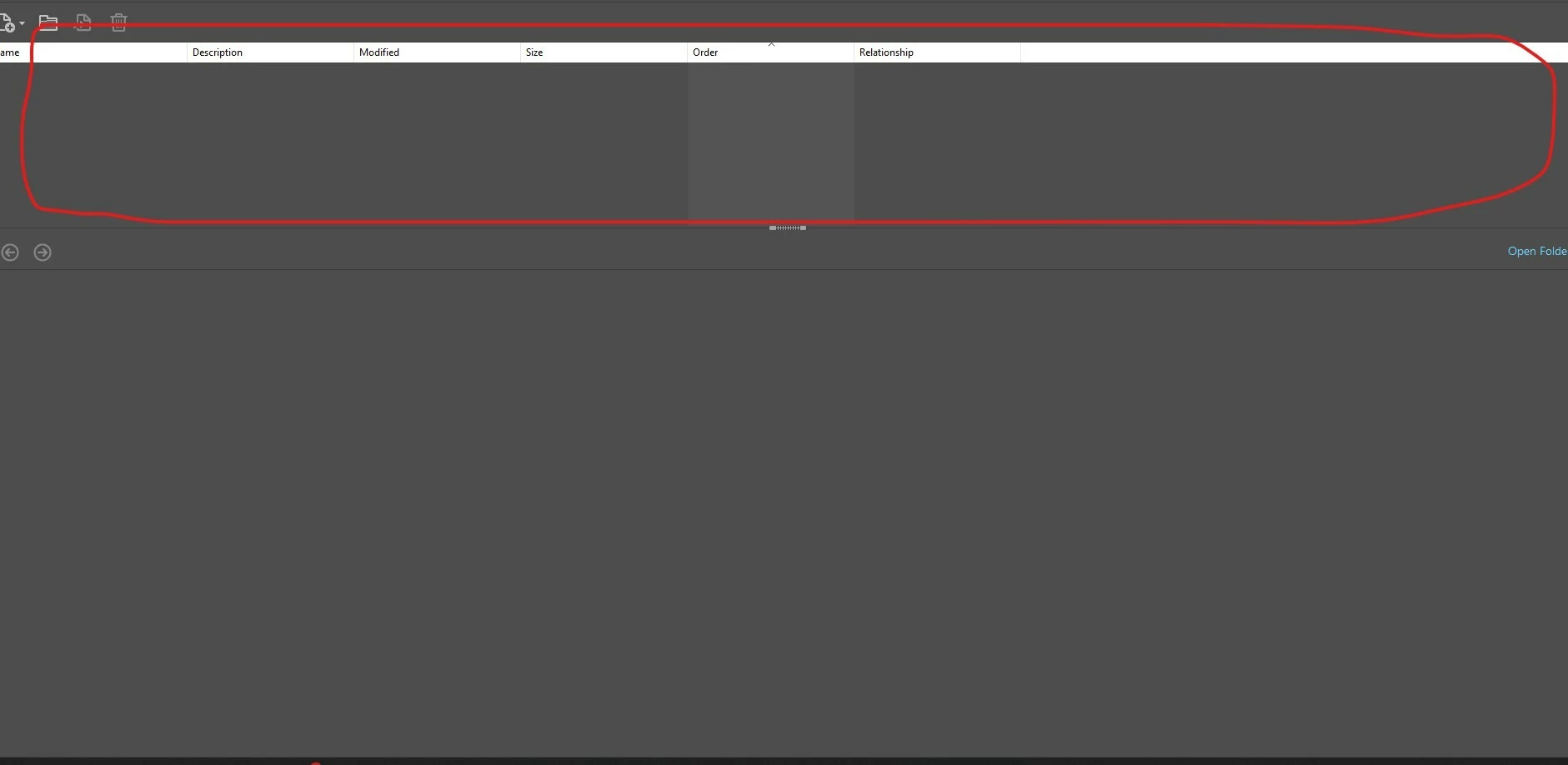
I am opening a pdf and the files/bookmarks pane always appear on the top in detailed view. I’ve tried changing the portfolio settings initial view to left which works, but restarting the PDF does not seem to save the settings.
When opening this on another computer on the same server, the pdf opens normally and shows the files on the left. It’s just one computer, so I was thinking it had to do with preferences but cannot find this setting. Is there an option to change this?
    返信数 9

    benjamin_6321作成者
    Participant
    August 24, 2026

    I’ve attached the logs here.
    Since there were no steps I could take to replicate the issue, I just turned the diagnostic on for a while.
    Please let me know if you can find anything, if not I will proceed with re-installing.

    Anand Sri Bhattacharya
    Community Manager
    Community Manager
    August 24, 2026

    Thanks for the logs ​@benjamin_6321. Could you please create a test user profile with all the similar rights, and check with the file, if the PDF Portfolio initial-view layout ("Files on the Left") is persisting or not?


    Regards,

    Anand Sri.


    Amal Jaiswal
    Community Manager
    Community Manager
    August 17, 2026

    ​Hi @benjamin_6321 ,


    Hope you are doing well and thanks for reaching out, we are sorry for the trouble you are experiencing.


    A couple of quick things that would help narrow it down:
    - What is the version of Acrobat and the OS you are using? And is it Acrobat Reader or Acrobat Pro/Standard? (Help > About Acrobat)
    - Have you compared the Preferences (Ctrl,Cmd+K) > Accessibility settings between that computer and the one that opens the file correctly?


    Here's what usually causes this. Under Preferences (Ctrl, Cmd+K) > Accessibility, there's an option called "Always use Page Layout Style." When that's checked, it forces Acrobat to use its own layout setting instead of the one saved in the PDF or Portfolio. That would explain why the panel keeps snapping back to the top even after you set it to the left. If that box is checked on the problem computer, unchecking it should let the Portfolio's saved layout take over. You can read more about this setting here: https://adobe.ly/4x10mJZ 


    It's also worth checking in Preferences (Ctrl, Cmd+K) > Documents for "Restore Last View Settings When Reopening Documents." If that's turned on, it can override the Portfolio's saved view too, so make sure it's set the same way on both machines. More on how these preferences interact here: https://adobe.ly/4wro1Cd 


    Let us know what you find, and we can take it from there.

    ~Amal


    benjamin_6321作成者
    Participant
    August 18, 2026

    Hello,
    I am on Standard Acrobat 26.001.21789.
    For accessibility settings: yes, the settings appear to be identical
    Restore last view settings is also already checked but does not seem to make any differences.


    Thanks

    Amal Jaiswal
    Community Manager
    Community Manager
    August 19, 2026

    ​Hi @benjamin_6321 ,


    Hope you are doing well, and thanks for reaching out. We are sorry for the trouble you are experiencing.


    Since it works fine on other computers with the same file, this points to something local to that one machine rather than the PDF itself or a portfolio setting. A couple of things that would help narrow it down:


    - Is that computer on Windows or Mac?
    - Does this happen with other PDF portfolios on that machine too, or just this one file?


    Since the settings and preferences already match the working computer, the next thing worth trying is clearing out that machine's local Acrobat preferences, since a corrupted local preferences file can keep overriding settings even when everything looks correct on screen. Please try to reset the Acrobat preferences as described here https://adobe.ly/4hDaWCd


    Once done, reopen Acrobat; this forces it to regenerate a fresh preferences file, then set the portfolio initial view to Left again and reopen the portfolio to see if it holds this time.

    If that doesn't help, try Help > Repair Installation on that machine (Windows only) reboot the computer once.


    Let me know your OS, and whether this happens with other portfolios too, and whether the rename step above makes a difference; that'll tell us if it's a preferences issue or something else specific to that machine.
    Also share a small video recording of the steps you are taking and the issue as it occurs for further investigation.


    Regards
    Amal