
Participant
April 15, 2024
Question

Adobe Acrobat - Document Links and Attachments

  • April 15, 2024
  • 3 replies
  • 704 views

Greetings Adobe Support community.

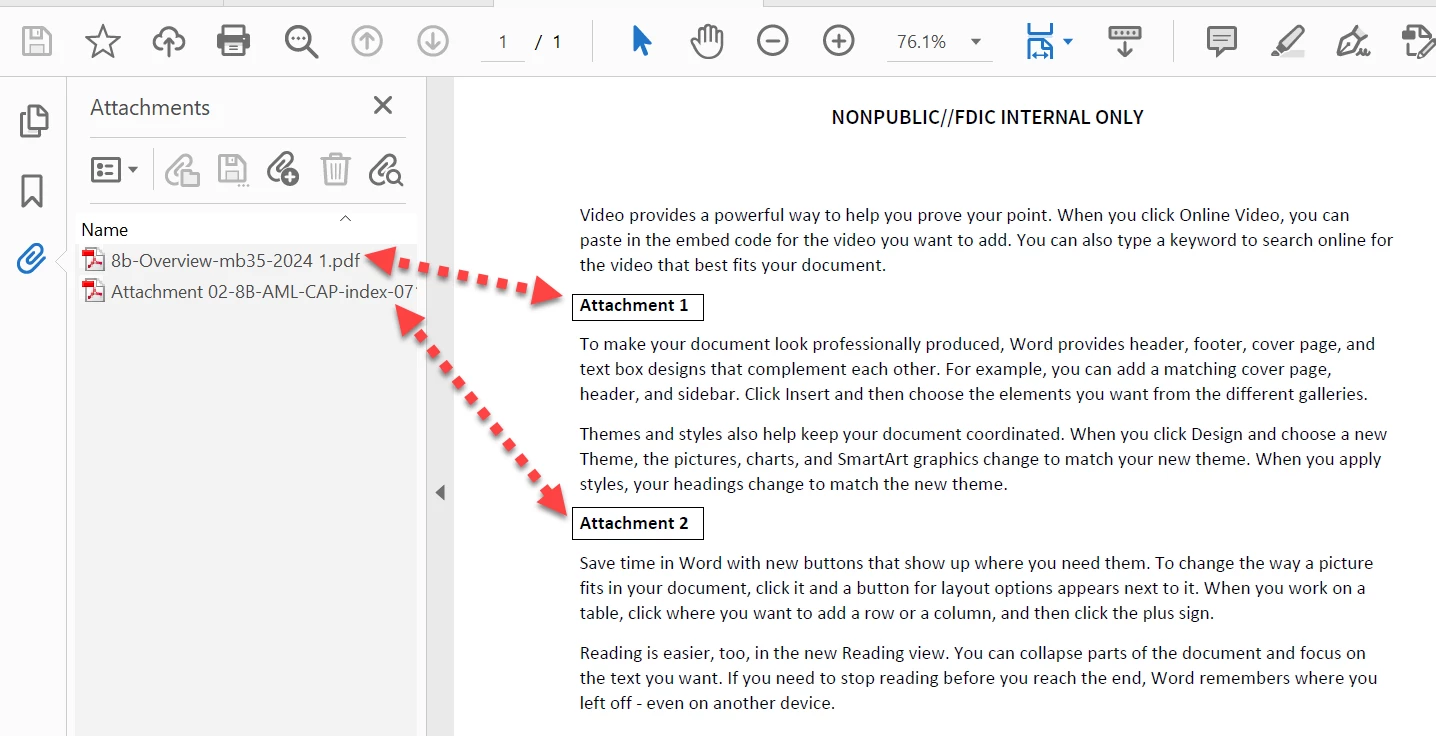
I added two attachments to a PDF file but also wanted to link these same to files within the body of the document so that readers can also click the link.  
How can I add document links so that anyone can access the attachments using the links.  Also, I want the documents to open in separate windows. 

Your support is greatly appreciated.  Attached is additional information.
This topic has been closed for replies.

3 replies

Amal.
Community Manager
Community Manager
April 15, 2024

Hi @Tiffany Carson Smoot 


++ Adding to the discussion


Please go through the help page: https://helpx.adobe.com/acrobat/using/links-attachments-pdfs.html for more information about links and attachments.


~Amal


Got your issue resolved? Please label the response as 'Correct Answer' to help your fellow community members find a solution to similar problems.

try67
Community Expert
Community Expert
April 15, 2024

Create the link and then select the "Go to a page view" action. A floating window will appear with a "Set Link" button. Double-click the file you want the link to open, scroll to the desired location within it (or just leave it at the top of the first page), and then click the "Set Link" button.

To make the link always open the target document in a new window right-click it (while still using the Add or Edit Link tool), select Properties, Actions, then select the "Go to a page in another document" action and click Edit. Now change the "Open in" setting to "New Window":


Unfortunately, this process will have to be repeated manually for each link you create, unless you use a stand-alone tool to edit all the links in the file to behave in this way, such as this (paid-for) tool I've developed that does just that: https://www.try67.com/tool/convert-all-links-in-a-pdf-to-open-in-new-window


Participant
April 15, 2024

Greetings Adobe Support community.

I added two attachments to a PDF file but also wanted to link these same to files within the body of the document so that readers can also click the link.  
How can I add document links so that anyone can access the attachments using the links.  Also, I want the documents to open in separate windows. 

Your support is greatly appreciated.  Attached is additional information.