Question
Adobe Acrobat "help" option isn't much help with inserting date dropbox on form
Building a fillable pdf using Adobe Acrobat Pro DC on my Macbook Air, trying to figure out how to insert a date dropbox option. Seems like it should be pretty straight forward, or so I thought.
It's not.
Click on the help button, and get directed to the Adobe website.
This is what I get:
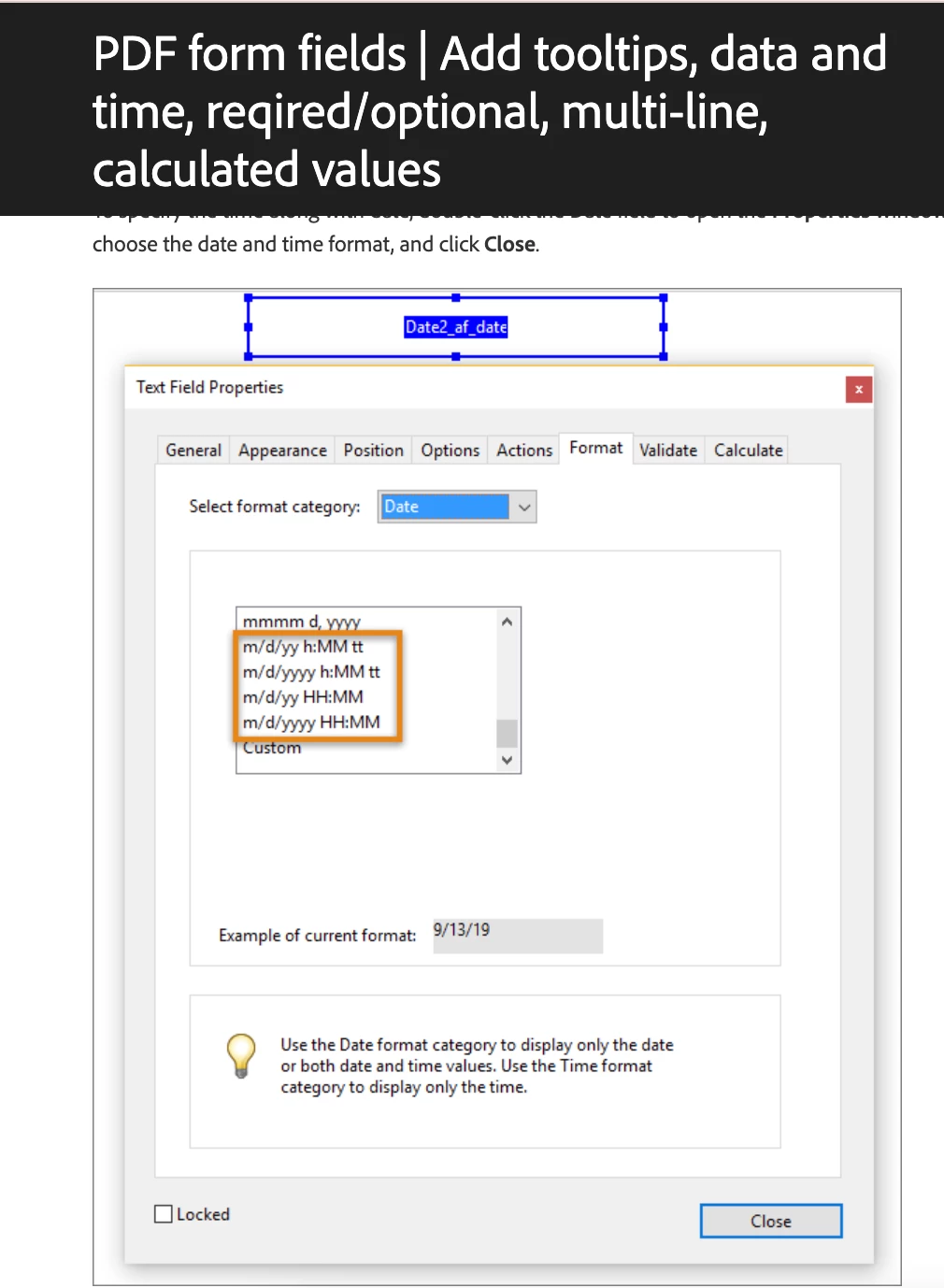
Would be great if that's what my app is showing me:
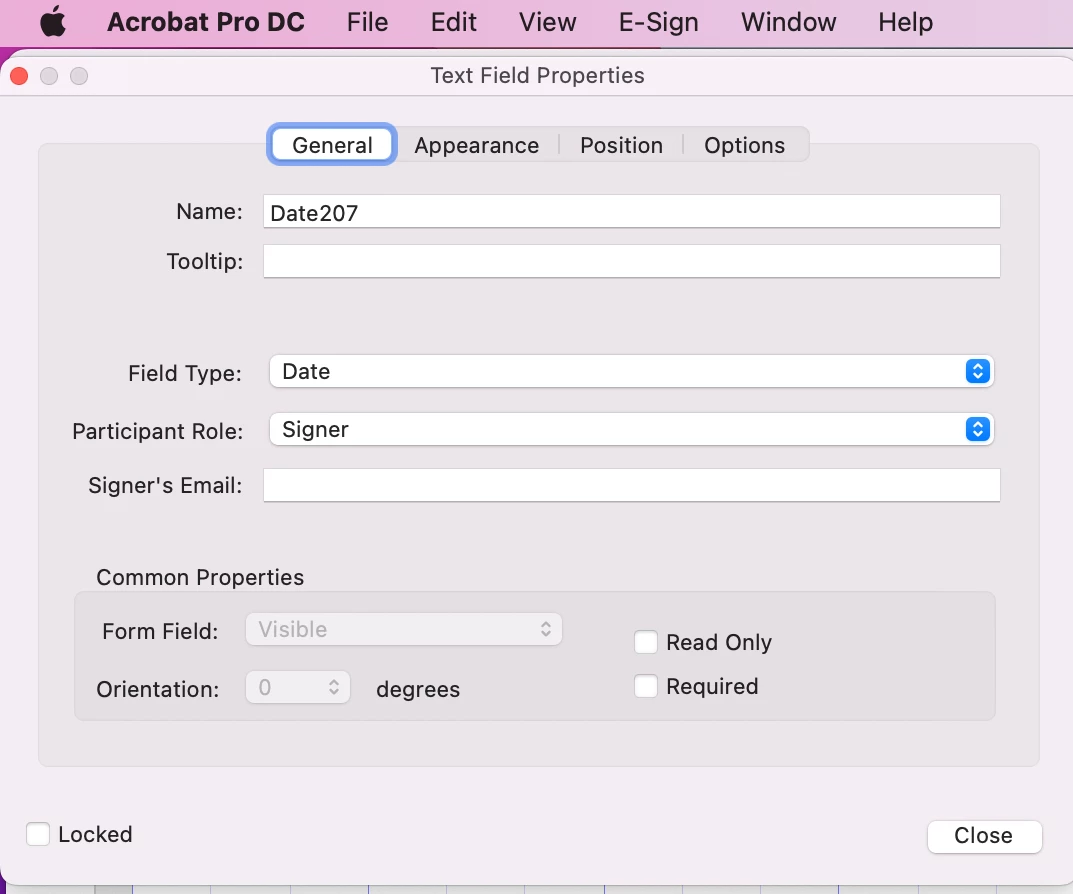
Why do I not have actions, format, validate or calculate available as options????
I'm using the most updated version.
If anyone has any ideas, but needs further details, PLEASE let me know.
I'm getting really frustrated with Adobe, especially as I see more features disappearing...so pay the same but get less??
(Also any suggestions for a replacement program?? I'm all ears...)
 AdChoices