
Inspiring
August 16, 2024
Answered

Adobe Acrobat Language Problem

  • August 16, 2024
  • 2 replies
  • 1424 views

Hello,

I have a problem the Adobe Acrobat language is English with Arabic support.

I have no idea how it is happened.
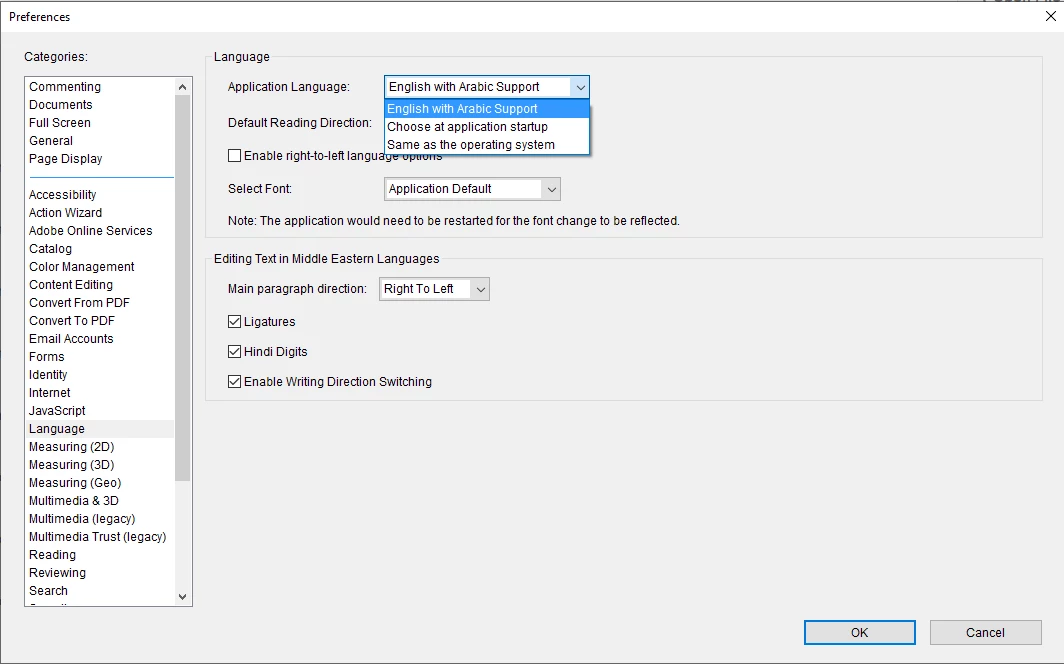
I try to change English UK or English US but there is no options there.

How can I change the language?
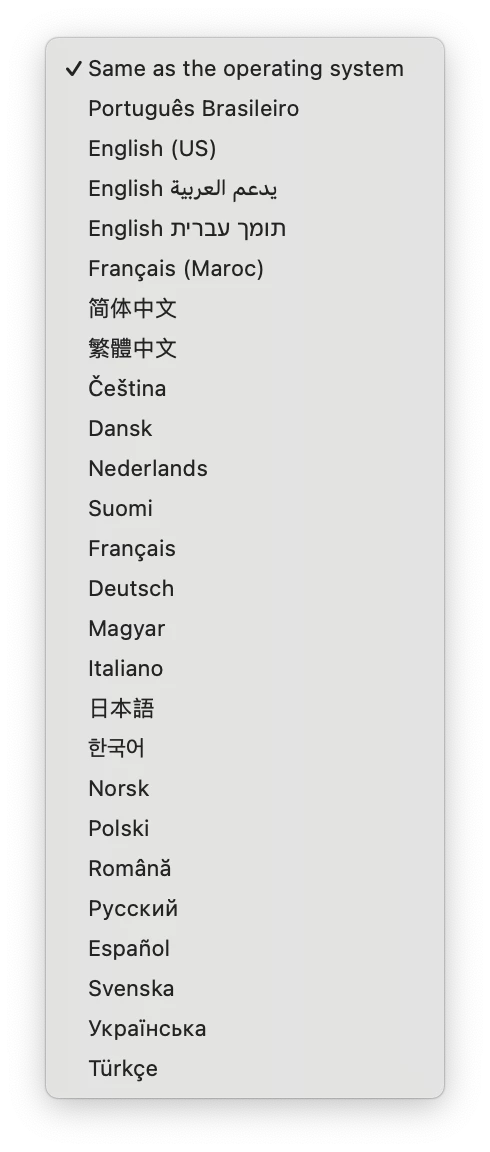
Correct answer Zaid Al Hilali

In the same drop-down menu you've got showing there, select "Choose at application startup" then relaunch Acrobat and select your preferred language from the menu…


2 replies

Zaid Al Hilali
Community Expert
Zaid Al HilaliCommunity ExpertCorrect answer
Community Expert
August 16, 2024

In the same drop-down menu you've got showing there, select "Choose at application startup" then relaunch Acrobat and select your preferred language from the menu…


Inspiring
August 16, 2024

After restart I had only 2 options: English and English with Arabic support.

You have a lot on the image. And you do not have English. /you have English US/

I choose English, and I can write numbers now.

If it will work that will be ok to me. I do not know what is the different between English and English US

Thank you so much for your help.

try67
Community Expert
Community Expert
August 16, 2024

What difference does it make? The UI is in English, no?

Inspiring
August 16, 2024

The difference is when I typeing numbers it write arabic chracters.

Copy paste auto correct all numbers to arabic characters.

And things like this.

try67
Community Expert
Community Expert
August 16, 2024

Go to Edit - Preferences - Language and tick off the box next to "Hindi Digits".