Answered
Adobe Acrobat Online File Comments
In Adobe Acrobat, when multiple rounds of comments are made by a person, is there a way to group the comments by version?

In Adobe Acrobat, when multiple rounds of comments are made by a person, is there a way to group the comments by version?
In Acrobat, click the 3dot button on the Commenting Toolbar > Sort Comments > By name.
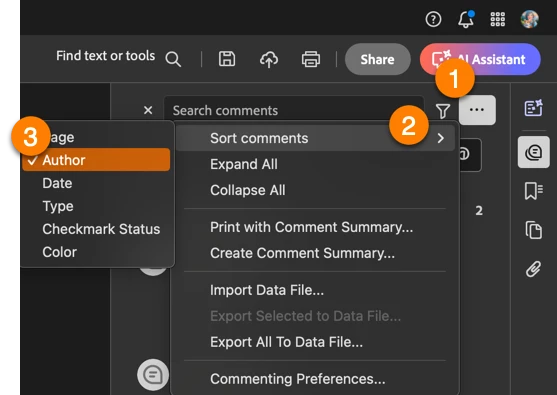
If you are viewing the PDF in a browser window, the only option is to filter by name.
~Barb
Already have an account? Login
No account yet? Create an account
Enter your E-mail address. We'll send you an e-mail with instructions to reset your password.


 AdChoices